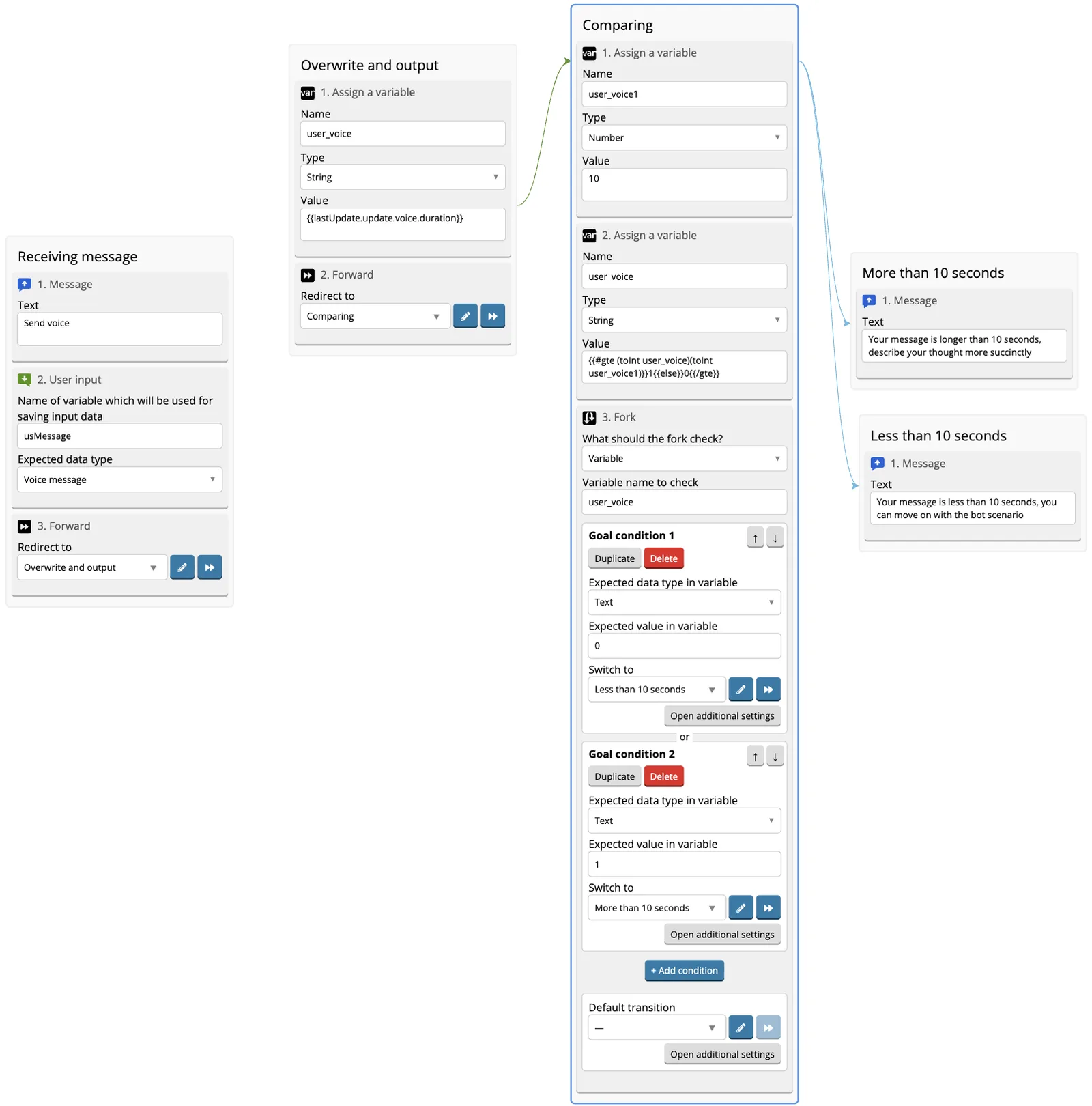
How to check the length of a voice message from a user
The voice messages length can be recognized and checked in order not to miss messages that are too long, too short, or for other similar cases.
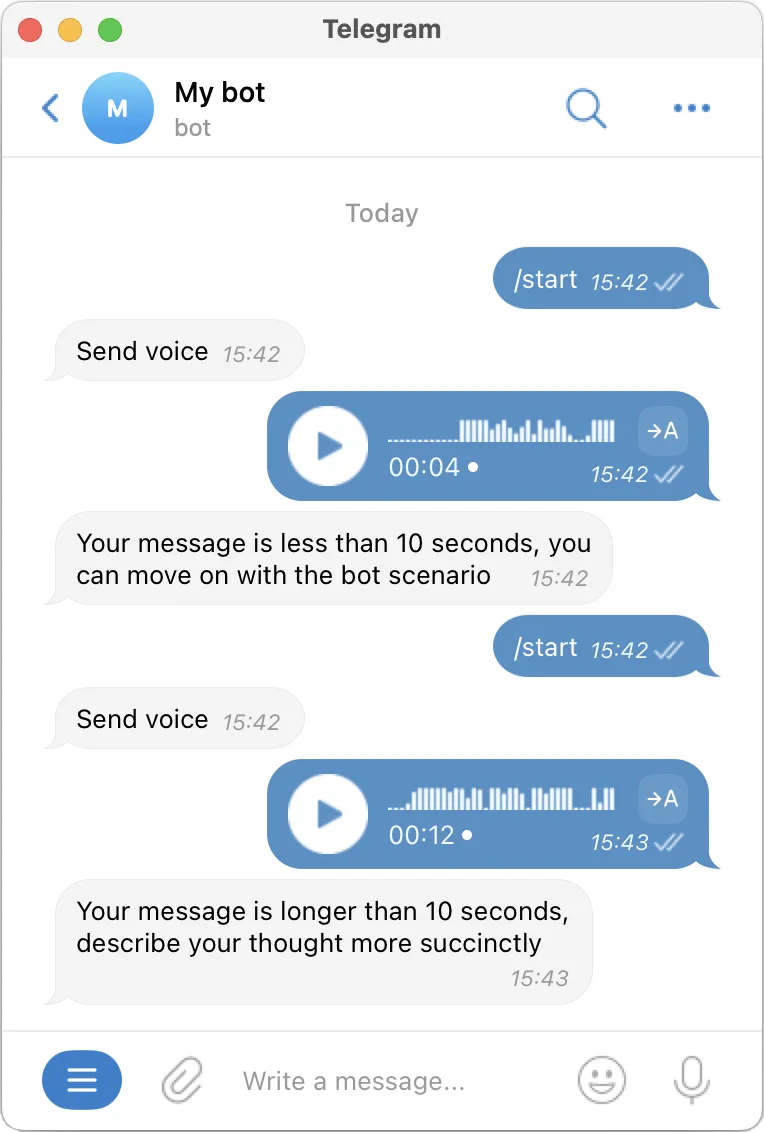
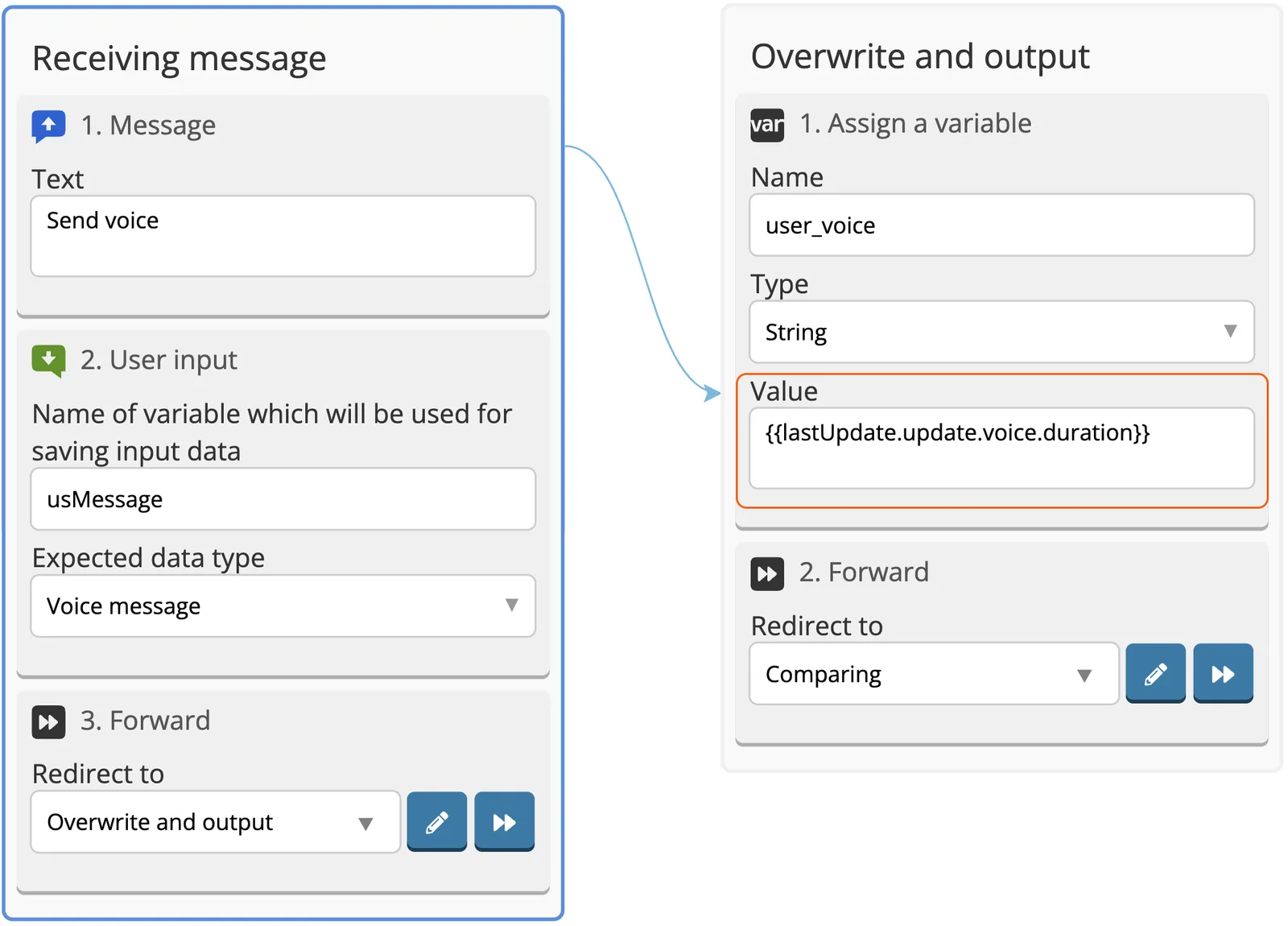
1. Add Message.
2. Add User Input with the Voice Message type.
3. Add Assign a variable.
4. You can choose any variable name, in Value output the length of the message being sent in seconds:
{{last Update.update.voice.duration}}
5. If necessary, output the duration of the voice message to the text:
Message length in seconds: {{user_voice}}
6. Add Rewind, create a new screen and direct Forward transition to it.
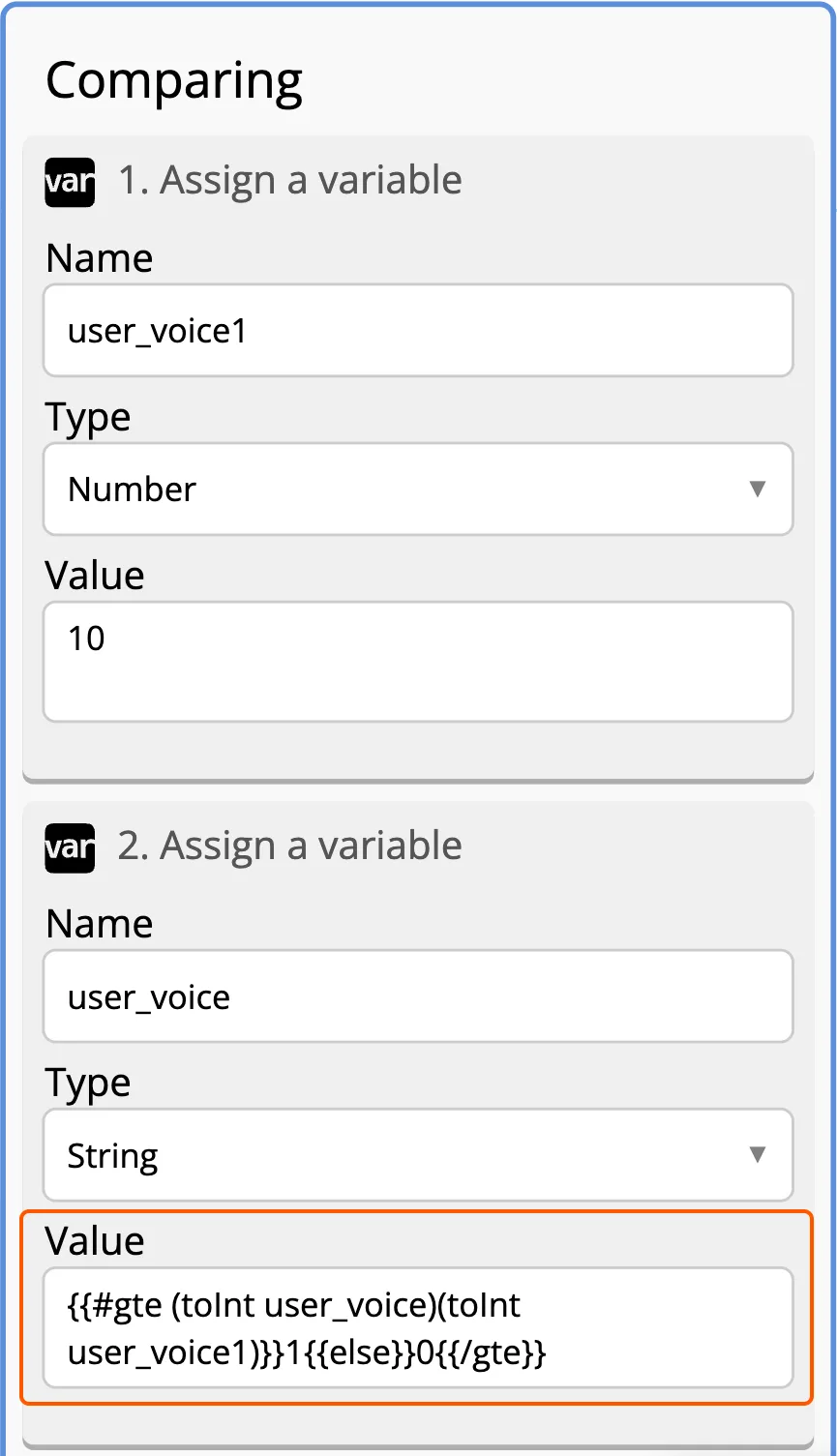
7. Add Assign a Variable to the screen and come up with any variable name. In our example, the variable is called user_voice1
8. Change the variable type to Number.
9. In Value enter the maximum number of seconds which can be a voice message from the user. In our case, it will be 10, but you can write your own number.
10. Add another Assign a Variable and come up with a name for this variable. In our example, the variable is called user_voice.
11. Add a helper that check conditions to Value:
{{#gte (toInt user_voice)(toInt user_voice1)}}1{{else}}0{{/gte}}
This helper will help to separate users who have sent a voice message shorter than 10 seconds and longer than 10 seconds on different screens.
You can find out more about Conditions here →
In this example, user_voice is the length of the message from the user in seconds, user_voice1 is the maximum number of seconds for the user message. If your variables are named differently, change the names in the line with helpers to the names of your variable.
12. Add Fork with two goals. Name of the variable from where the fork will take the value must have the same variable as Assign a Variable that goes right before Fork. You can find out more about checking the variable value through Fork here →
13. Create two screens — one screen is for those who sent the bot a voice message lasting less than 10 seconds, the other screen is for voice messages lasting more than 10 seconds.
14. Write 0 in the first Fork goal Value, set the transition to the screen for users with a message of less than the specified length.
15. Write 1 in the second Fork goal Value, set the transition to the screen for users with a message longer than the specified length.
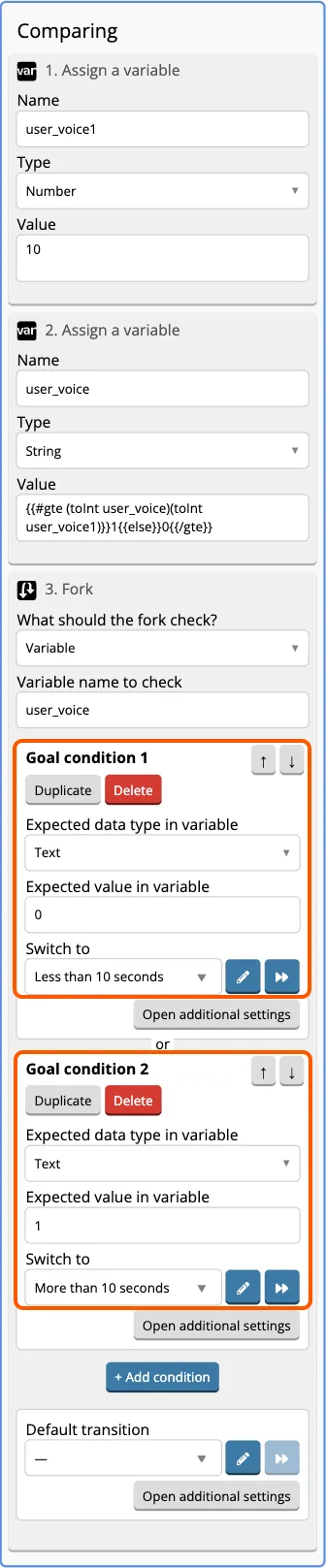
Save the changes.
Done.