Bot builder for messengers
Create bot scenarios in Botmother for Telegram, Instagram, Facebook, and other platforms, and connect AI and integrations without coding
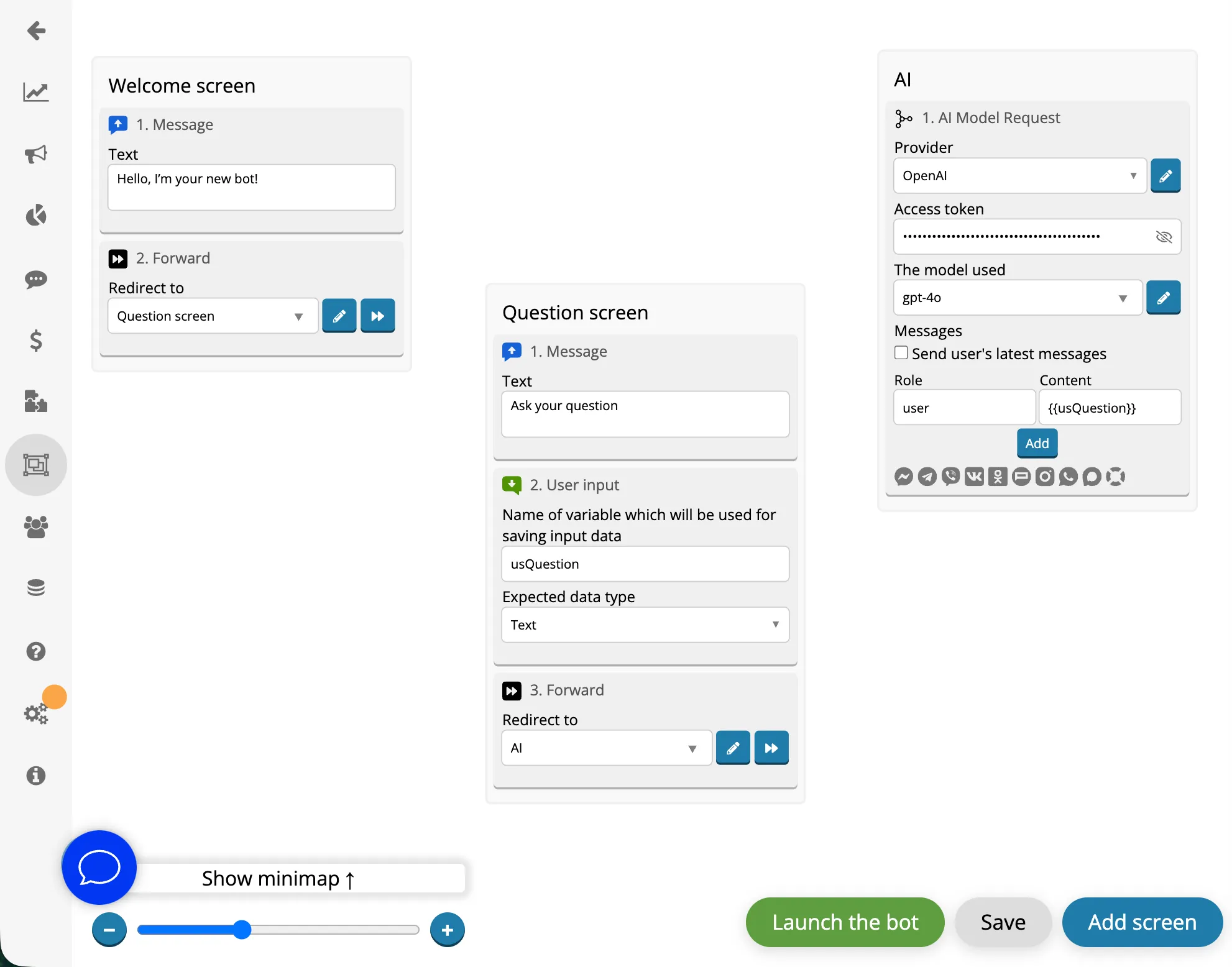
Your bot’s logic at a glance
Build your bot from components. Each one handles a specific action, and together they create a clear, logical flow
- Greeting
- Question
- Save response
The bot sends a message, asks a question, saves the response, and moves on to the next step
- Greeting
- Choose from "Yes" / "No" buttons
- The user selects "Yes" — the bot starts one scenario
- The user selects "No" — another scenario
The bot offers several options and, depending on the user’s choice, launches the appropriate scenario
- Registration or subscription verification
- User interaction with an AI consultant in the bot
- Send data to a CRM
This way, you can build complex automated scenarios without being limited to a single type of logic
How to build a scenario
Build scenarios from ready-made components in a visual editor. Connect AI and integrations without coding or lengthy development.
-
Add components
Add the components you need and fill them with your own content: messages, integrations, and other bot actions.
-
Check the result
Launch your bot and instantly test the scenario in Telegram or another connected platform.
-
Edit your scenario at any time
Edit components, change the logic, and update your scenario at any time.
What you can do with the bot builder
Build scenarios from ready-made components and customize them to your needs, from simple logic to complex automations. You can:
-
Send messages
Send messages with text, images, files, videos, and buttons -
Collect data
Ask questions and save responses as user variables -
Build branching flows
Direct users down different paths based on conditions -
Connect AI
Create assistants that answer questions based on your knowledge base -
Launch across different channels
One scenario in the bot builder for Telegram, Instagram, Facebook, and other channels -
Work with external services
Send data to CRMs, spreadsheets, and external systems
Connect your bot to your business
Get information from external services, send leads to your CRM, and automatically save data to spreadsheets

- CRM
- API
-

- pay
-

Create a bot for free
Start building your scenario in the visual builder and fully test it for free before launching.
-
Access features available on paid plans
Up to 5 people can test the bot with unlimited usage. -
No credit card required
No card required on the free trial plan. -
Bots on different platforms
Create bots for free with the builder for Telegram, Instagram, Facebook, and other platforms. -
Collaborative work
Invite colleagues to the builder and edit bots together.
Your entire bot logic at a glance
Instead of code, you work with a visual flow. You can instantly see the bot’s structure and edit individual elements without rewriting the entire scenario.
if (message. type === "lead') {
const data = await parseInput ();
await crm. createLead(data);
}
In Botmother:
- Receive a lead
- Verify phone number
- Send to CRM