Event bot
Collects participants, sends reminders, and guides them before and during the event
 Ready-made bot template.
Average setup time: 30–60 minutes
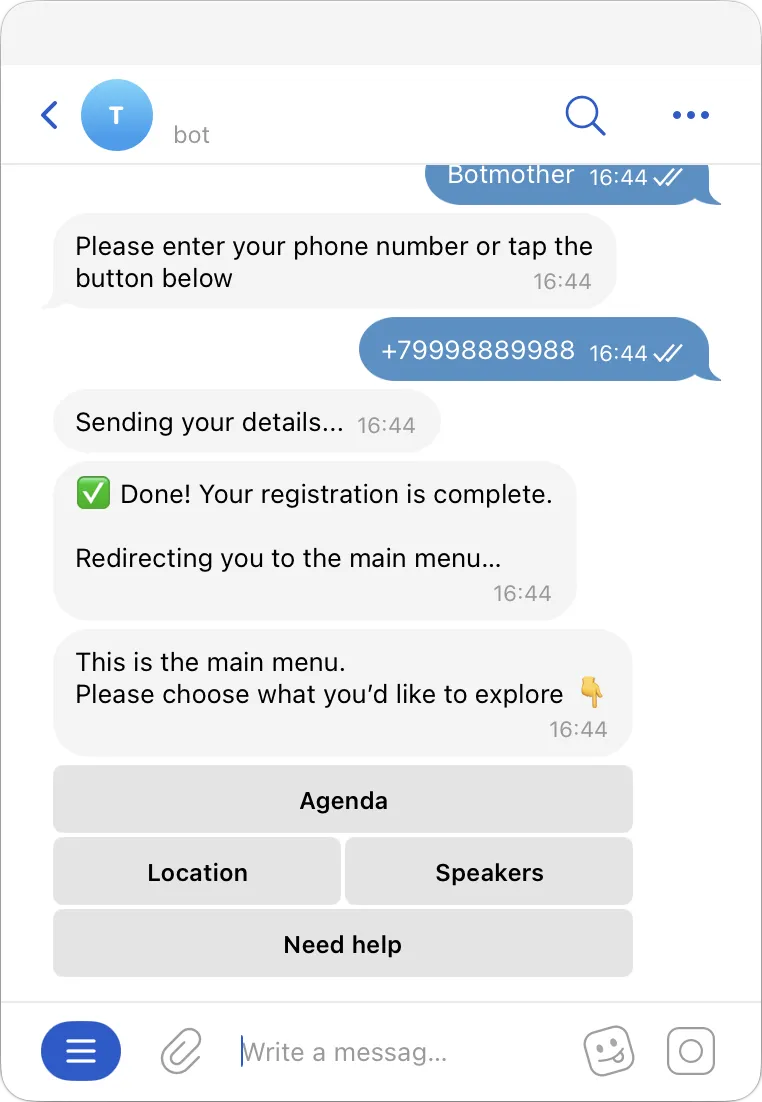
Works in any messenger or on your website
Launch your funnel where your audience communicates
The same scenario can be used across different communication channels
-
 Telegram
-
 MAX
MAX
-
 Website
-
 Instagram
-
 Facebook
-
 WhatsApp
-
 OK
OK
-
 Viber
Viber
-
 VK
VK
Registration, questions, reminders — everything is handled manually
When a user messages you, they don’t get a clear answer right away
-

Registration is chaotic
Some users write in direct messages, some fill out a form, others just "react". No single participant list -

Participants forget to attend
Some registered users simply don’t show up -

You have to answer the same questions repeatedly
Where is it held?
What time does it start?
How to ask a speaker a question? -

Everything has to be done manually
Registration, reminders, links — all sent by staff manually
As a result, you lose part of your audience and spend time on organization
How the bot helps run an event
The chatbot takes over participant management — from registration and ticket purchase to event сопровождение and feedback collection
-

Collects registrations
Users complete a short form and are added to the participant list -

Answers frequently asked questions
Participants receive automatic replies, organizers join when needed -

Sends essential information
Location, time, participation format — everything is available in the bot -

Supports during the event
Sends updates and additional info, collects feedback
Ready-made bot template
Botmother already includes a ready-made scenario for events — you just need to adapt it to your business
You can customize everything
- registration form
- form fields
- messages and texts
- reminder timing
- links and materials
- scenario logic
- broadcasts
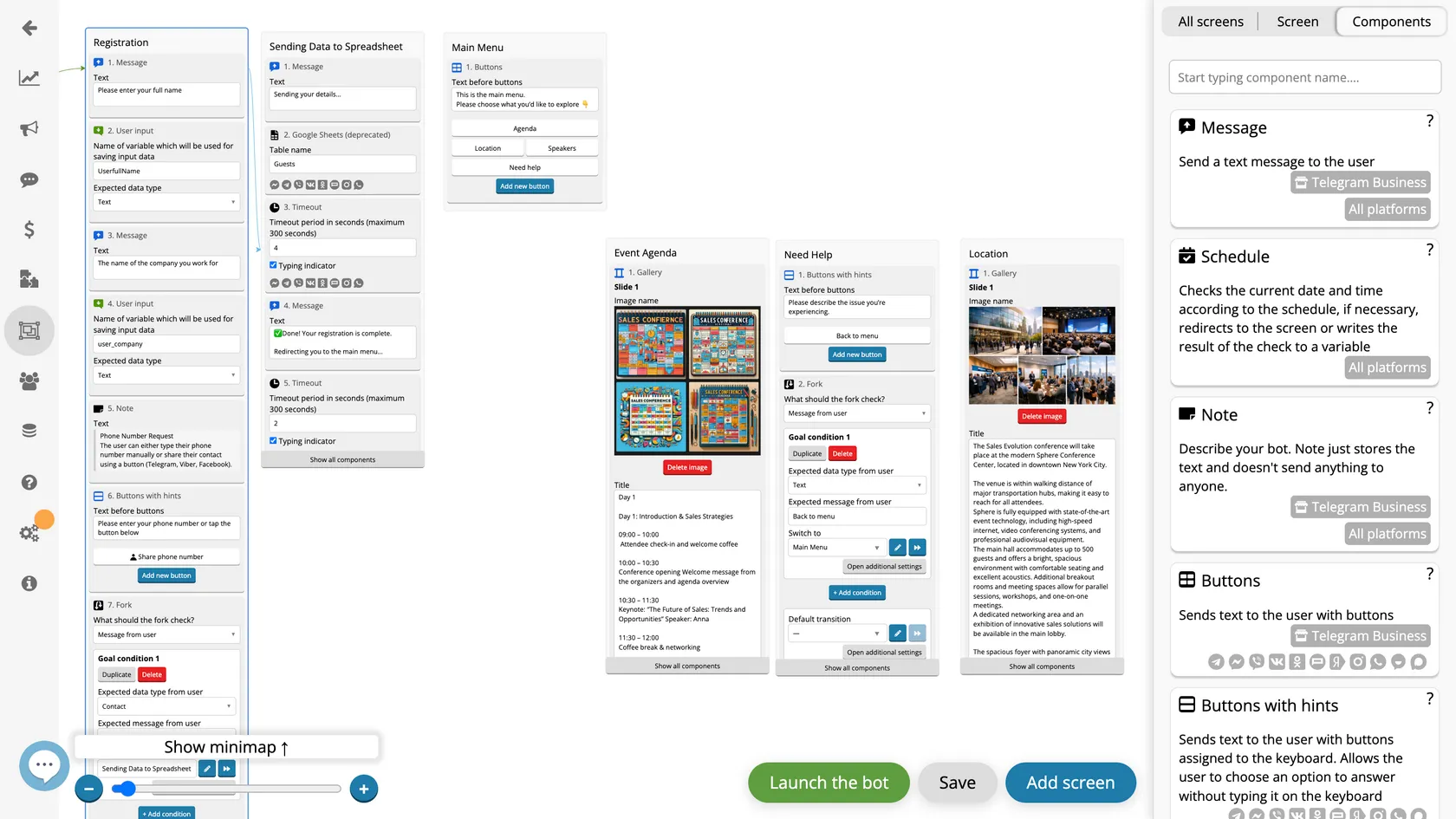
- The guest fills out a form and registers
- Information about the venue
- Main menu for registered participants
- Bot dashboard
- The bot creates a table with a list of all participants
- A manager joins the conversation if the user has an issue
- Visual schedule
How to launch the bot
Setup takes 30−60 minutes on average
-
1
Create an account and connect a messenger
-
2
Choose a ready-made event chatbot template, customize questions and logic
-
3
Launch the bot
Share the bot link with your clients and start automatically collecting structured leads
Manage your event in one bot
From registration to participation — without chaos, extra messages, or manual work
Focus on the event itself, not operational tasks