Message
- Message component →
- Settings for Telegram →
- Text formatting for Telegram →
- Text formatting for Facebook →
- Text formatting for Viber →
- Text formatting for WhatsApp →
- Text length in different platforms →
Message component
Message component sends a message to the user — text, signs, or emojis.
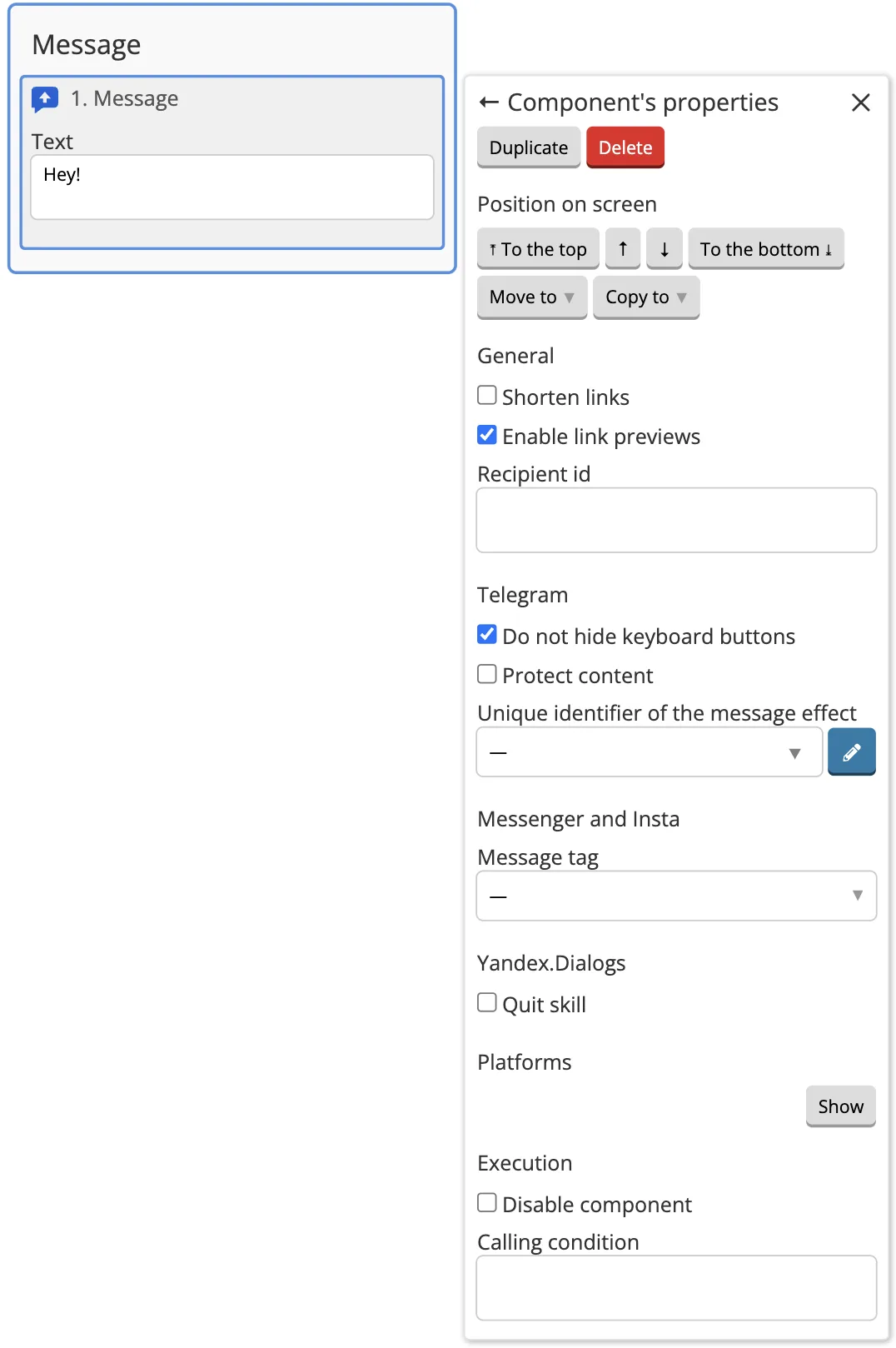
Settings for Telegram:
- Protect the content — it will not allow you to forward the image.
- Unique identifier of the message effect — the animated effect you selected will come along with the message. You can select this effect from the drop-down list or manually register it as a numeric code.
Text formatting for Telegram
Telegram supports HTML and Markdown formatting. To use HTML, select the HTML The formatting method in the component settings. Then add the necessary tags:
<b>This sentence should be in bold</b>
<i>This sentence should be in italics</i>
<code>This text should be displayed as code</code>
<s>This text should be strikethrough</s>
<u>This text should be underlined</u>
<pre language="javascript">
  And this text
  should support multi-line
  code formatting
<tg-spoiler>This text will be hidden until you click on it</tg-spoiler>

<pre><code class="language-python">message = "This text should be as a formatted fixed-width code block written in the programming language you specified. In the example, we use Python" print(message)</code>
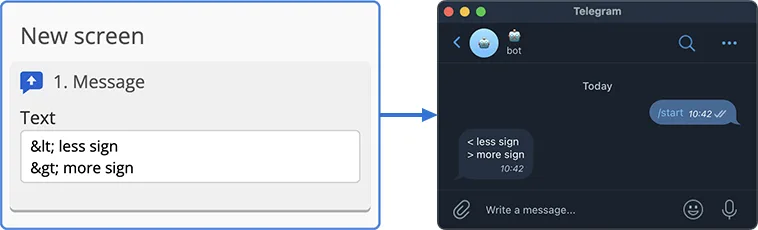
A hyperlink (a link in the text) can be created as follows:
<a href="link">text</a>
Where link is the link.
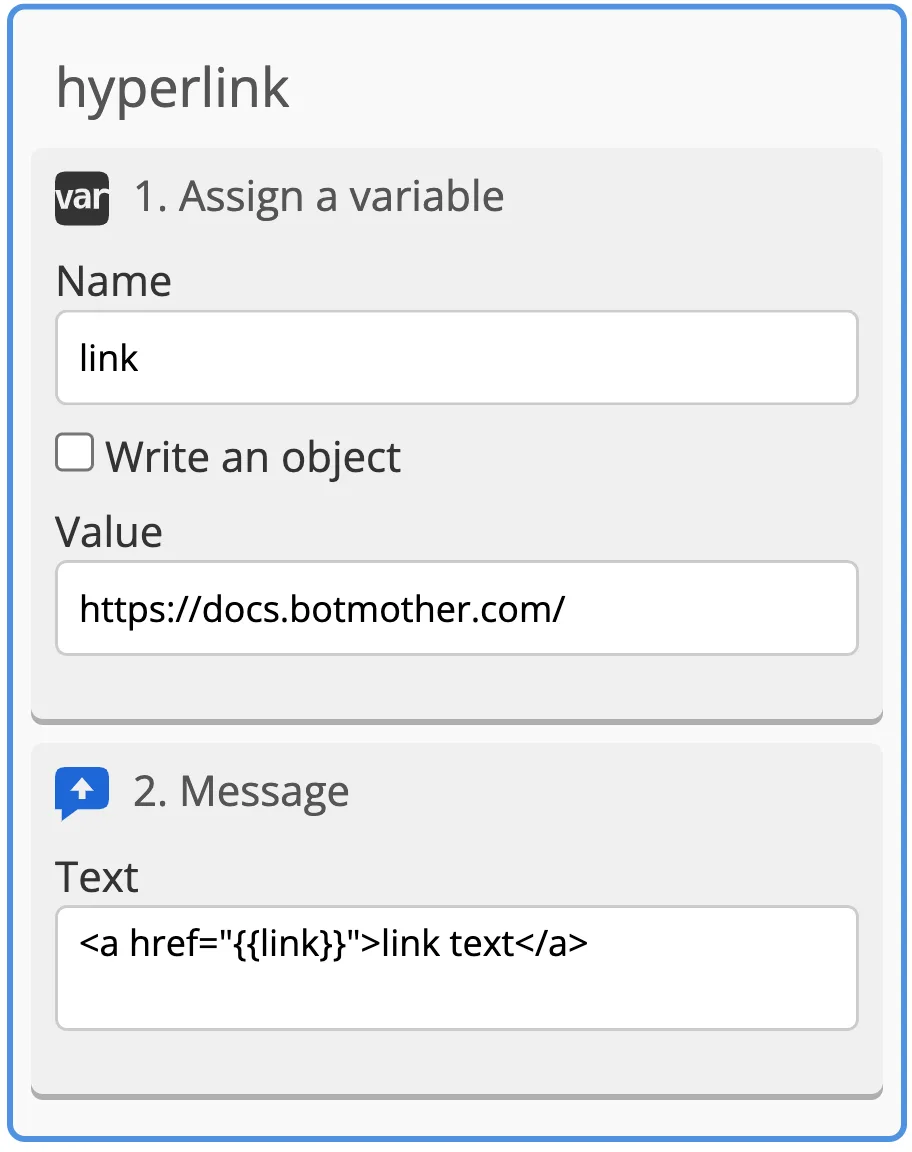
If a link is written to a variable, it can be displayed in double curly braces in the hyperlink:
<a href="{{link}}">text</a>
To make a collapsible quote, the text should be formatted as follows:
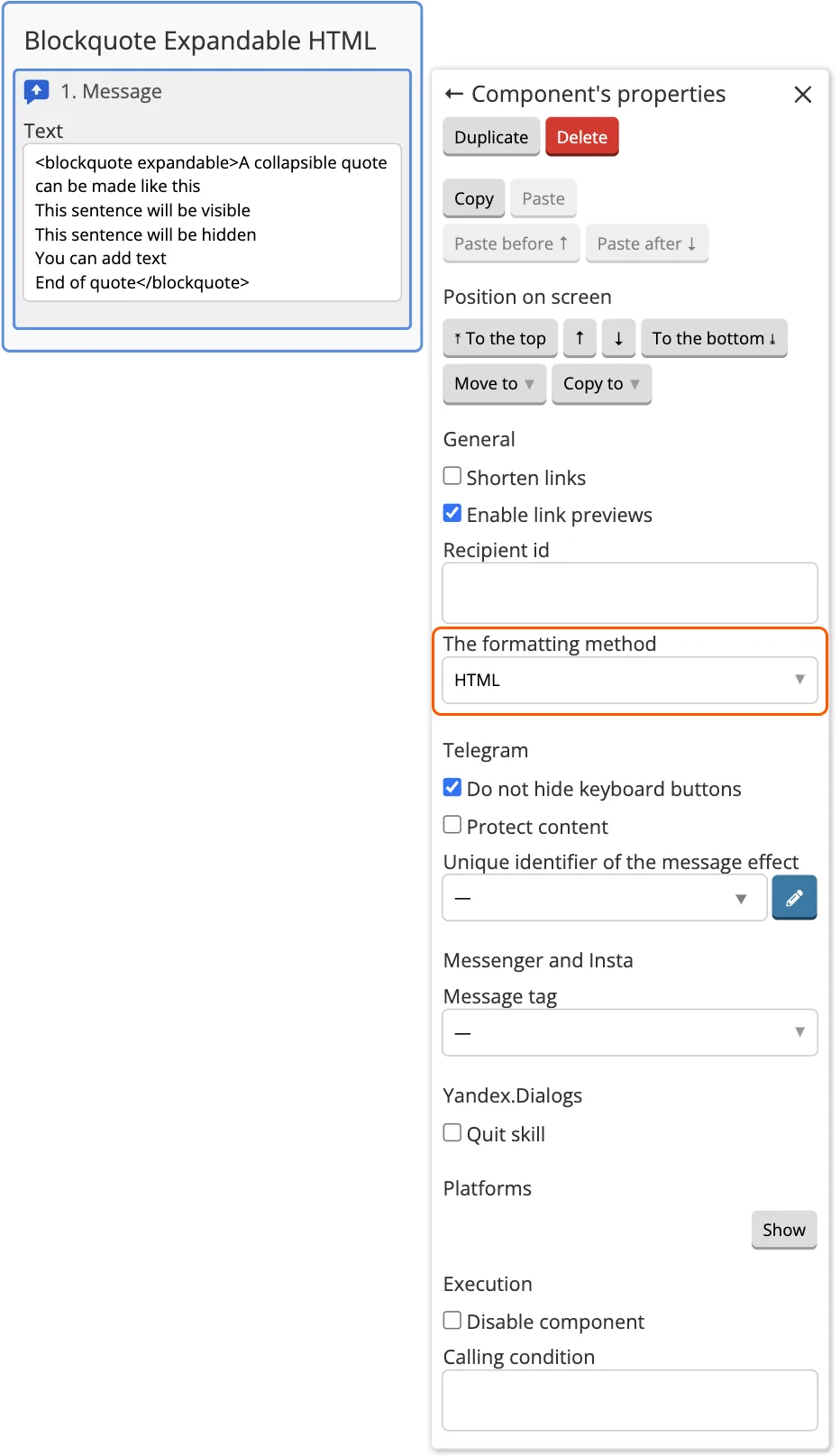
You can add more lines.
To use Markdown, select it in the component settings in The formatting method field.
When using Markdown, the text is formatted as follows:
*This sentence should be in bold*
_This sentence should be in italics_
__This sentence should be underlined__
~This sentence should be crossed out~
||This sentence will be hidden until you click on it||
`This text should be displayed as code`
A hyperlink (a link in the text) can be created as follows:
[text for link](https://docs.botmother.com/)
That is how you can mention a user:
[Mention of the Telegram user](tg://user?id=123456789)
Instead of 123456789, add the user ID from the Users section in the builder.
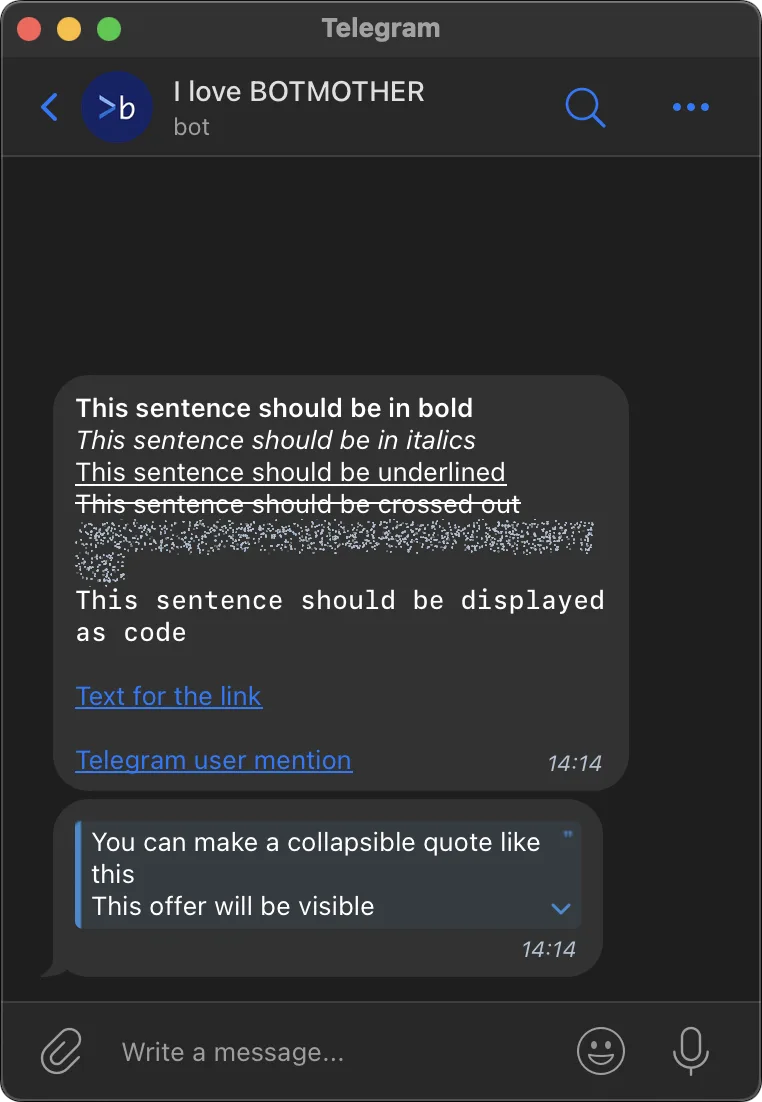
To make a collapsible quote, the text should be formatted as follows:
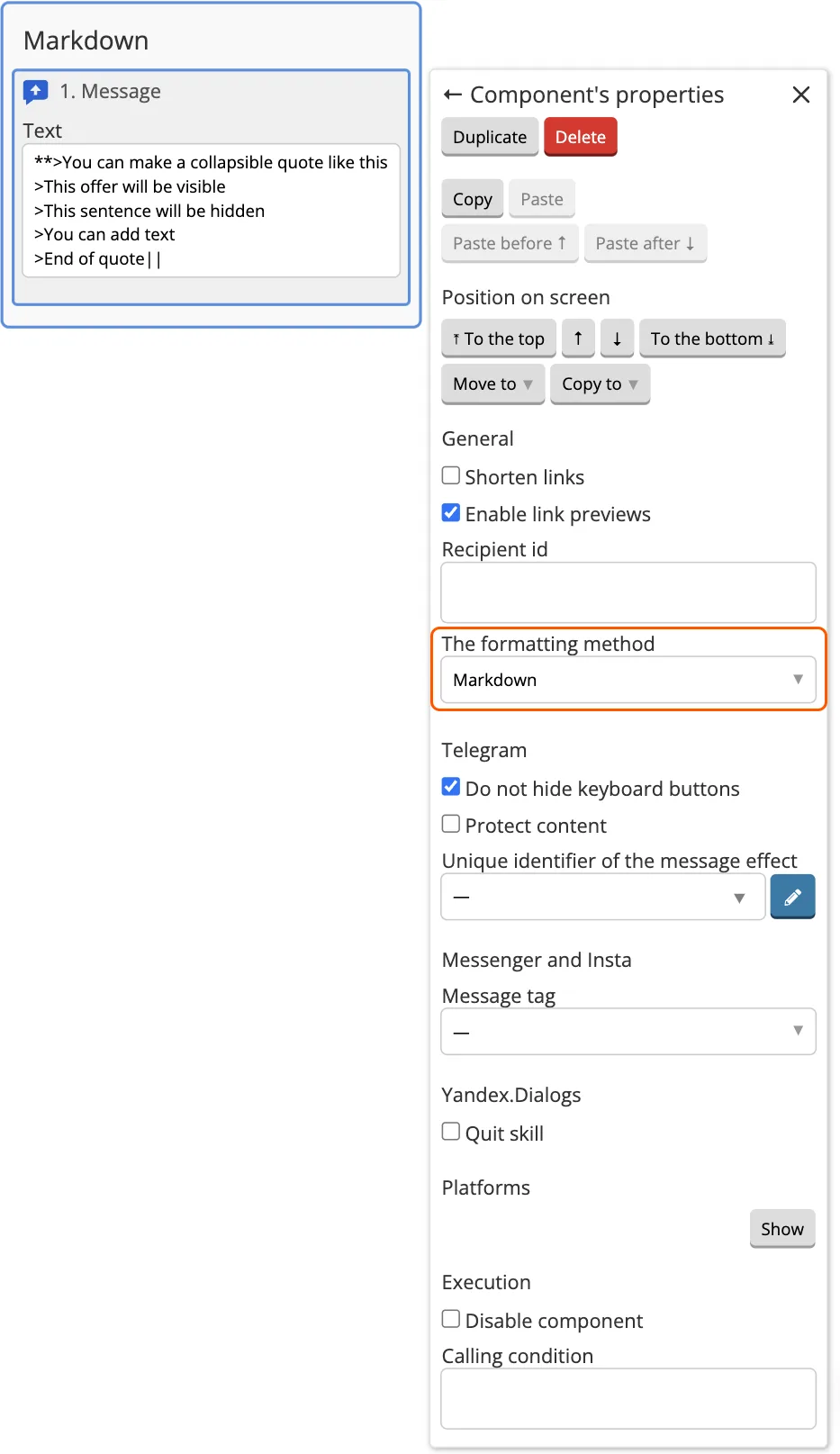
You can add more lines, it is important to put the "more" sign at the beginning of each line.
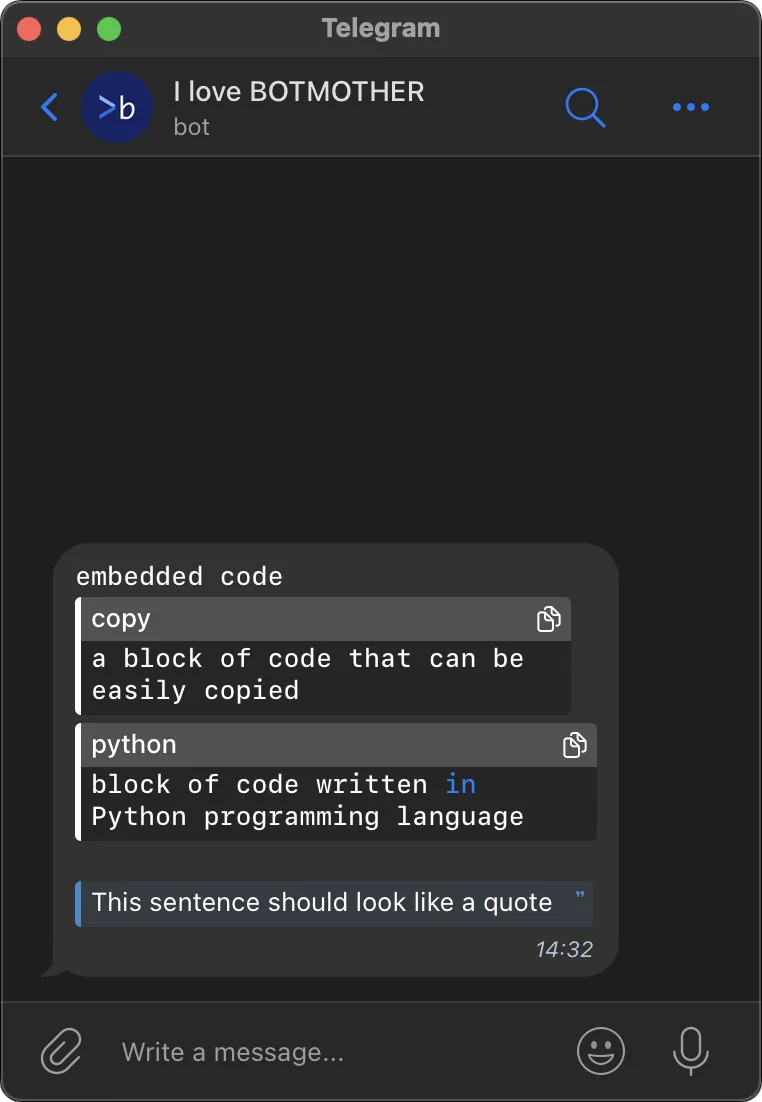
You can also format the text as a quote or a code that can be copied:
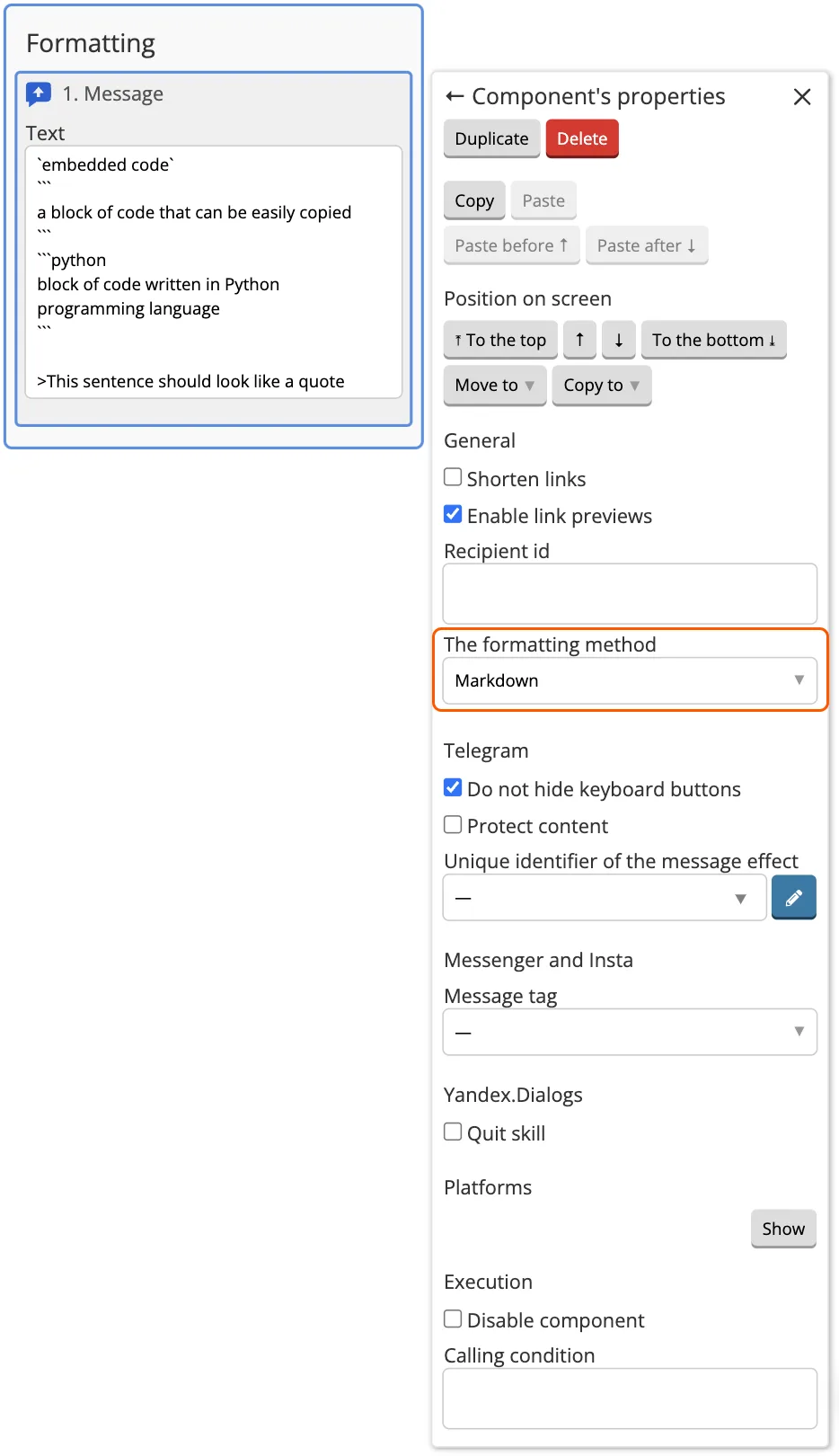
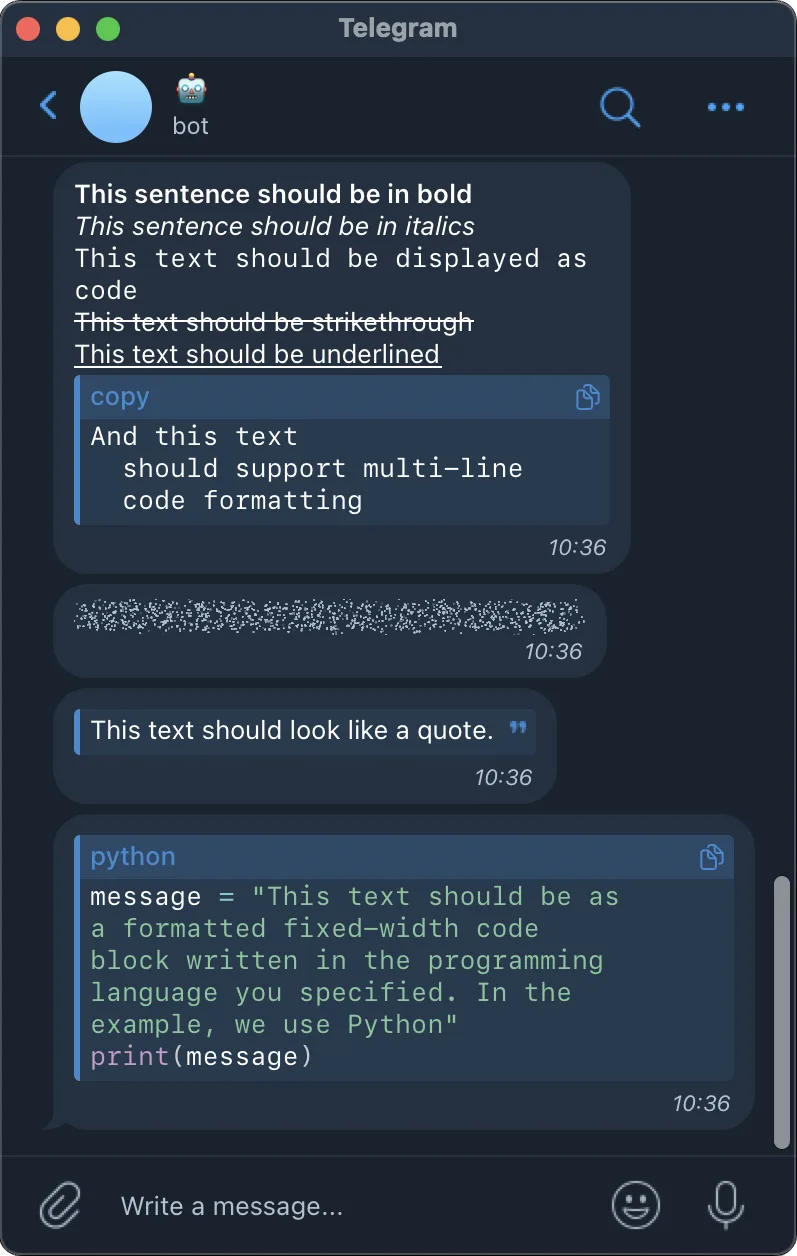
That is how the formatting will be displayed in the Telegram:
Text formatting for Facebook
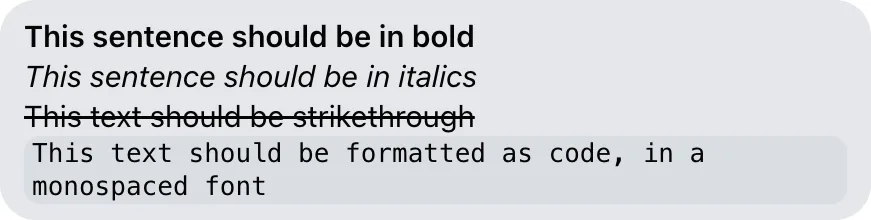
On Facebook formatting works only in the web version:
*This sentence should be in bold*
_This sentence should be in italics_
~This text should be strikethrough~
```This text should be formatted as code, in a monospaced font```
Text formatting for Viber
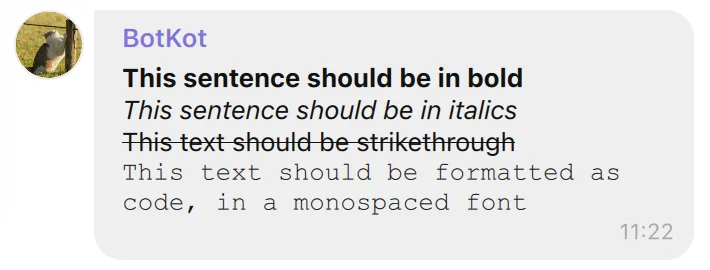
*This sentence should be in bold*
_This sentence should be in italics_
~This text should be strikethrough~
```This text should be formatted as code, in a monospaced font```
Text formatting for WhatsApp
*This sentence should be in bold*
_This sentence should be in italics_
~This text should be strikethrough~
```This text should be formatted as code, in a monospaced font```
VK и Instagram does not support text formatting.
Text length in different platforms
Telegram, VK, Odnoklassniki and WhatsApp support a maximum of 4096 characters of the Latin alphabet. If there is more — a message just will not come, but it will be displayed in the Dialogs.
Facebook accepts text of any length, but cuts it after 1999 characters (including the ellipsis at the end).
Pact accepts at least 14 000 characters in Cyrillic and Latin letters.
Viber supports 7000 characters of the Latin alphabet and about 5700 characters in Cyrillic.
On Instagram, you can send a maximum of 499 text symbols in Cyrillic (500 in total, 1 symbol per ellipsis) and 999 text symbols in Latin (1000 in total, 1 character per ellipsis). Emojis can take up more than 1 character — you need to take this into account.
Component execution settings
Disable component — when the checkbox is enabled, the component will not be executed, as if it were not part of the flow. To enable the component again, simply uncheck the box.
If platform is not available execute the next component — the bot will skip the current component and move on to the next one if the selected platform is unavailable.