Referral system in the bot
To create a referral system, we will use the deeplink link parameter as a link identifier to determine which inviting user link the invited user entered. For example, we took the parameter this_user.platform_id (id on the platform of the inviting user in the bot).
1. Set up Deeplink with a regular expression that will catch any input. To do this, add in the Value:
.*
When the invited user follows the link from Deeplink, the parameter from his link will be written to refSystem variable when entering the bot.
Thus, it is always possible to determine by a variable which user's link the invited user entered.
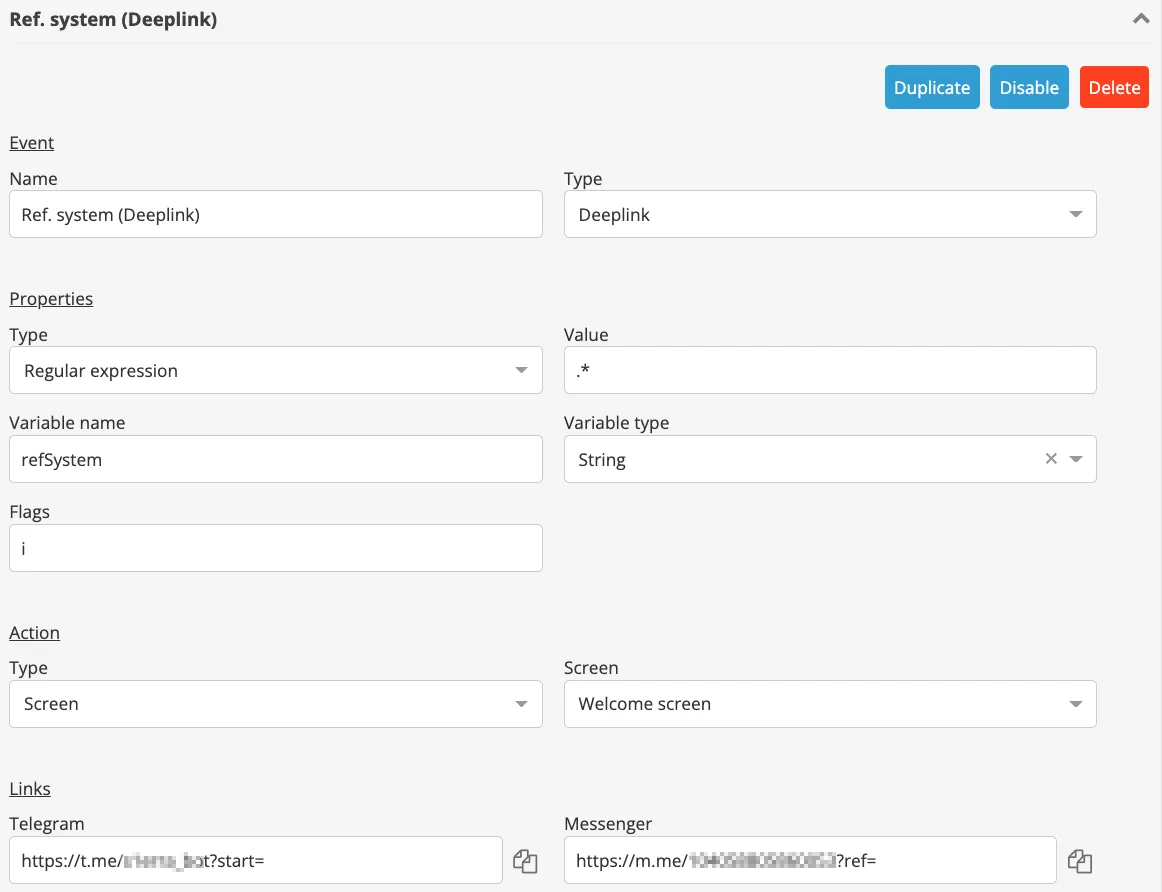
After creating the event, be sure to save the changes with Save button.
From the Settings, go to the builder and design the Start screen, where the user will get through the referral link.
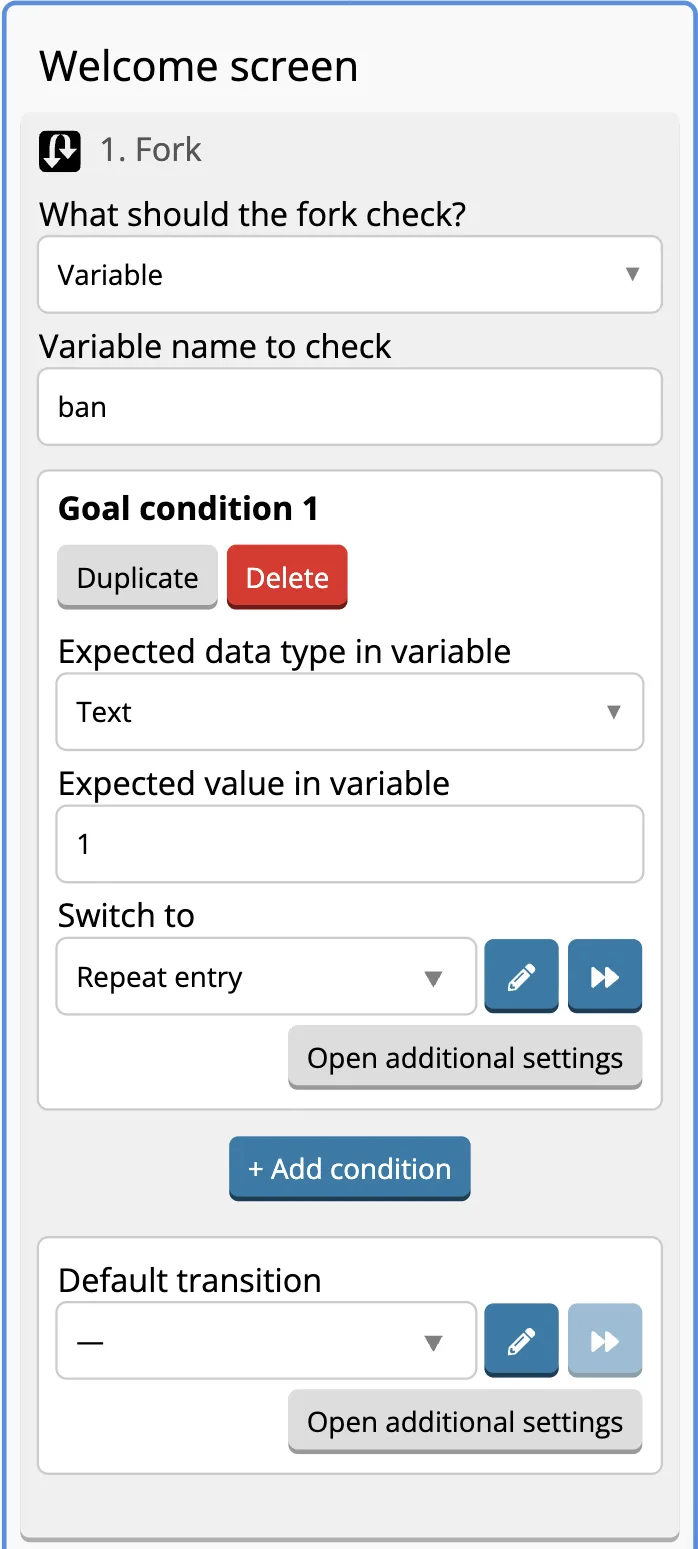
2. The first component will check ban variable so the user couldn’t use the referral link more than once.
If the user already has this variable, it means that he had already been to the bot and he will get to the screen for those who log into the bot again.
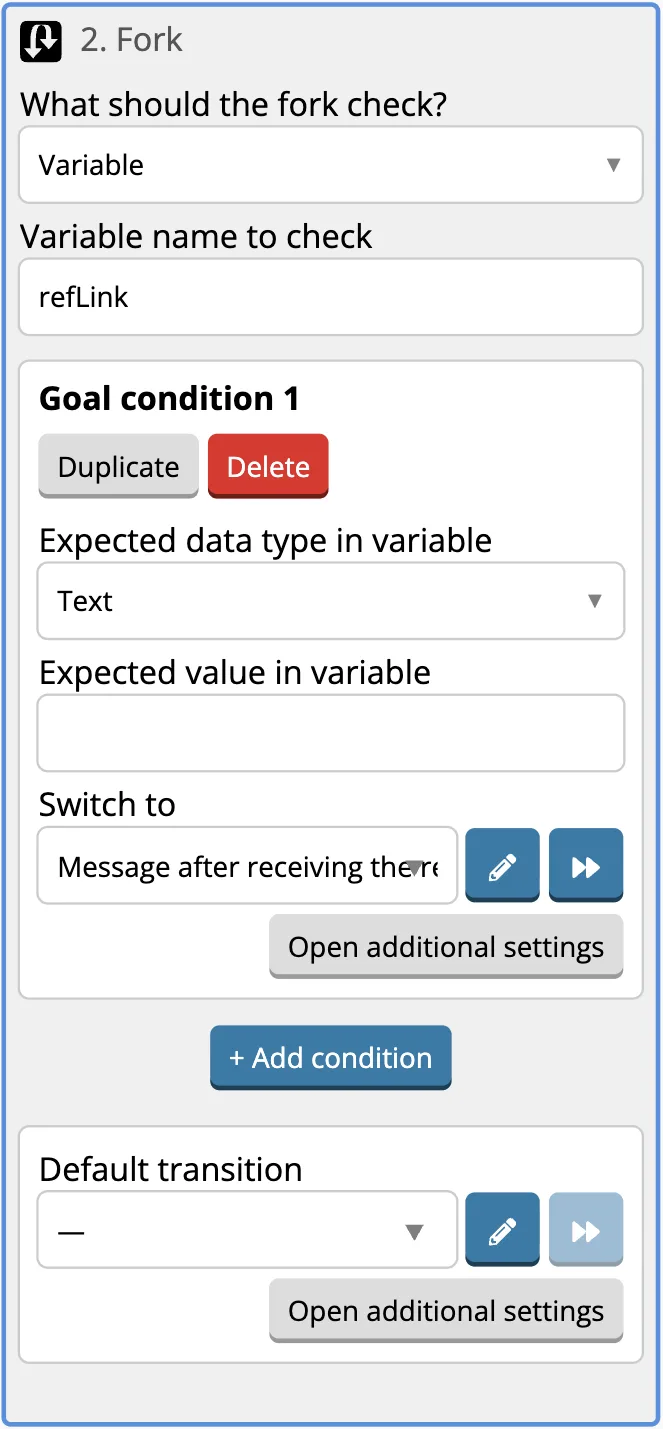
3. Below we add Fork where we check refLink variable in Variable Name to check, from where the fork will take the value.
Let's add one goal in Fork, leave the value empty, add a transition to "Message after receiving the link" screen.
4. Write the value {{refSystemFirst}} into the refSystemFirst variable. Next, let's add the refSystemFirst variable to the fork - in the Variable Name to check field, where the fork will take the value from. Through the Default Target, the fork will send the user to the "Referral Link creation" screen.
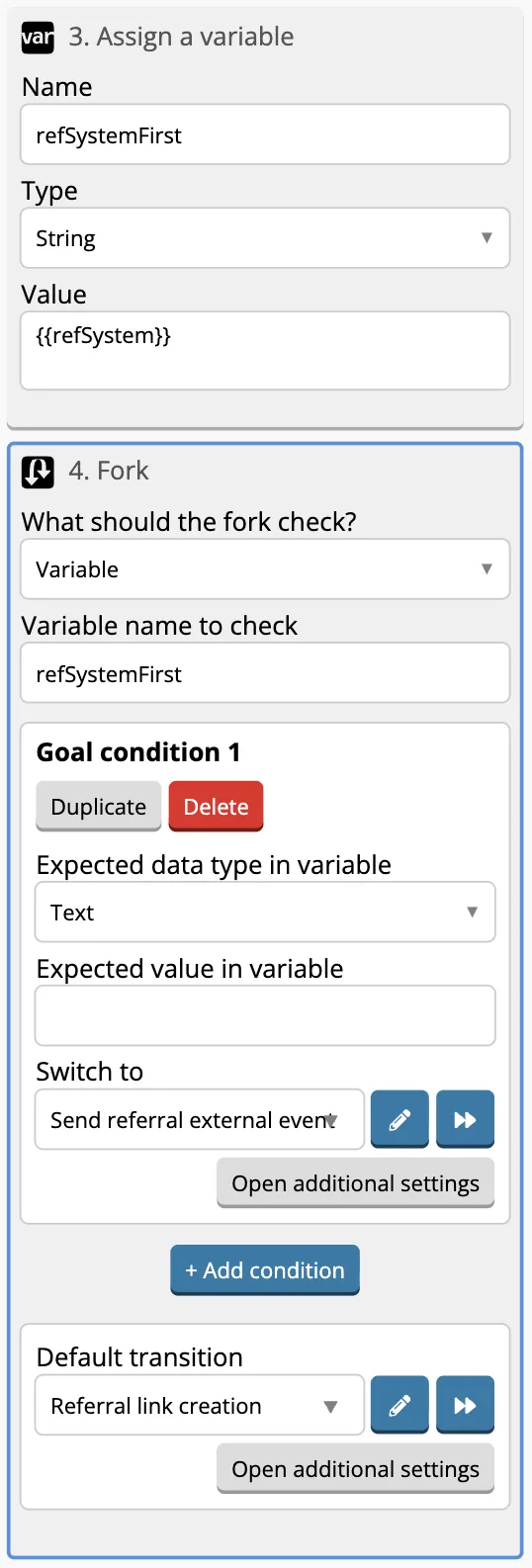
Completed Start screen will look like this:

5. Let's design "Referral link creation" screen.
6. Write to the user that we are sending him a link, then we will create a link separately for each platform.
Copy the beginning of the link from the Deeplink settings:
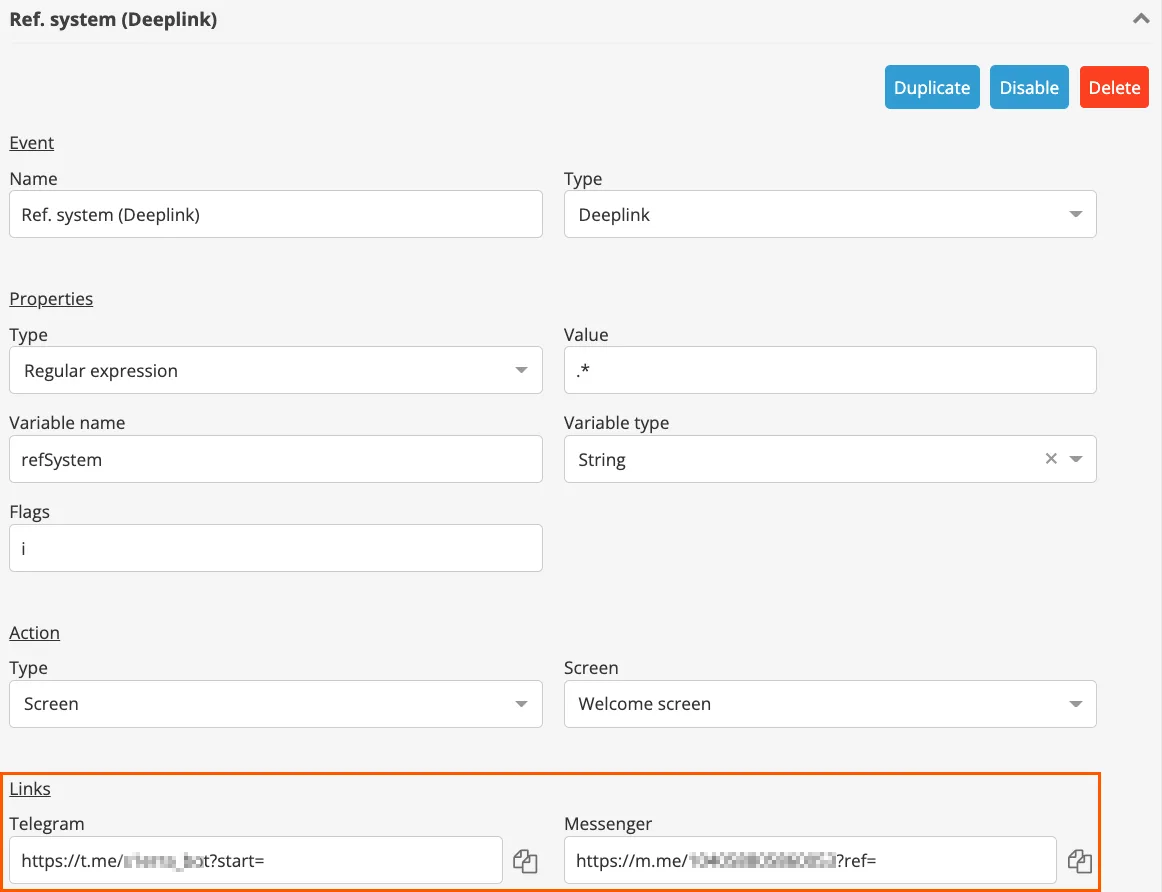
At the end of the link, add the ID of the user who is currently following the bot script:
{{this_user.platform_id}}
For Telegram, a link of this type turned out to be like this:
https://t.me/aldkfgj_bot?start={{this_user.platform_id}}
7. Write it to the variable value, leave only one platform - Telegram.
According to this principle, Variable Entry and links for other platforms can be added to this screen.
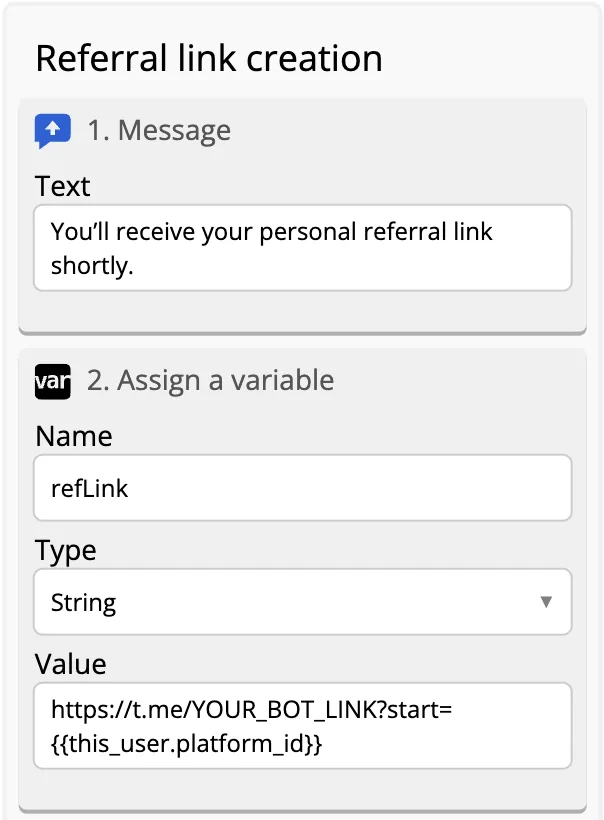
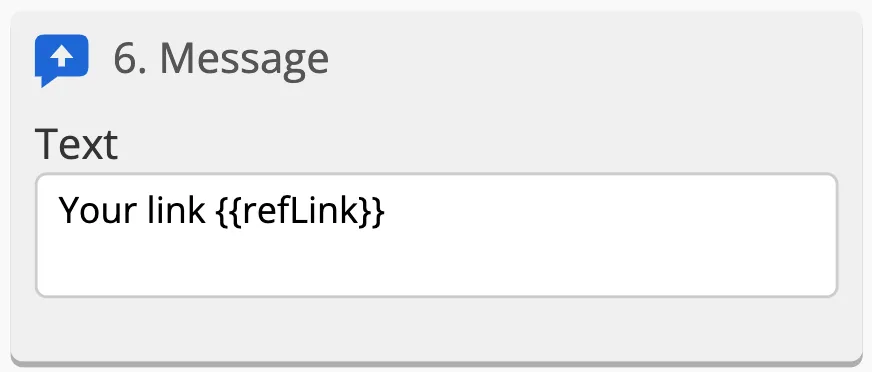
8. Then output the variable to the text and send:
Your link {{refLink}}
9. Add a rewind to "Message after receiving the link" screen. The main bot script can start there.
This is how it looks now all together:
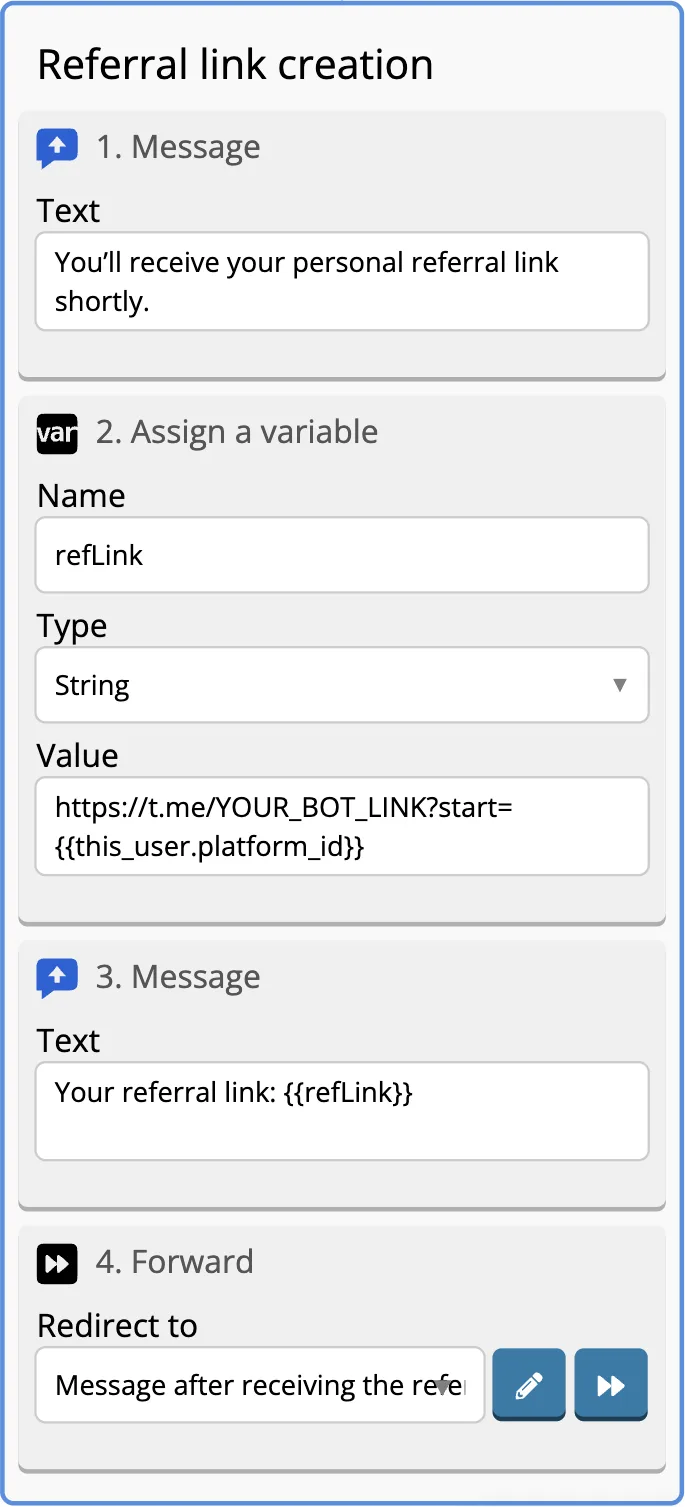
We finished the design of "Creating a referral link" screen, now we are creating External event sent through referral link for the user whose link was used to enter the bot.
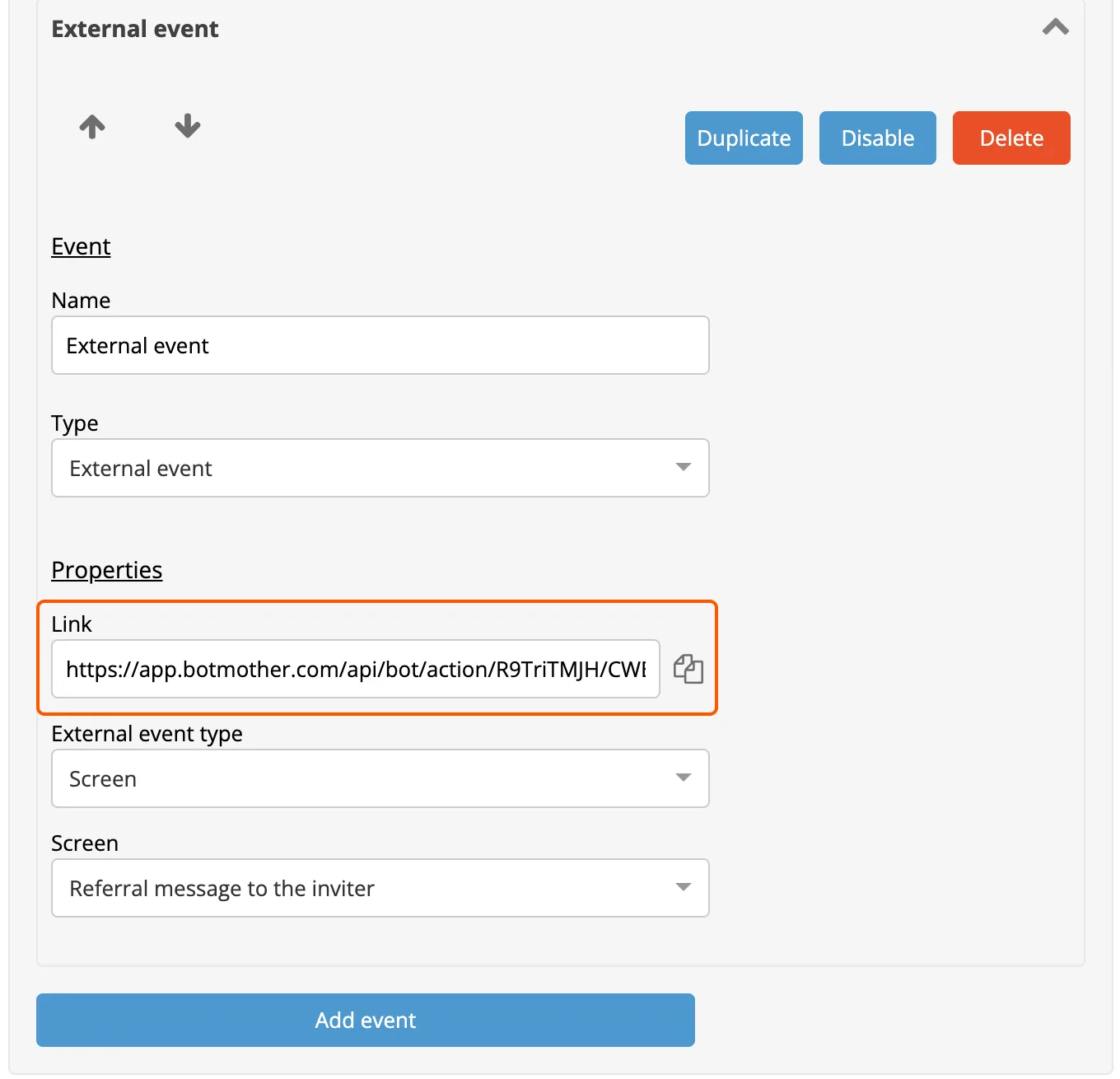
10. Go back to Settings and create External Event.
After saving, a link will appear, which we will use further in the request URL.
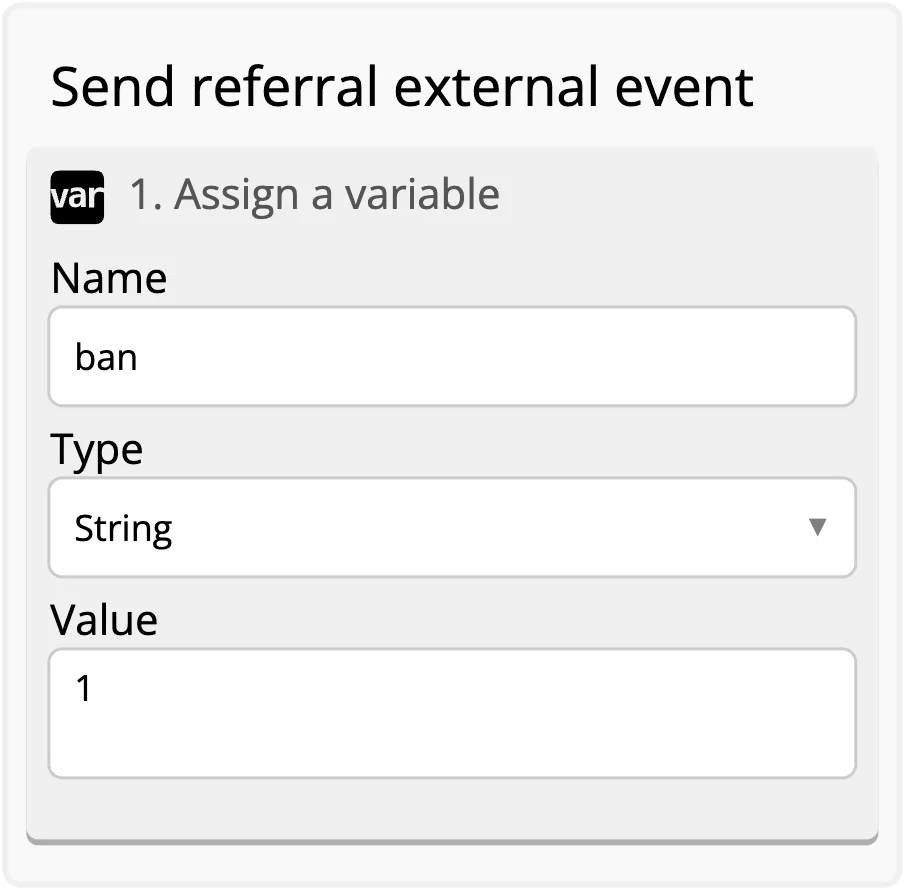
11. In the builder on the new screen, which we call "Send referral external event", we will assign ban variable with the value 1 to the user in order to prevent the reuse of the referral link.
12. Next, we will send the data to the inviting user using POST request.
Request Body:
{
    "platform": "any",
     "users": [ "{{refSystemFirst}}" ],
     "data": {
     "text": "{{this_user.platform_id}}"}
}
For the request URL, we use the link from the settings of External Event that we configured earlier.
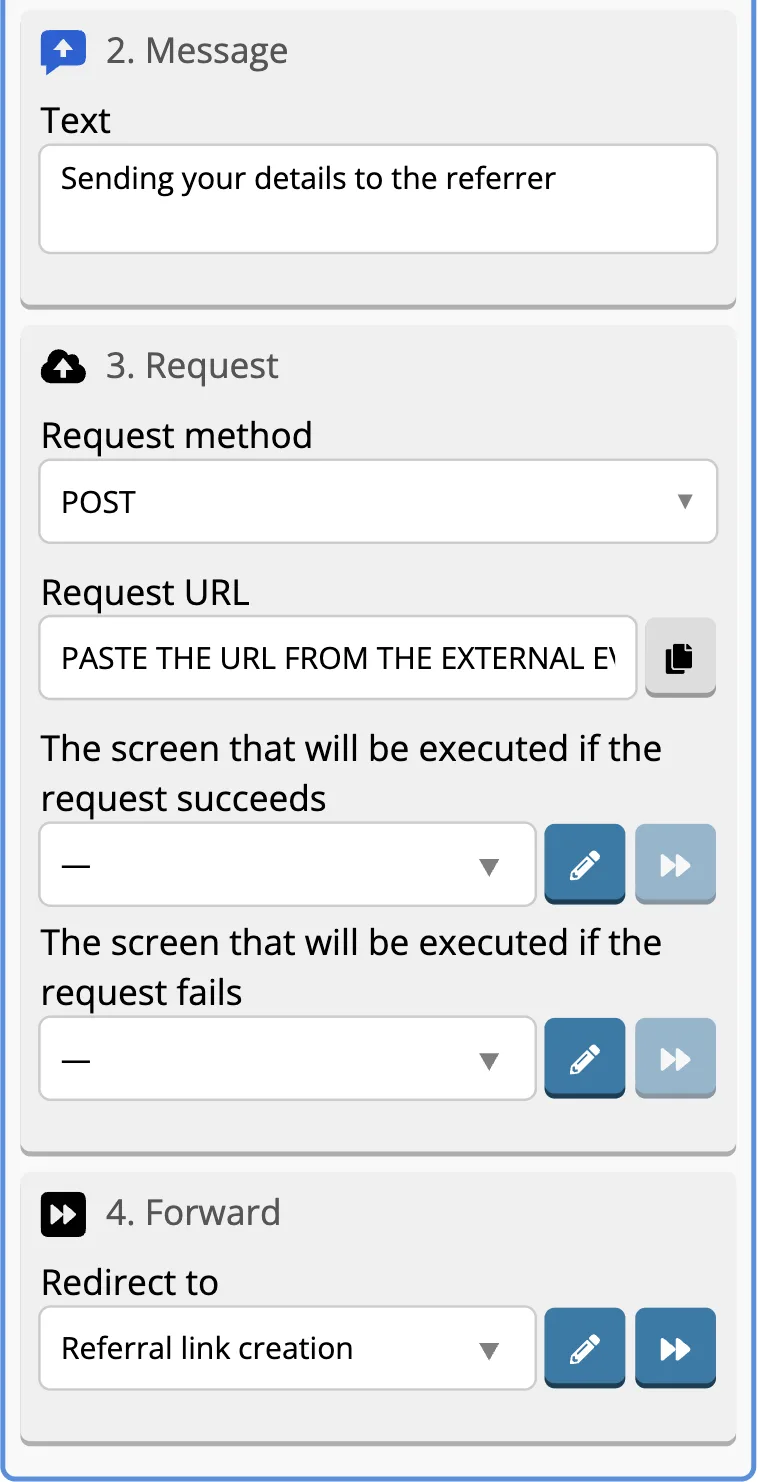
13. We will send the user to "Referral link creation" screen.
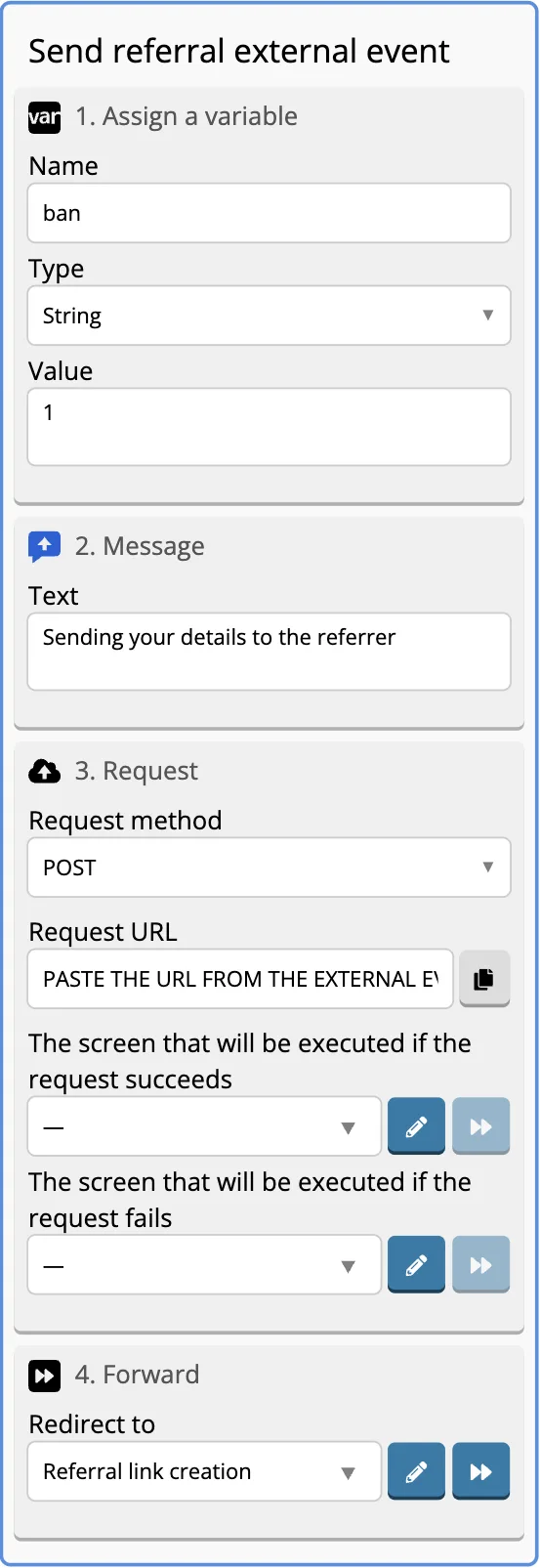
In general, the newly designed screen will look like this:
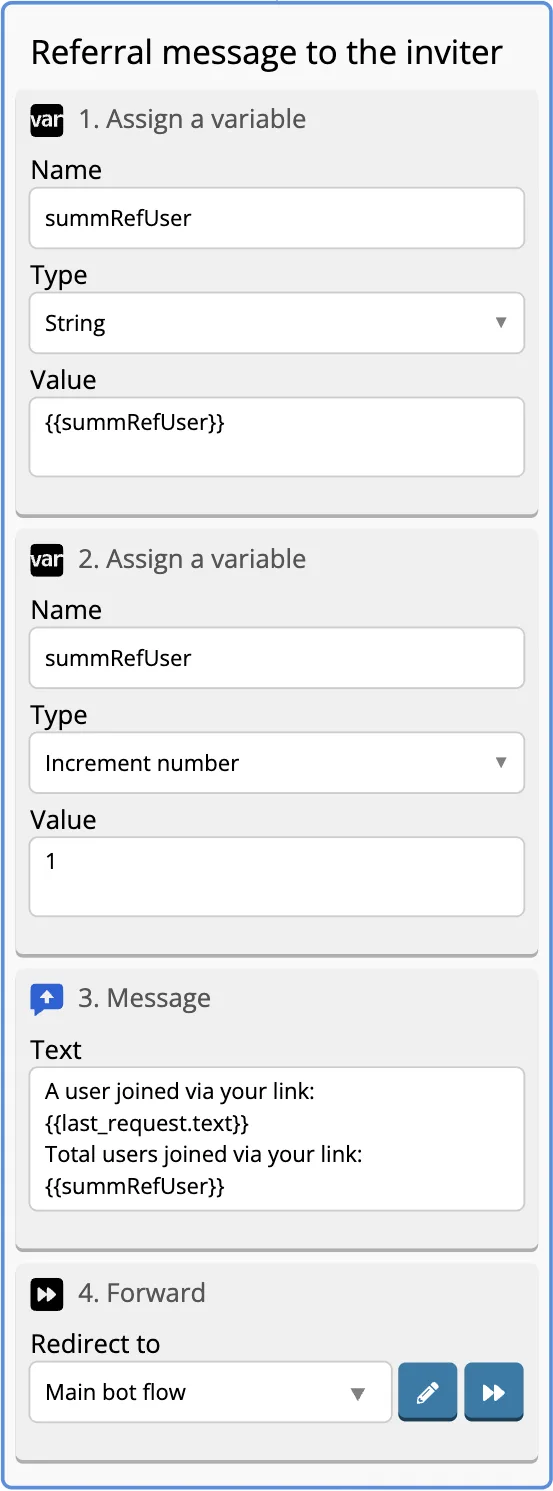
Let's create a screen that will come to the inviting user when External event is triggered. Let's call this screen "Referral message to the inviter".
14. First, create an empty variable summRefUser.
15. The next step is to add one user at a time to the value of the variable using the data type Increment number.
16. Create a message that will display the number of invited users and who has now entered through the referral link. To do this, write this text in the message:
The user {{last_request.text}}  entered through your link
{{summRefUser}} users followedyour link.
The completely designed screen will be like this:
Now the user who first followed the link of the inviting user will also receive his referral link through which he will be able to invite other users who will be counted in his summRefUser variable and he will also be counted in summRefUser variable of the inviting user.