

AI assistants and chatbots for business
Botmother is a no-code chatbot builder for Telegram, WhatsApp, Instagram, Messenger, Viber and websites
Build bots and AI assistants in a visual editor and connect ChatGPT or any model with an OpenAI-compatible API. Free Test plan with no time limit; paid plans from $49/mo, priced by live bots with no limits on users or messages. See pricing
What we do
We create smart solutions to automate your business
-
Chatbots for messengers
Work in Telegram, WhatsApp, and other platforms
Learn more: Chatbots for messengers -
AI assistants
Natural language processing, analysis, responses + escalation
Learn more: AI assistants -
Website chatbots
Chat widget with a bot, helpdesk system, and analytics
Learn more: Website chatbots
Easy way to create bots
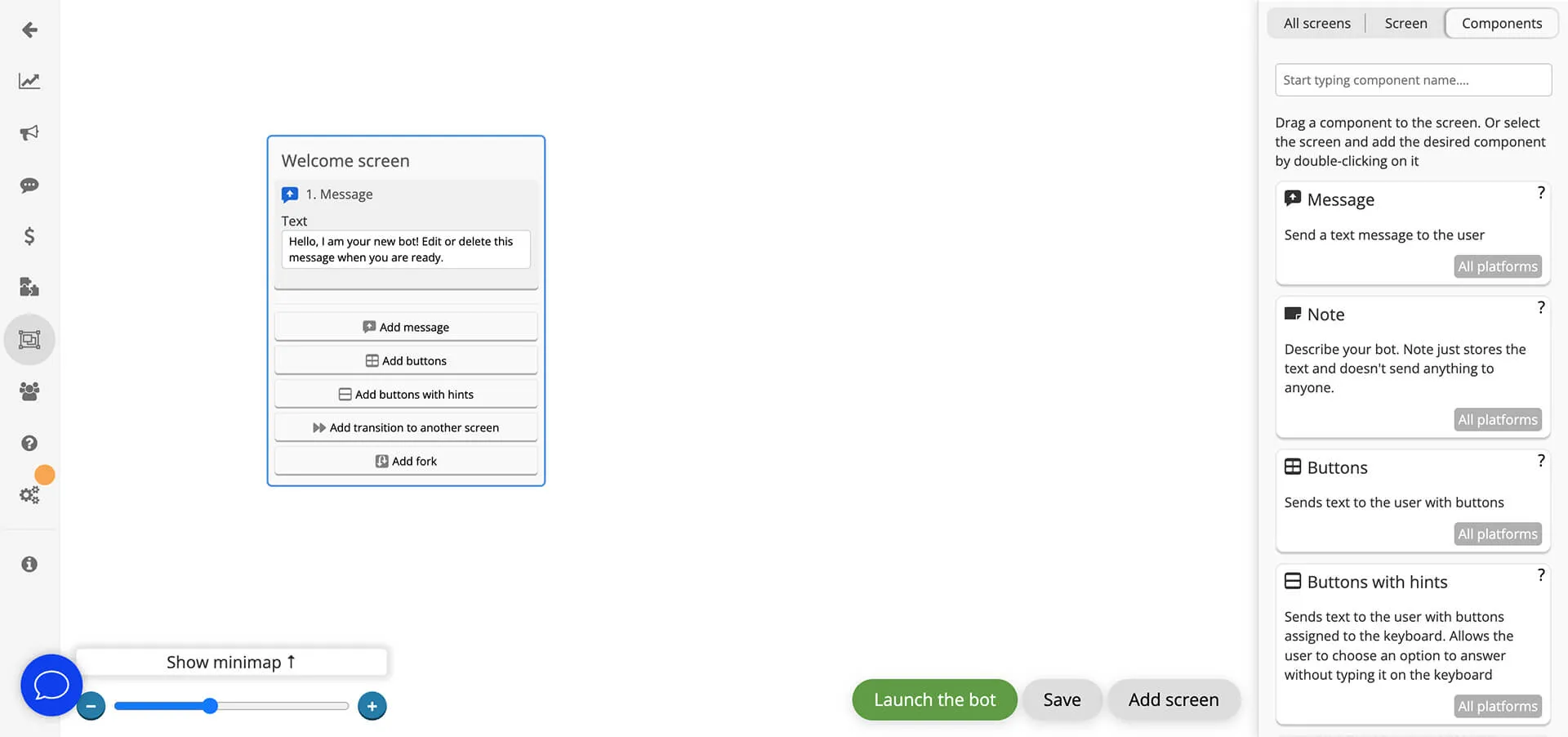
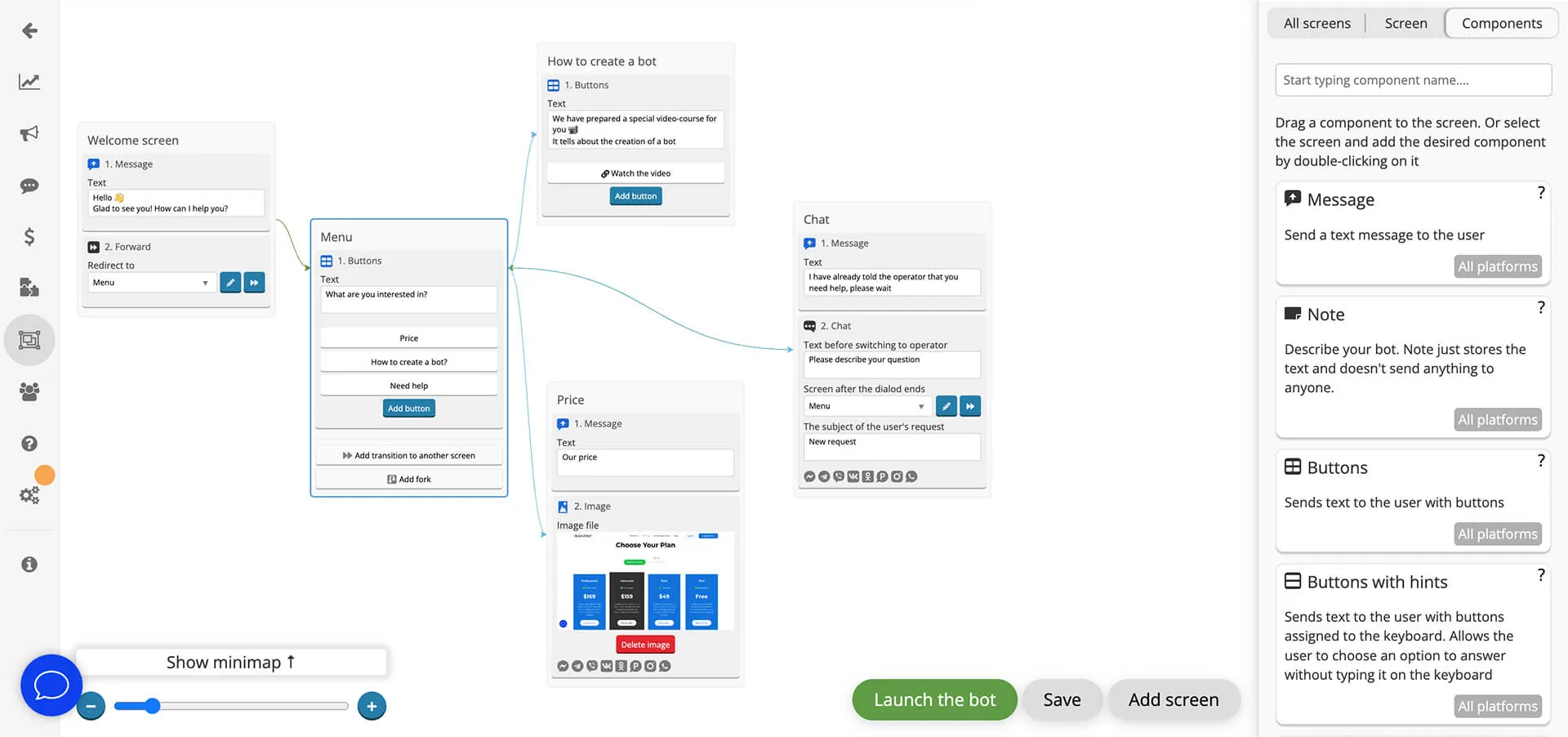
Thanks to the visual editor, bots are built from ready-made blocks by simple drag and drop. Implement any of your ideas without a single line of code. We do not limit the scenario size or the users number.
For a quick start, there are ready-made templates with popular bot scenarios. You can connect them with a messenger and use them as they are, or change them to suit your needs.
You won't have to create separate bots for different messengers. One bot built in the Botmother editor will be able to work on Telegram, Viber, WhatsApp, Facebook, and Instagram.
Here’s what work in the visual editor looks like:
Integrations and platforms
Works with your systems and messengers
 Telegram
 Max
Max
 VK
VK
 WhatsApp
 Odnoklassniki
 Instagram
 ChatGPT
 YandexGPT
 Google Sheets
 Zapier
 Usedesk
Powerful built-in tools
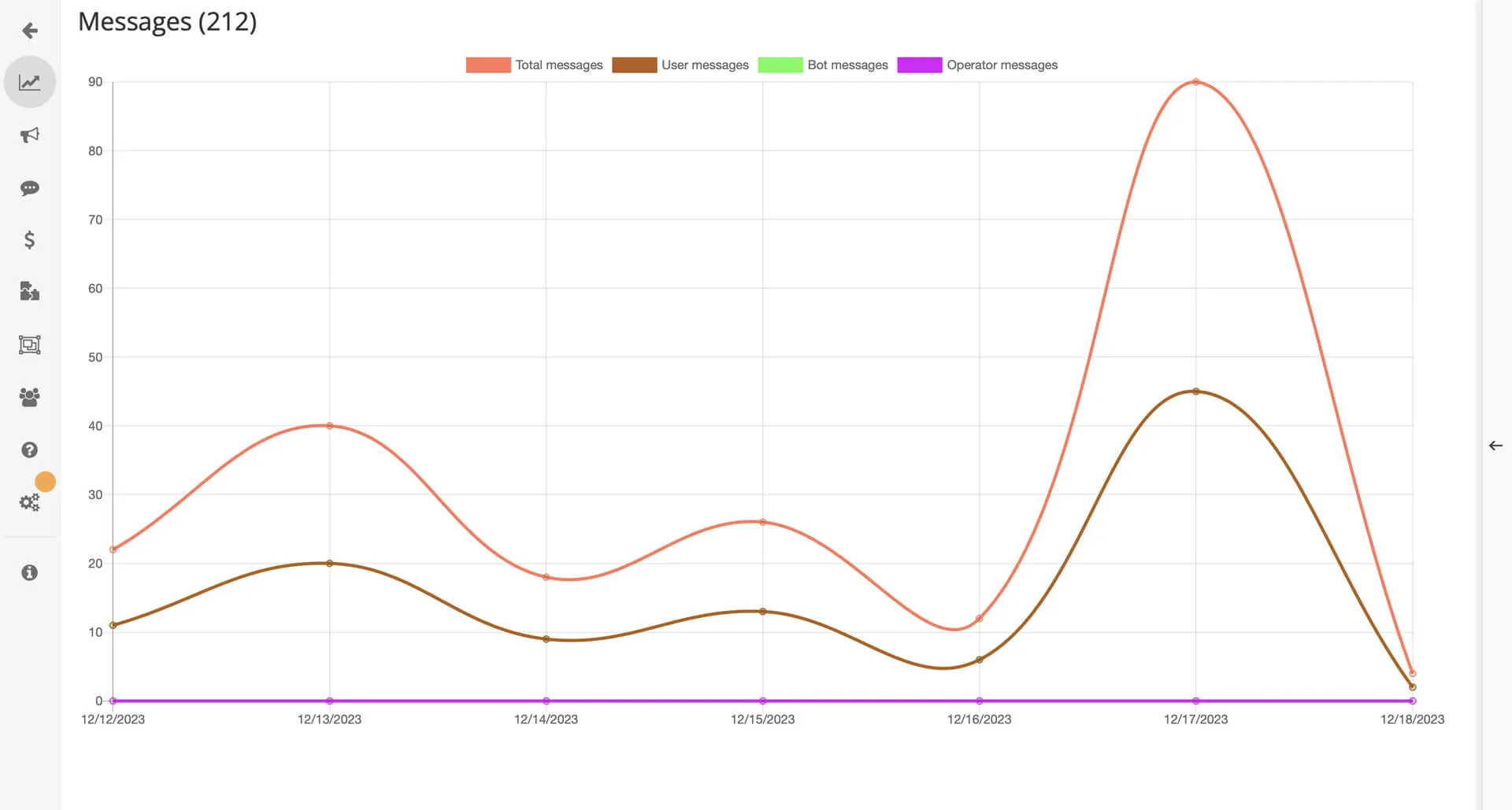
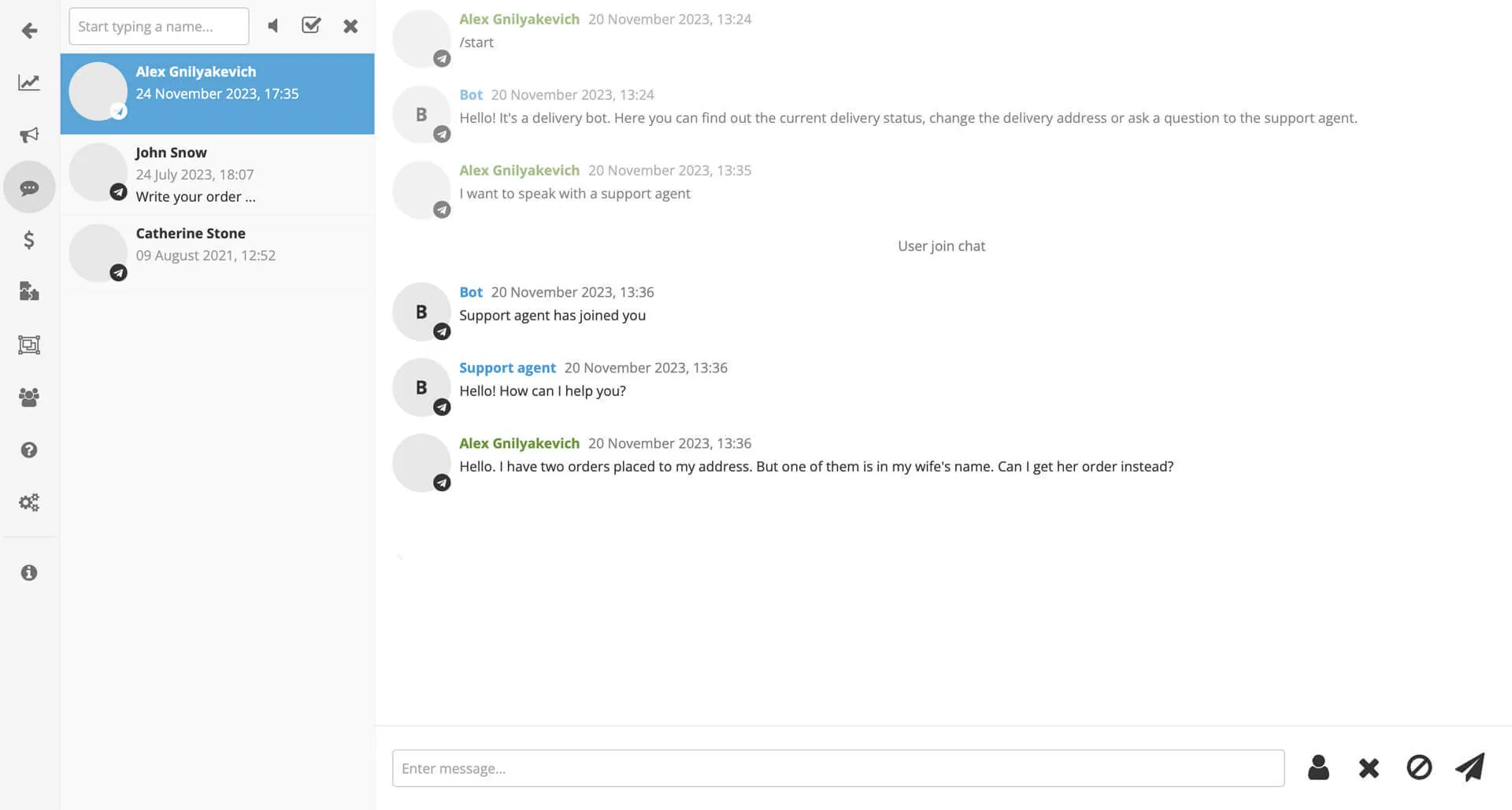
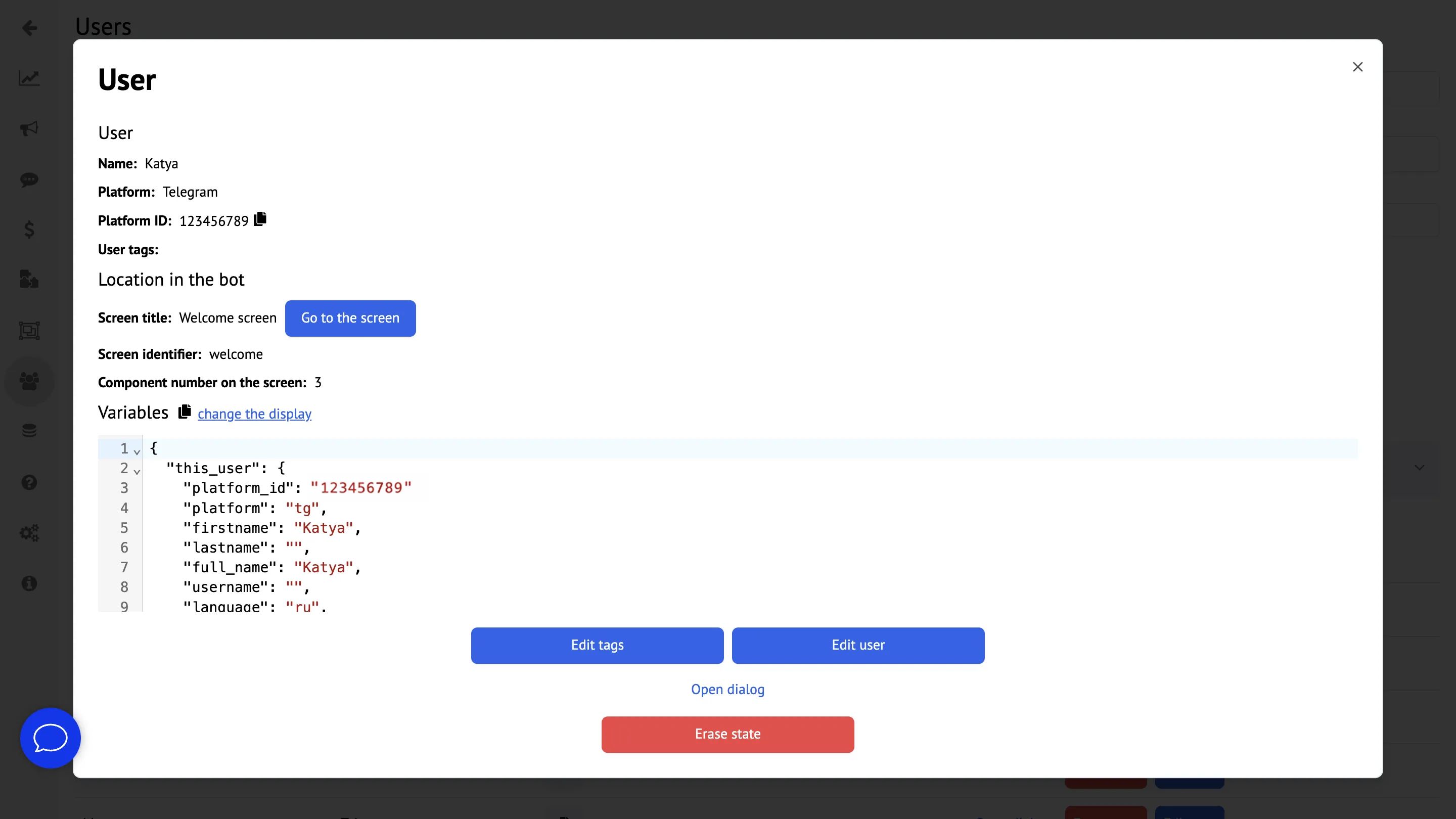
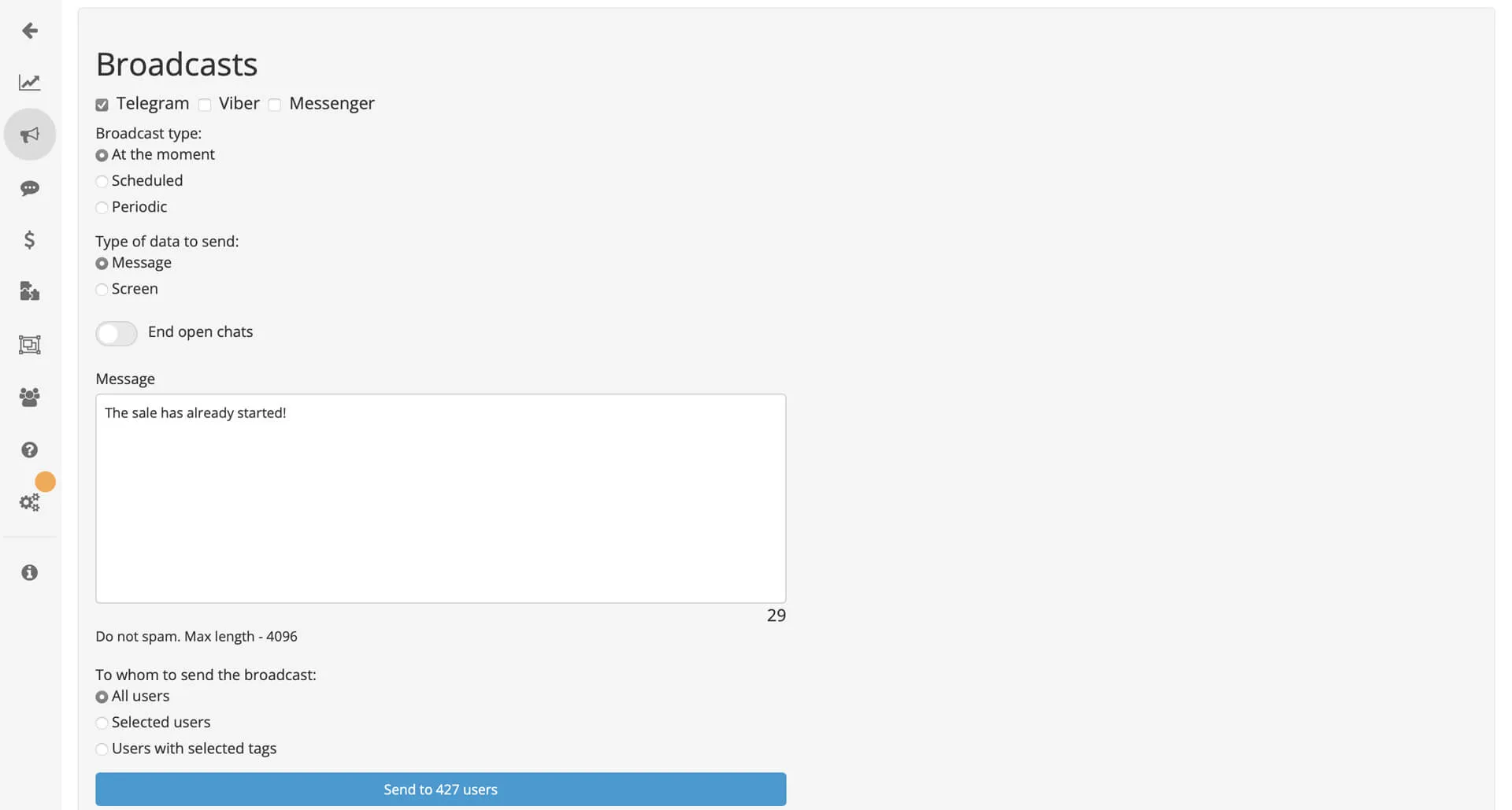
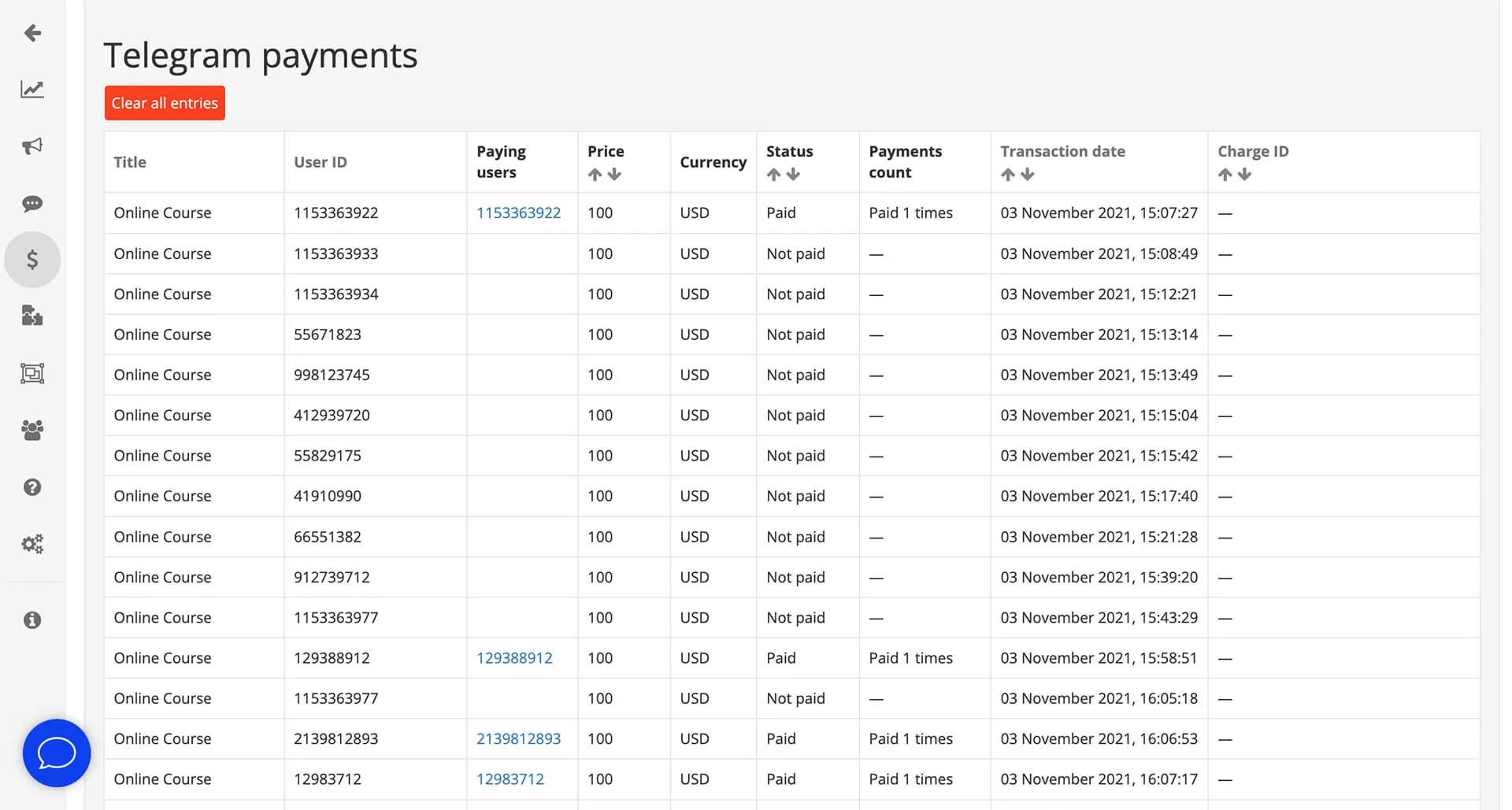
Creating and launching a bot is just half the job; you need to send broadcasts, collect analytics, and communicate with clients.
Botmother has all the necessary tools for this.
Ready-made solutions
-
 Leads
Leads
Lead collection
Collecting contacts and client requests
Launch: Lead collection -
 Brand
Brand
Business card
Main information and quick links
Launch: Business card -
 Support
User support
Collecting contacts and client requests
Launch: User support -
 HR
HR
Employee onboarding
Introduction to the company and first steps
Launch: Employee onboarding -
 Sales
Sales
Sales funnel
Sales through messengers
Launch: Sales funnel -
 AI
AI
AI assistant with GPT
Natural language communication and assistance
Launch: AI assistant with GPT
How Botmother help businesses
Chatbots have a wide range of applications in business. They are used by marketers, cafes and restaurants, hotels, online schools, non-profit organizations and many others. More than 5,000 companies and creators run bots in Botmother every month.
- The largest bot served 1.4 million users in a year
- One bot handled 24 million messages and almost 400,000 new users in three winter months
- Our bots processed over 1 billion messages in 12 months, up to 4 million a day (May 2025 – April 2026)
-

I INTERVIEWIEV 1,000 CANDIDATES A DAY

-

I COLLECT CONTACT INFORMATION FROM 1,200 CLIENTS PER MINUTE

-

I SEND INDIVIDUAL RECOMMENDATIONS TO CLIENTS

-

I CONDUCT TESTS, AUTOMATICALLY ANALYZE THE ANSWERS

-

I REDUCE THE OPERATORS WORKLOAD BY 30%

That’s what those who have already chosen Botmother say
We asked our clients how their business has improved since the introduction of the chatbot. Here 's what they said:
-
★★★★★
The chatbot with a QR code proved to be highly effective: previously, 30% of customers used phone number authentication, now only 1−2% of customers use it. As a result, queues have significantly decreased, and SMS costs have reduced.
Aleksei Sveshnikov Marketing director of "Beru vyhodnoy"
-
★★★★★
The "Abandoned basket" mechanics allows you to return customers who left the site without making a payment via messenger. We are increasing the reach of customers and their involvement in the product with gamification in the bot: zodiac sign selections, psychological tests, quizzes, personal recommendations.
Katya Piskun CRM manager at a Swedish direct sales company
-
★★★★★
The chatbot proved to be better than the sales department. With it, we improved the quality and efficiency of interaction with customers and contractors. And what’s more, it removed the need to hire new employees.
Rinat Haphisov Director and business owner
-
★★★★★
I would like to express my gratitude to the entire team. I worked most closely with Dmitry and Artem, and I want to give them special thanks. In my opinion, the entire development process was very professional. Everything was delivered on time, all issues were resolved very quickly, and all planned features were successfully implemented.
Alexey Gavrilov IT Entrepreneur
-
★★★★★
I’ve been using the service for 1.5 years. Everything works very well, and the product is constantly evolving. Support responds clearly and with maximum helpful detail — I’m very satisfied with that. I’m leaving this review with a sense of deep gratitude for the high-quality service and product.
Nikita Solunin Chatbot builder user
-
★★★★★
The builder allowed us to create an optimal tool that simplifies routine tasks. If the bot has difficulty answering, it automatically connects the user to a live operator — which is very convenient. We are satisfied, and our clients receive a high-quality service.
Adondis Chatbot builder user
-
★★★★★
Using the visual builder, I created my first bot for groups selling children’s products. It freed me from two-thirds of routine questions. After testing it, I wanted to expand the functionality and add a couple more bots for other products.
Manaron Chatbot builder user
-
★★★★★
The functionality is a bit difficult to figure out, but not critically so. Otherwise, everything is great — updates are released regularly, and support is always in touch if you have questions. They even resolved my issue on a weekend, which is rare for such services. Definitely give it a try — you won’t regret it.
Lizzi Korinfskaia Chatbot builder user
-
★★★★★
I decided to create my own bot in Telegram. Even though I’m a humanities major, I figured out how to use the builder in just one day, and now I’m filling the bot with content. I was surprised that such cool features — like geotagging — are already available on the trial plan. I also really liked the polite and fast support.
Maria Shchukina Chatbot builder user
FAQ
Can I create a chatbot myself?
What is a chatbot builder?
How to set up an AI assistant
How much does it cost to create a chatbot?
Current pricing is available at the link →