Lead Collection Bot
Automatically collects client requests, asks the right questions, and sends the data wherever you need it — to a manager, Google Sheets, or your CRM
 Ready-made bot template.
Average setup time — about 30 minutes
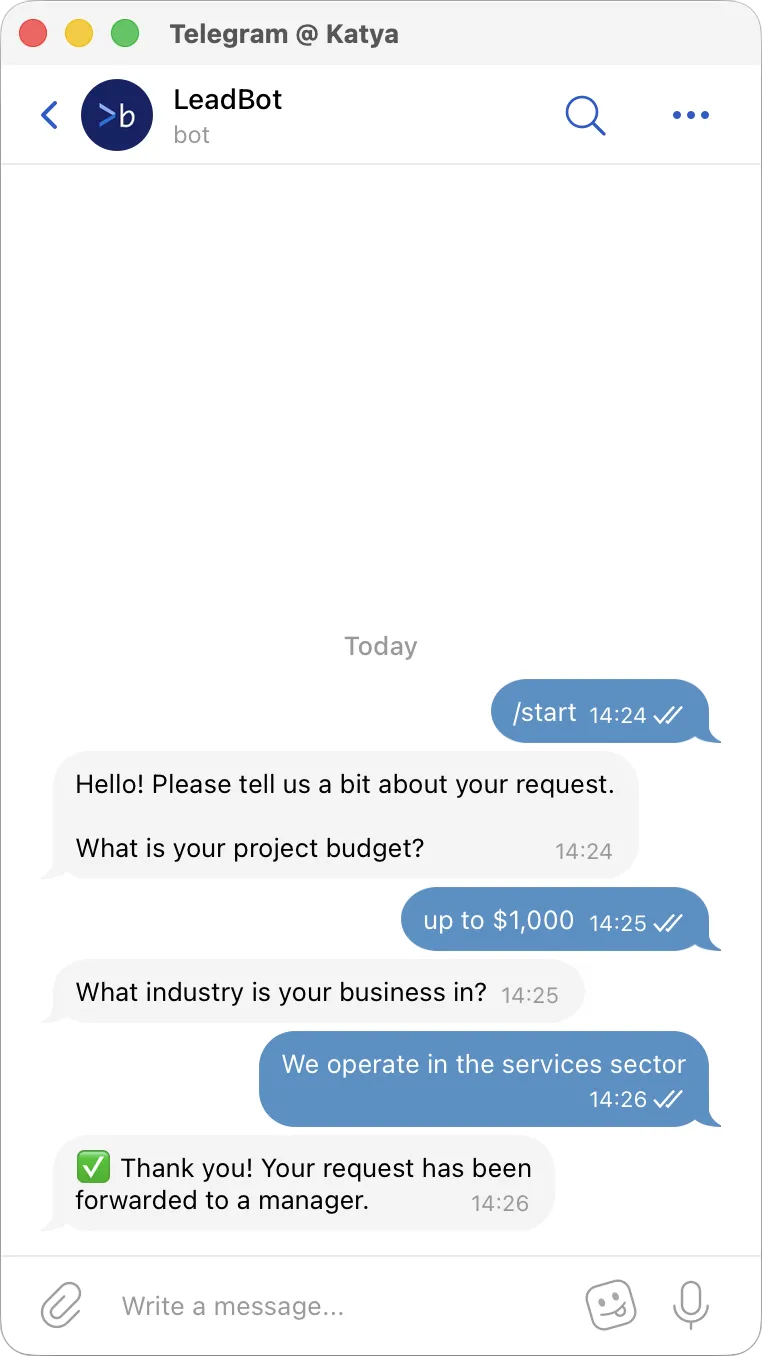
Works in any messenger or on your website
Launch your chatbot wherever your customers communicate
The same scenario can be used across multiple communication channels





Why lead collection is often inefficient
When customers reach out directly, requests come in an unstructured format
-

Leads come from different channels
Some customers write in messengers, others come from the website or ads. As a result, customer data is scattered across different chats -

Customers don’t provide enough details
Managers have to ask multiple follow-up questions to understand the request -

Data is transferred manually
Managers copy contacts and request details into spreadsheets or CRM systems.
This takes time and often leads to errors
As a result, leads are collected in a chaotic way, and the team spends time on repetitive conversations
How the bot helps collect leads
The chatbot handles the initial communication with the customer
It asks the right questions, collects answers, and creates a structured lead
-

Guides the user through a short form
The bot asks questions and helps the user describe their request -

Creates structured leads
All responses are saved in a consistent format -

Collects all necessary data
Name, phone number, request details, project parameters, and more -

Sends data where you need it
To a manager, Google Sheets, CRM, or other services
Ready-made bot template
In Botmother, there is already a ready-made lead collection scenario — you only need to adapt it to your needs
You can customize:
- message texts
- list of questions
- scenario logic
- transition conditions
- contact fields
- data delivery method
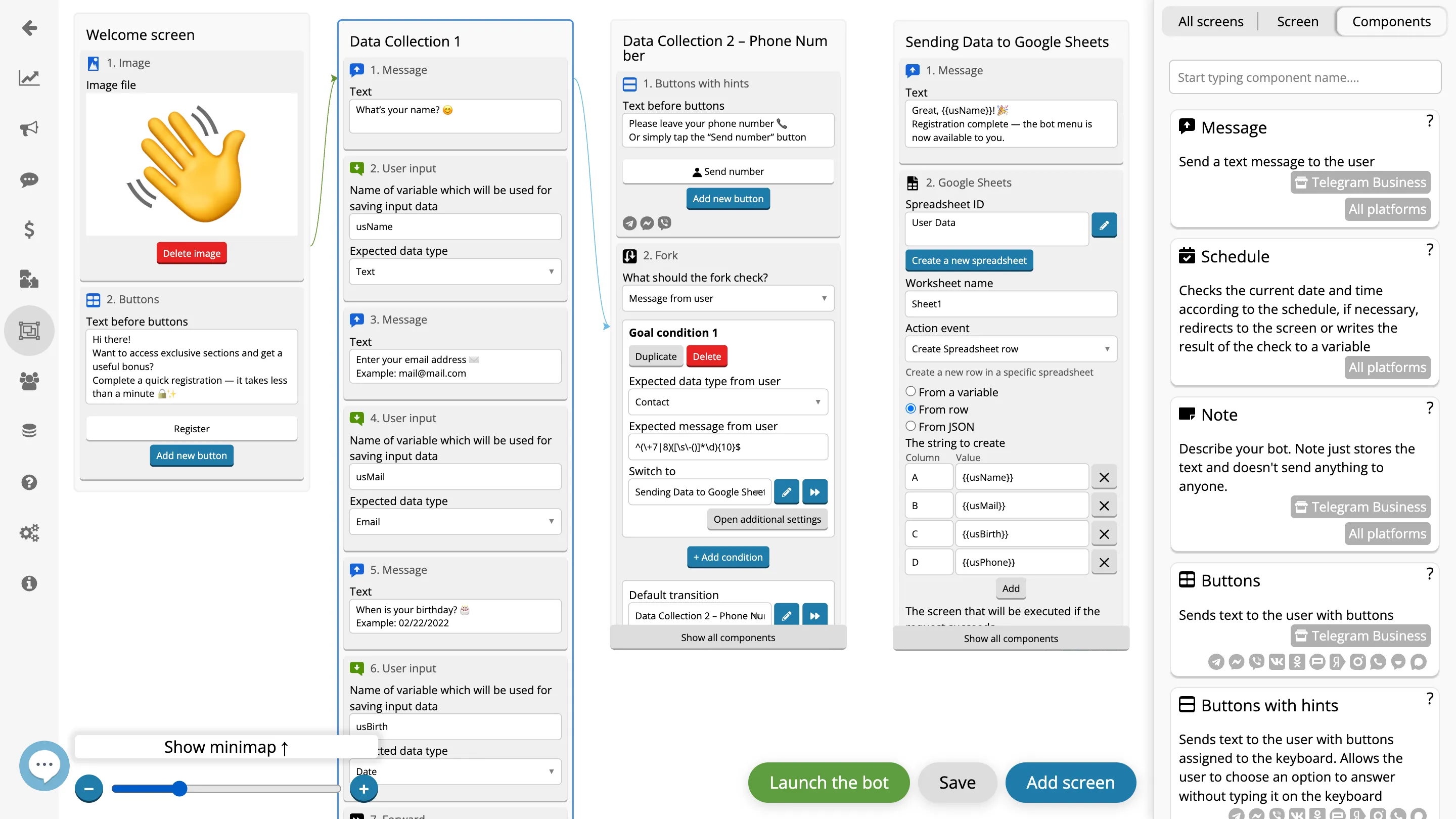
- Sending the request to Google Sheets
- Requesting the required information
- Welcoming the user
- Bot management sections
- Saving the customer’s contact details
How to launch the bot
Average setup time: 20−30 minutes
-
1
Create an account and connect a messenger
-
2
Choose a template and customize texts, questions, and logic
-
3
Launch the bot and start receiving leads
Share the bot link with your customers and start collecting structured leads automatically
Try the lead collection bot
Ready-made template, fast setup, and leads in a format convenient for you
Launch your bot and start receiving structured leads today