Limiting access the bot section by the number of requests
We came across a task where we needed to limit user access to the bot section within a given period. To be more specific, the task was to limit the number of times a user could chat with an operator to 3 times per month.
This kind of functionality is often of interest to organisations offering batch consulting services.
We will now explain the details of the bot implementation.
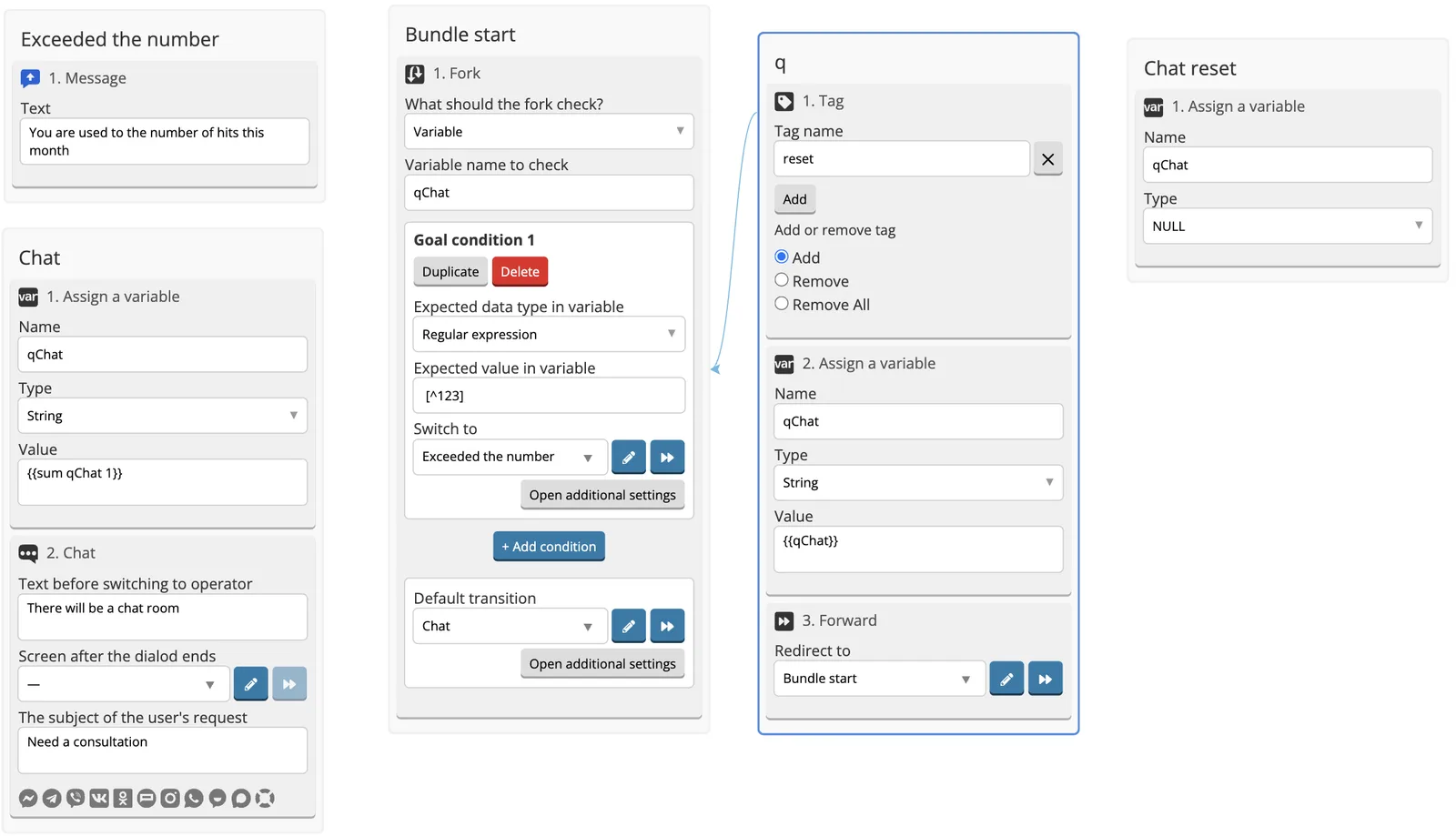
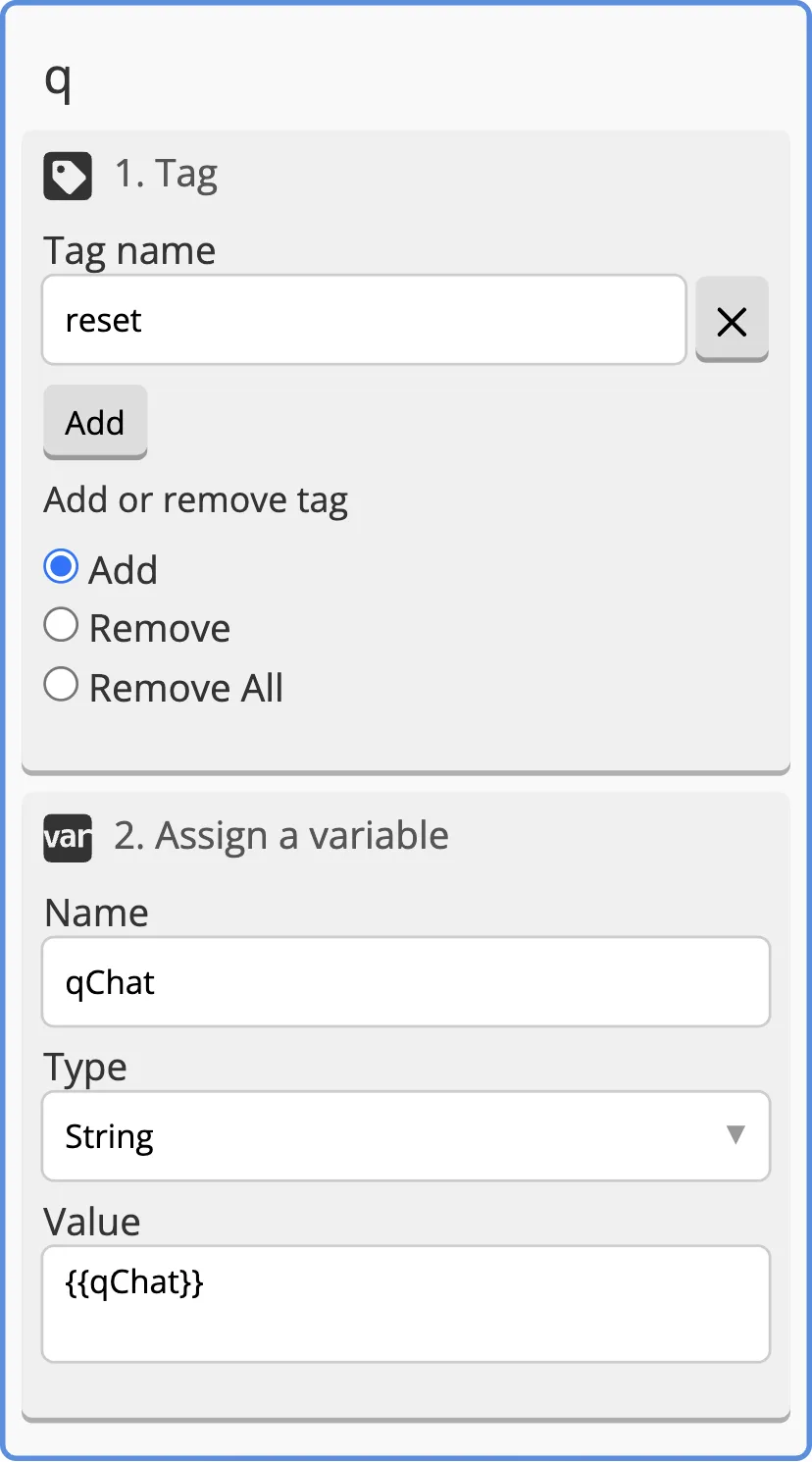
1. After paying for the services, you need to set a label for the user. We suggest calling it Reset.
2. After setting the Tag, let’s set up Assign a variable component, where we assign {{qChat}} value to qChat variable.
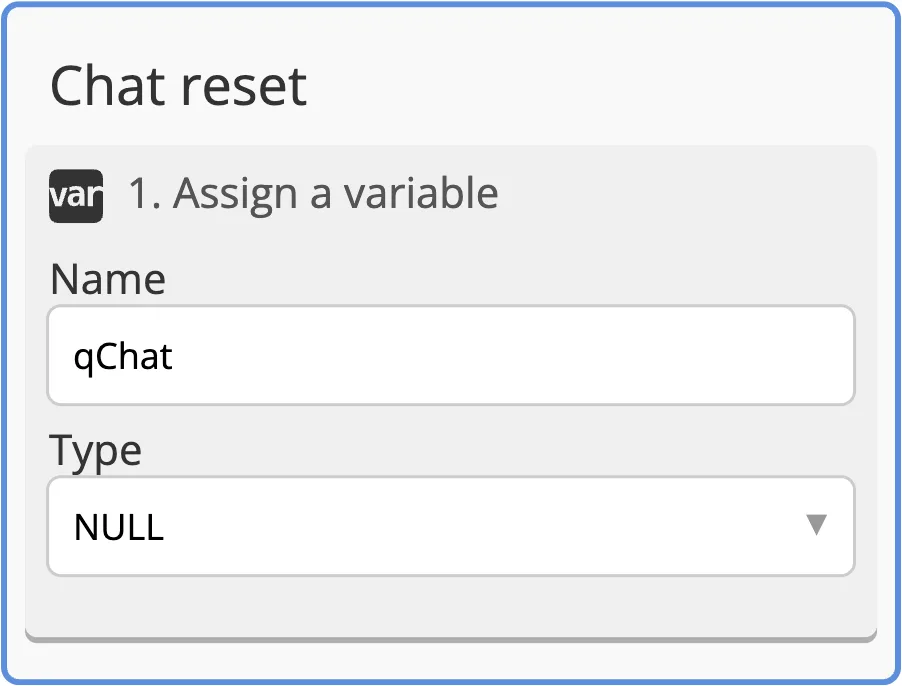
3. Add the screen where NULL value is written to the variable. In the example the variable name is qChat, the screen name is Chat reset. So, we nullify the value of the variable that was previously assigned. We set the variable with Assign a variable component.
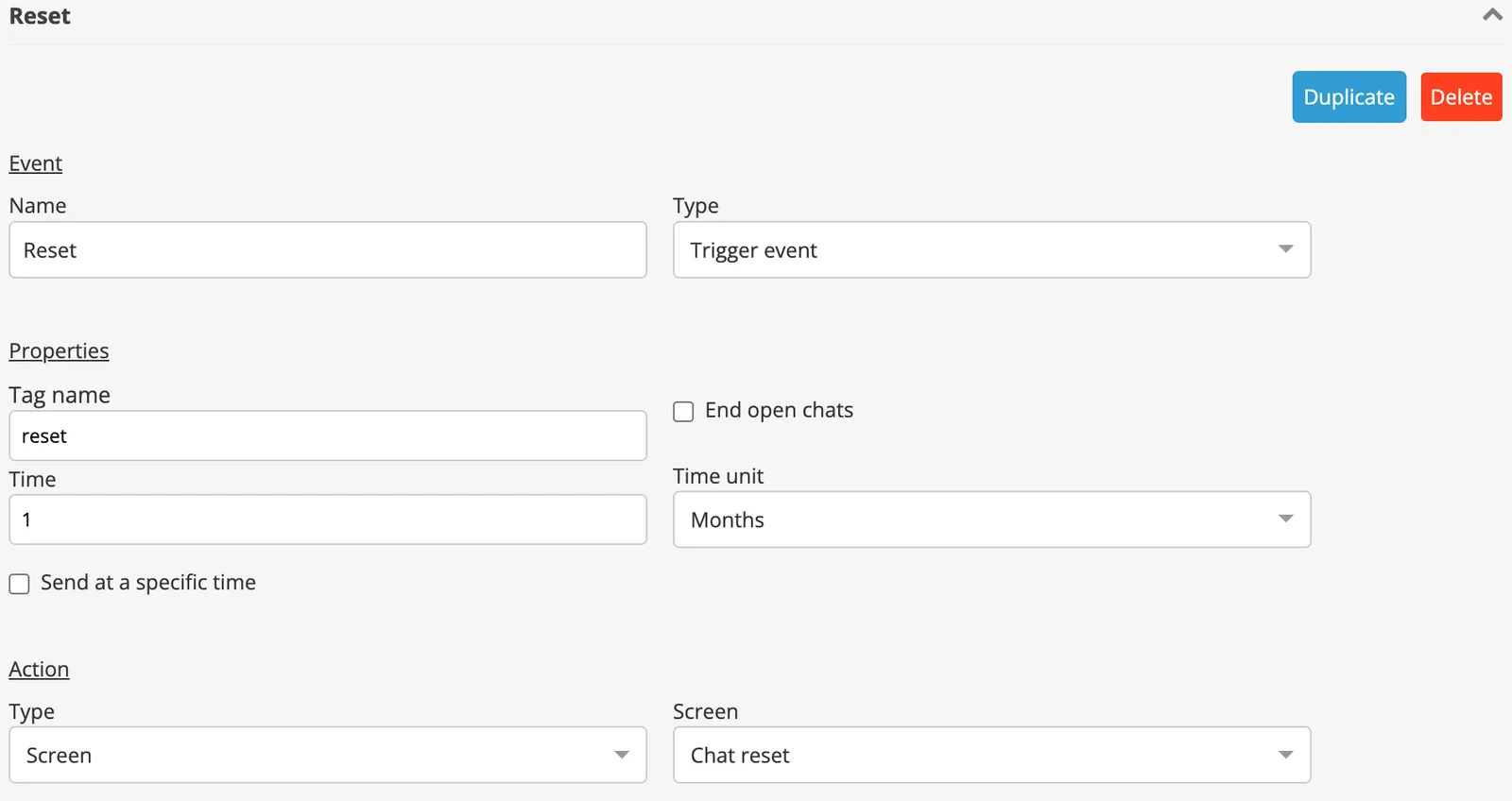
4. Add Trigger event with Reset tag, that is to be triggered after a set period. In this case the period is 1 month or 30 days. This should trigger Reset chat screen.
5.When the user selects Сhat with the operator section, Start bundle screen is open. The screen contains a Fork, which takes the value from qChat variable. We write a condition to Fork goal: if qChat value matches the regular expression [^123], the user cannot access the chat, otherwise they can.
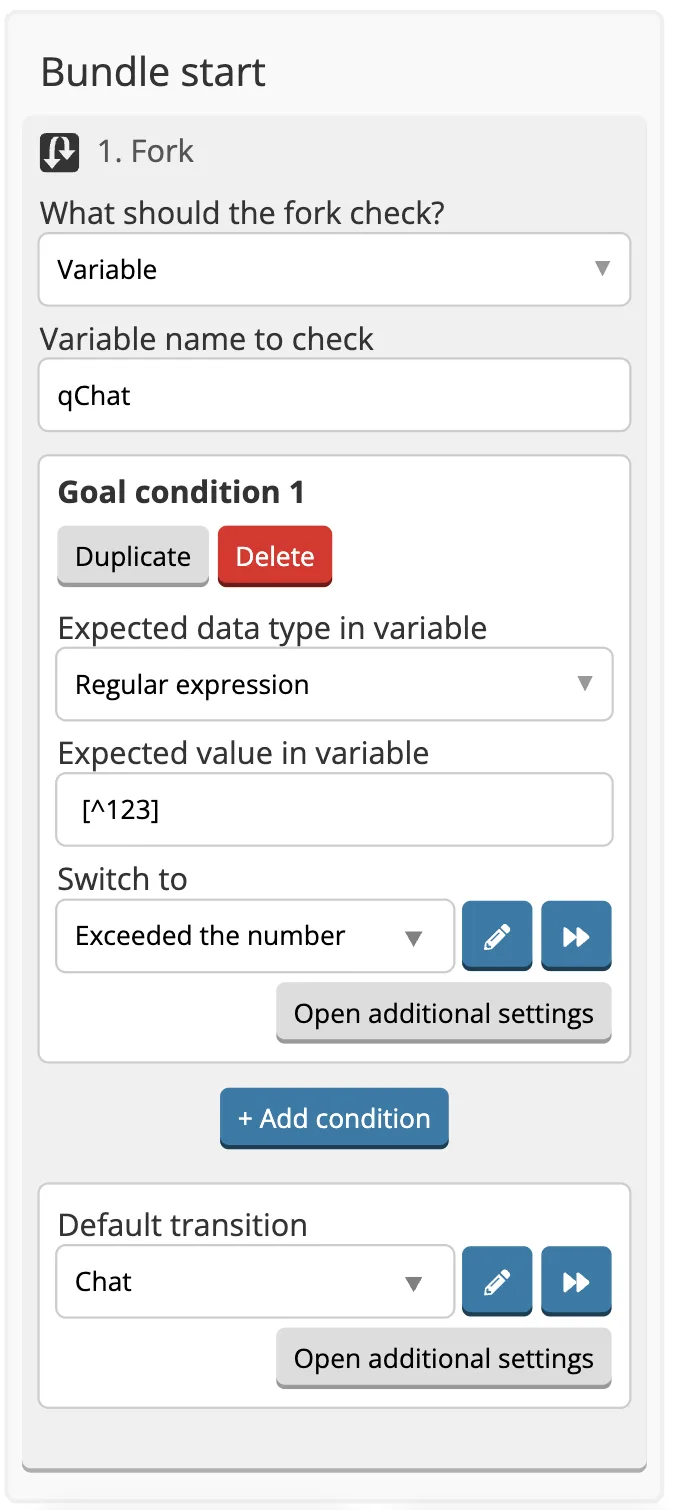
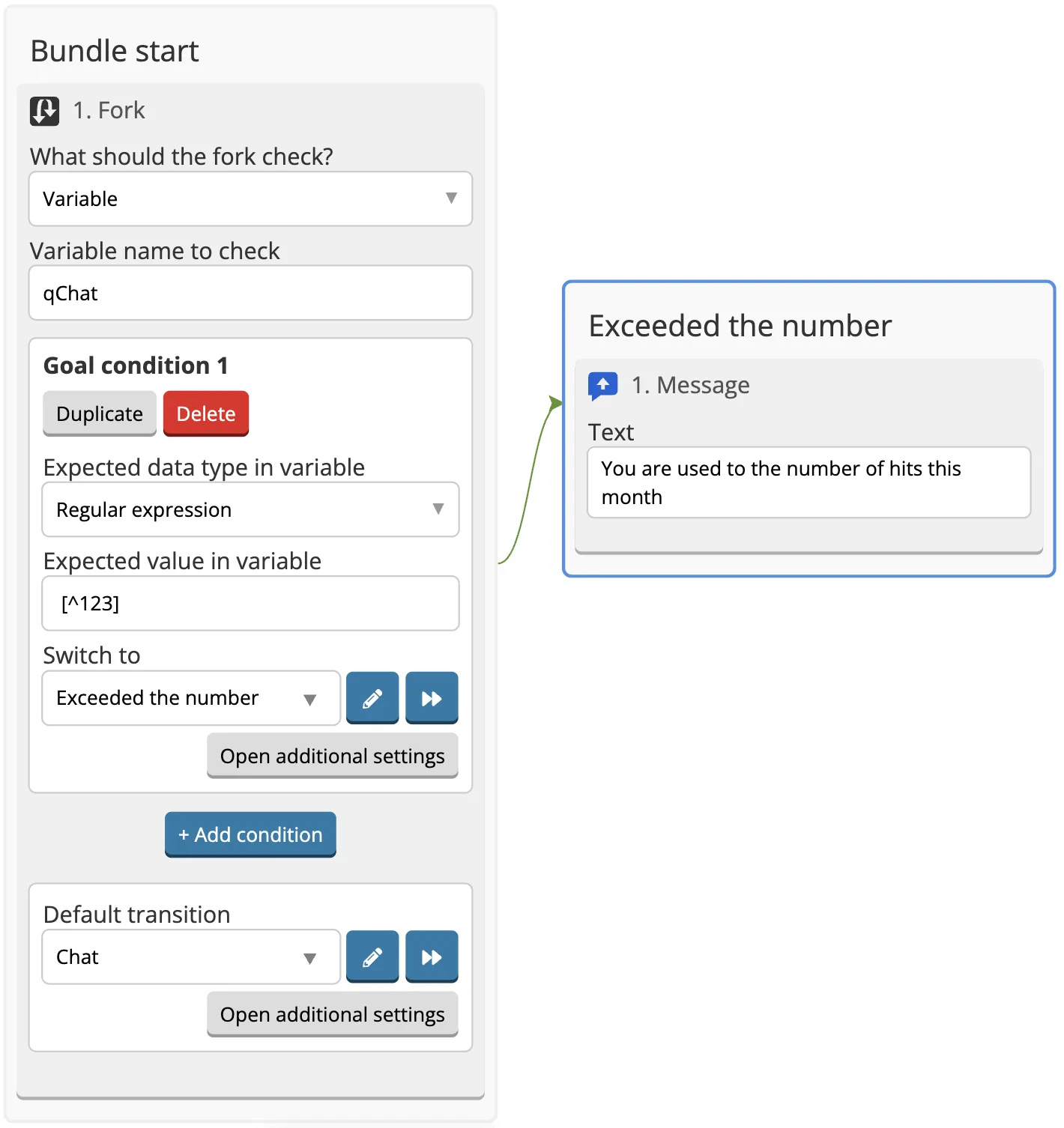
6. Create a screen to report that the chat is inaccessible, put the target of the regular expression to this screen.
7. The default target leads to the chat screen. Before the chat, we must write {{sum qChat 1}} value to qChat variable. In this way we will count how many times the user has entered the chat.
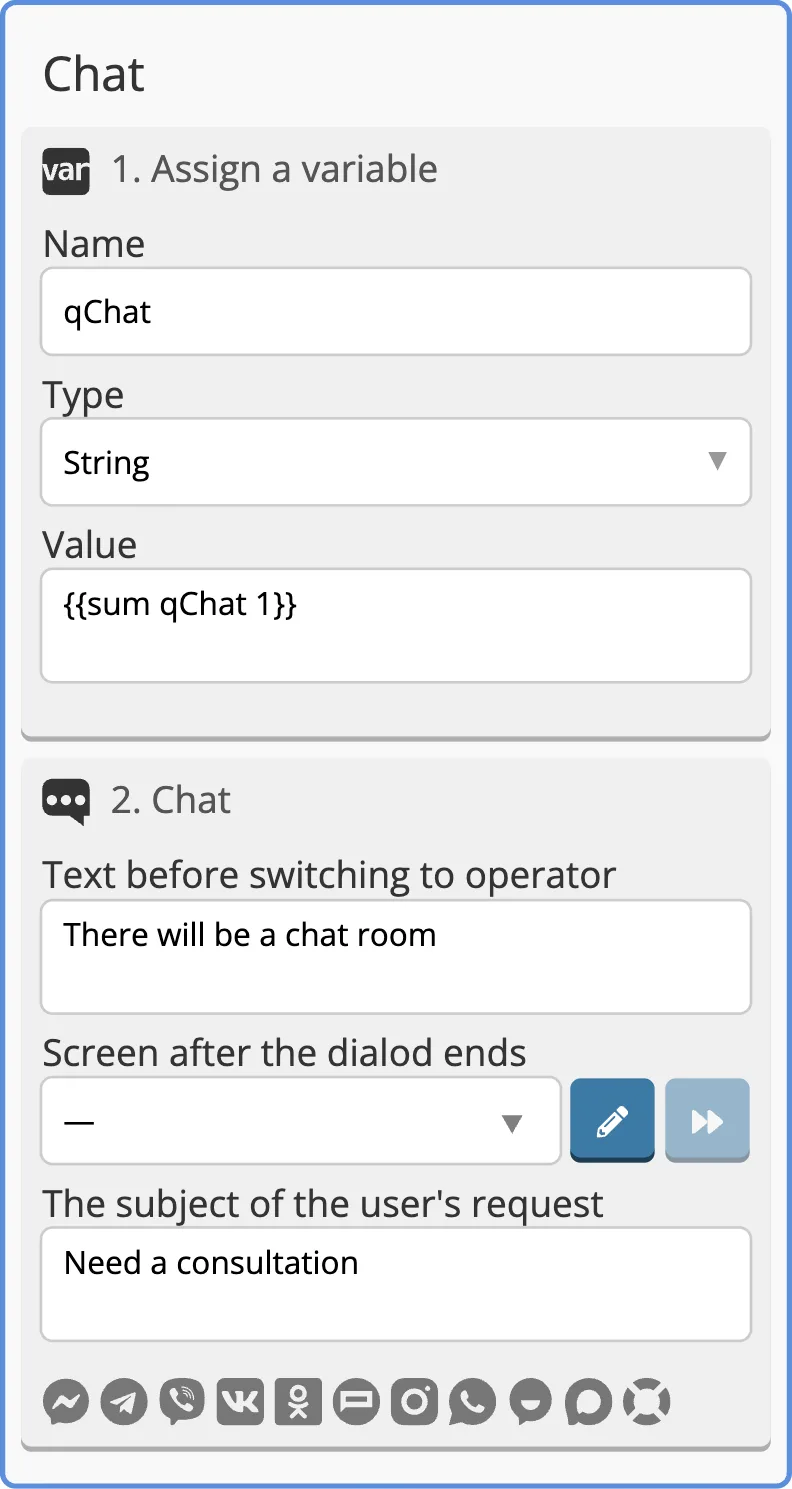
All together, the screens created may look like this: