To connect a bot to Instagram, you must have a Facebook page (community) and an Instagram business account.
1. Go to Facebook Page Settings and connect your Instagram account.
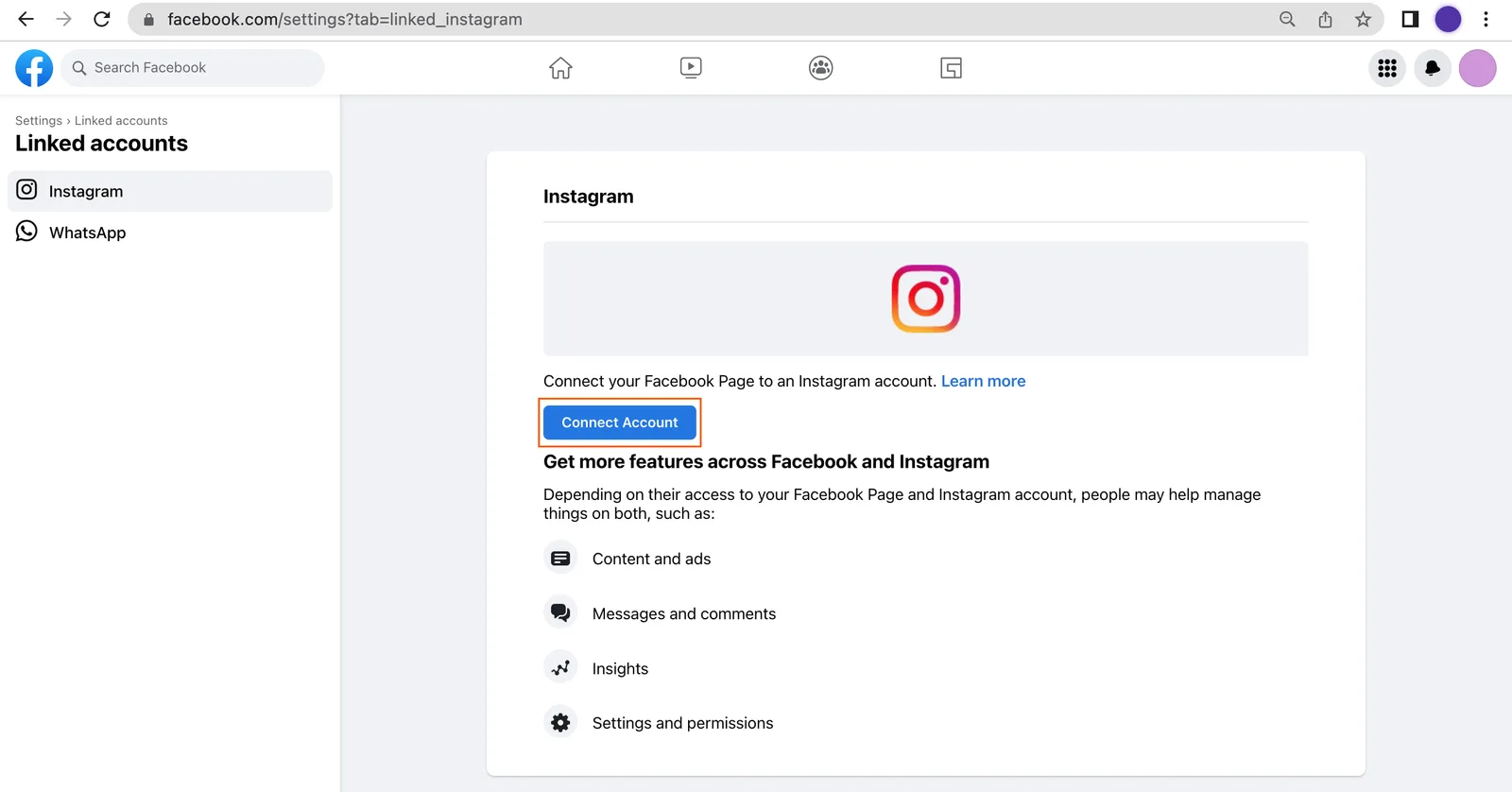
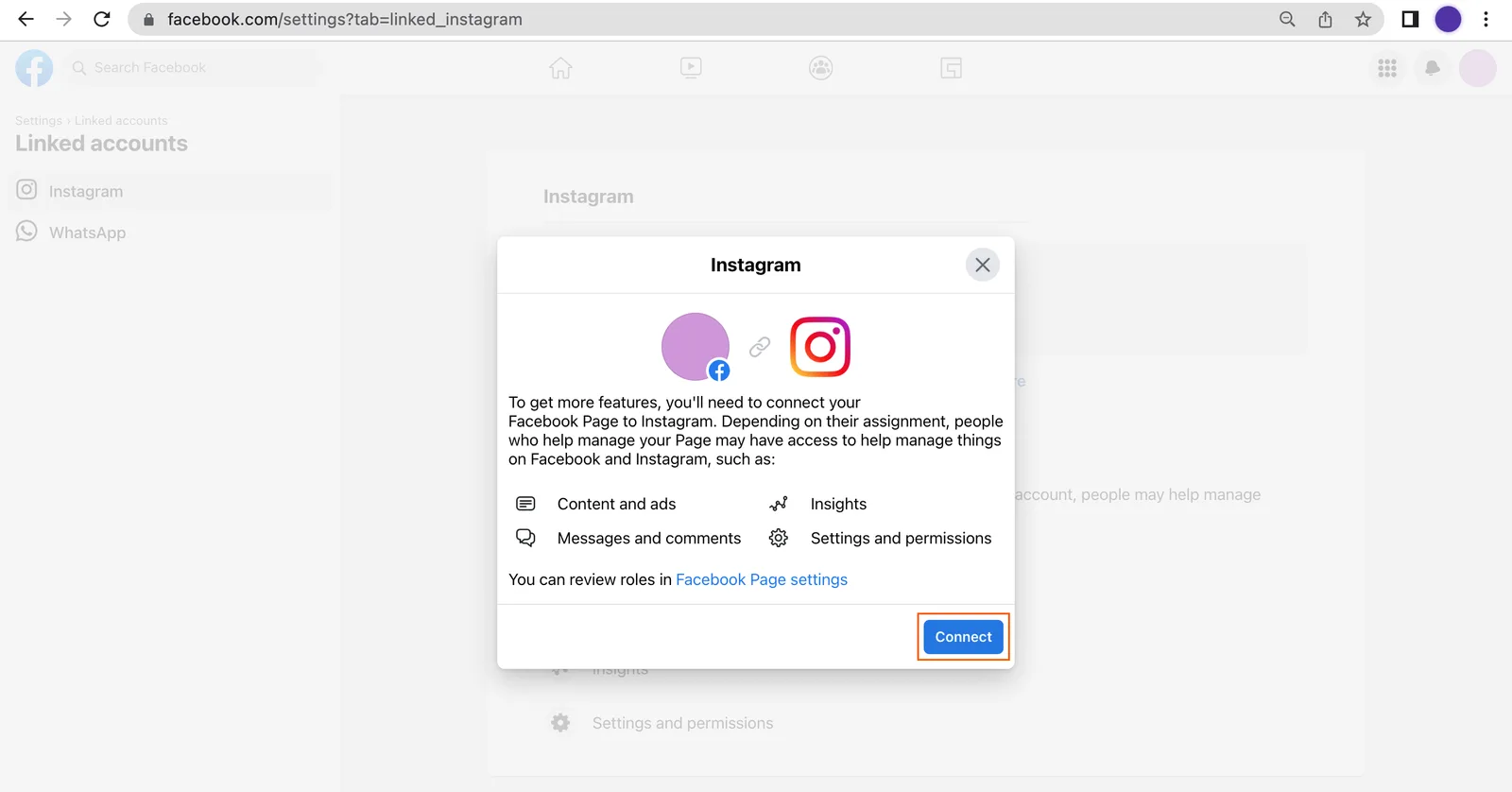
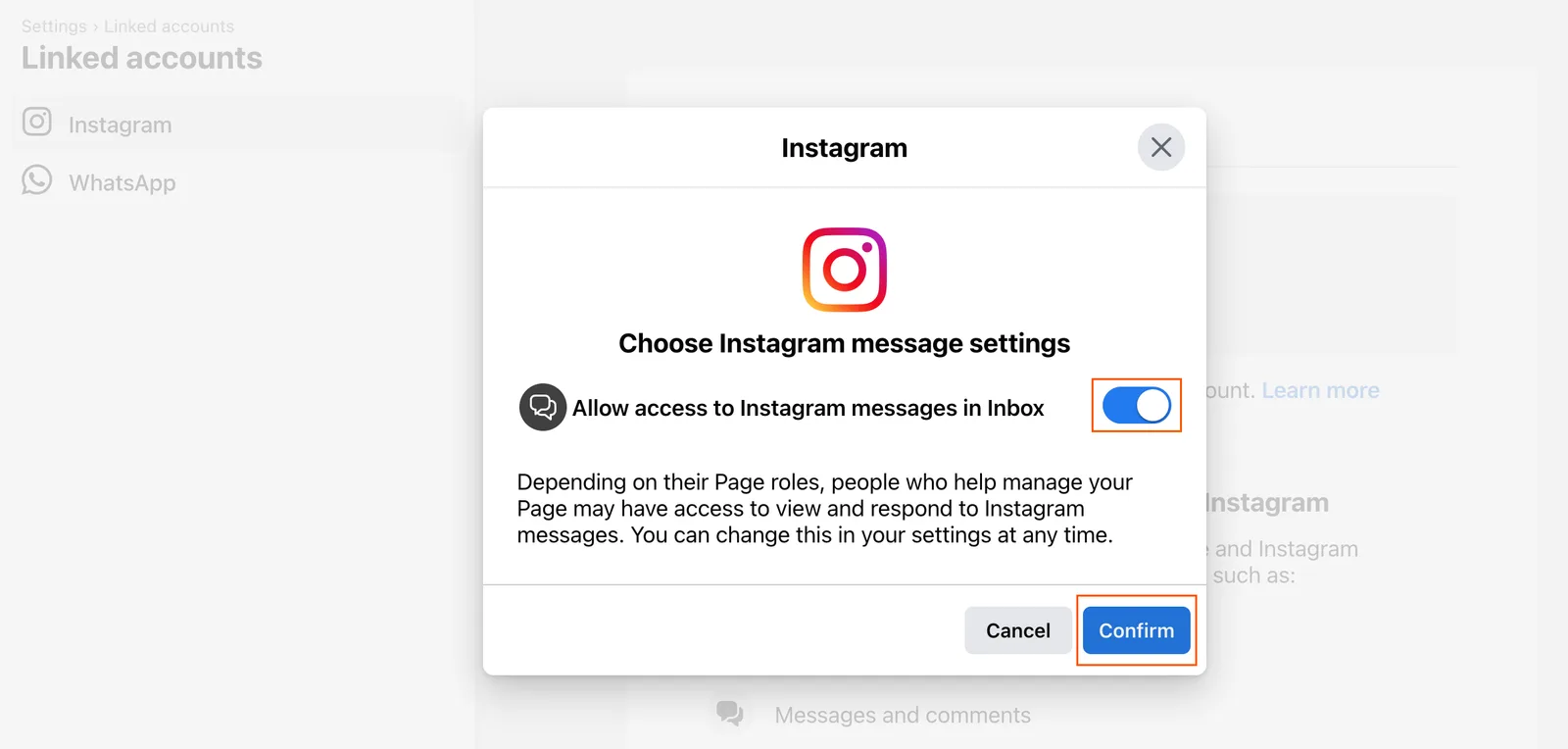
2. Allow access to Instagram messages in Inbox and click "Confirm".
3. Log in to the Instagram account that you are connecting.

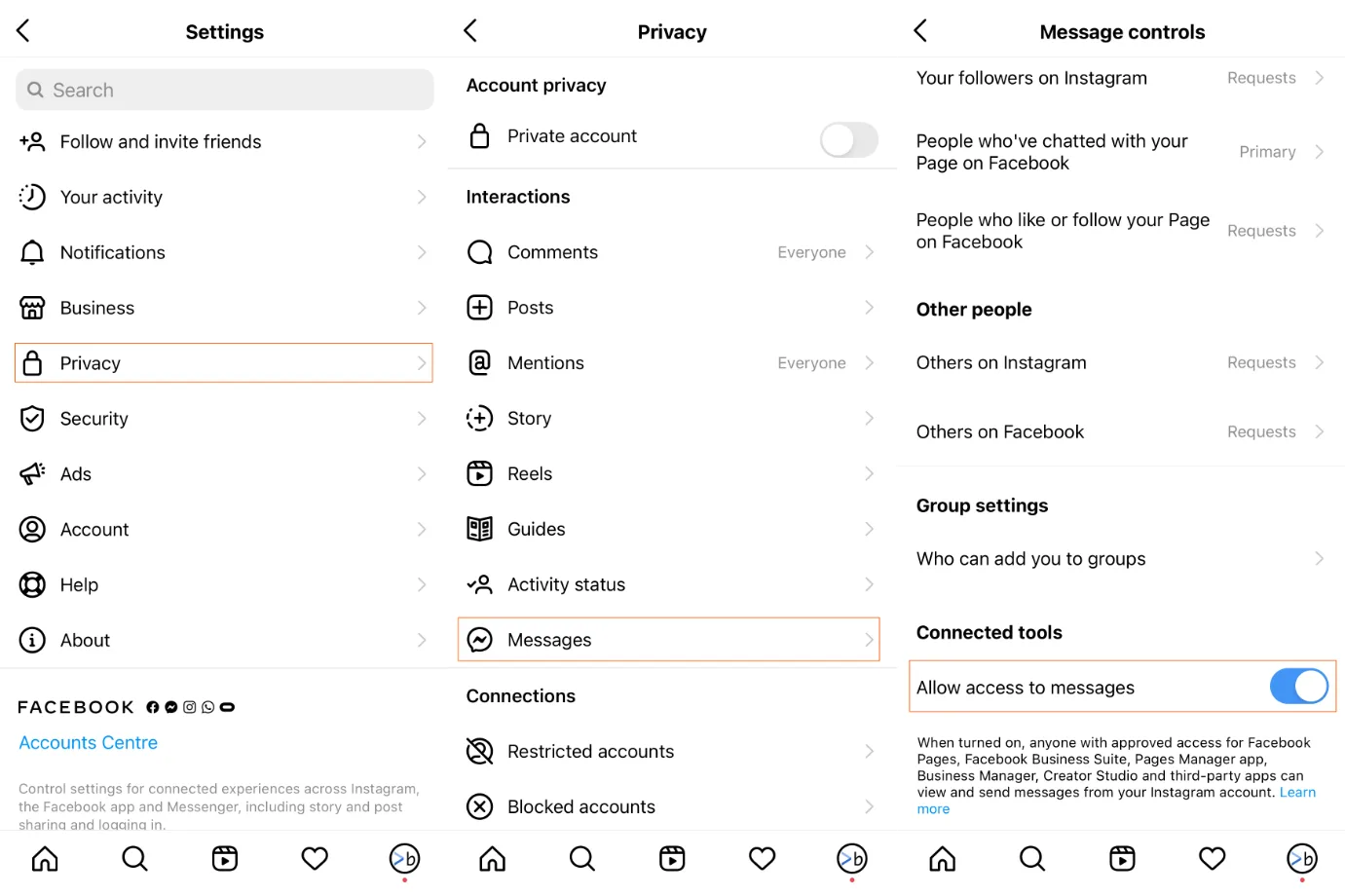
4. In your Instagram account go to Settings → Privacy → Messages and enable "Allow access to messages". This should be done in the app on your smartphone.
If Facebook is already linked to your Botmother account, click on the "Change Facebook permissions" button in your Personal Account. Select the Facebook page and the Instagram business account to be used in the bot.
5. Enable Instagram and click the "Bind page" button in the bot settings.
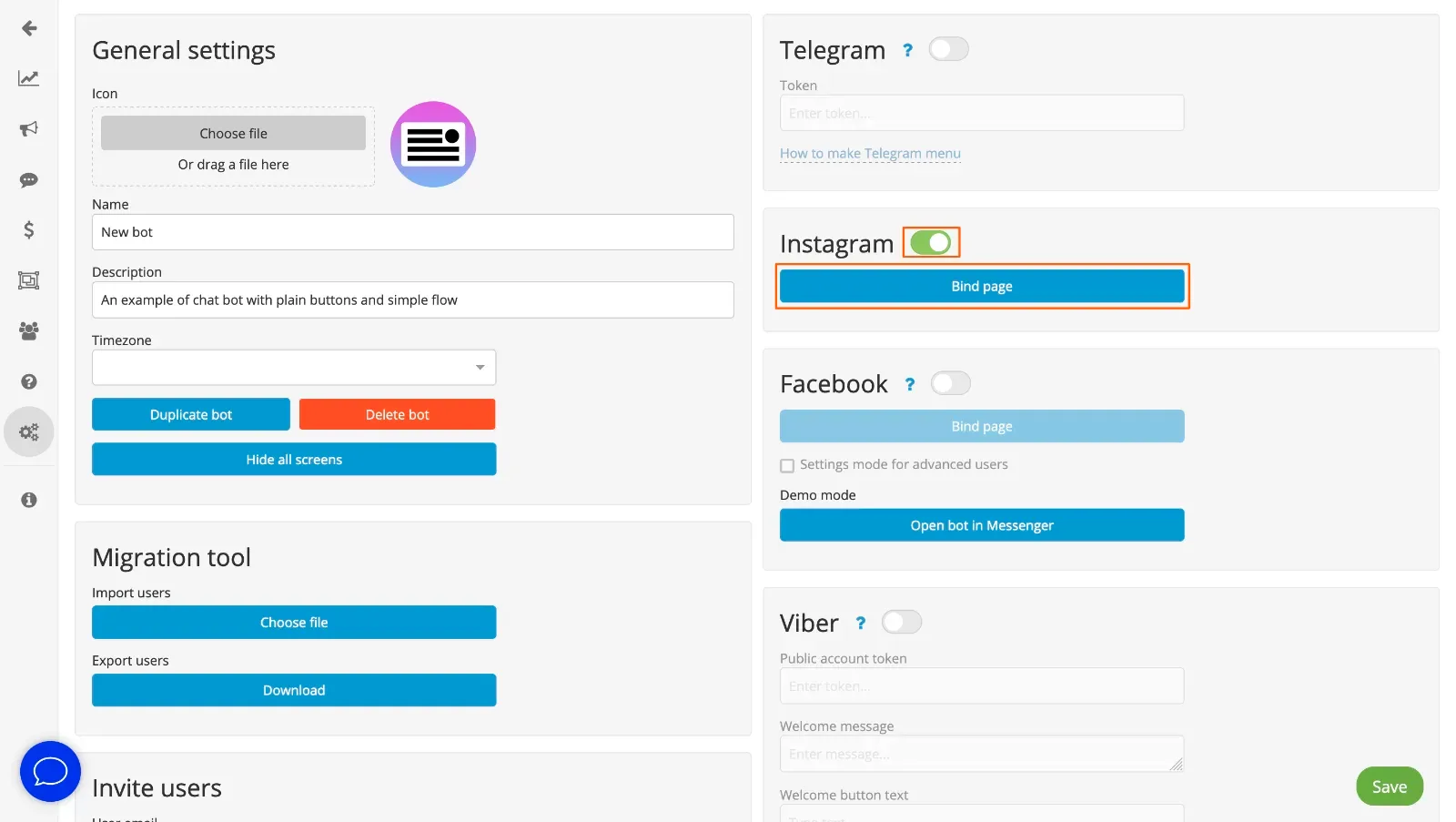
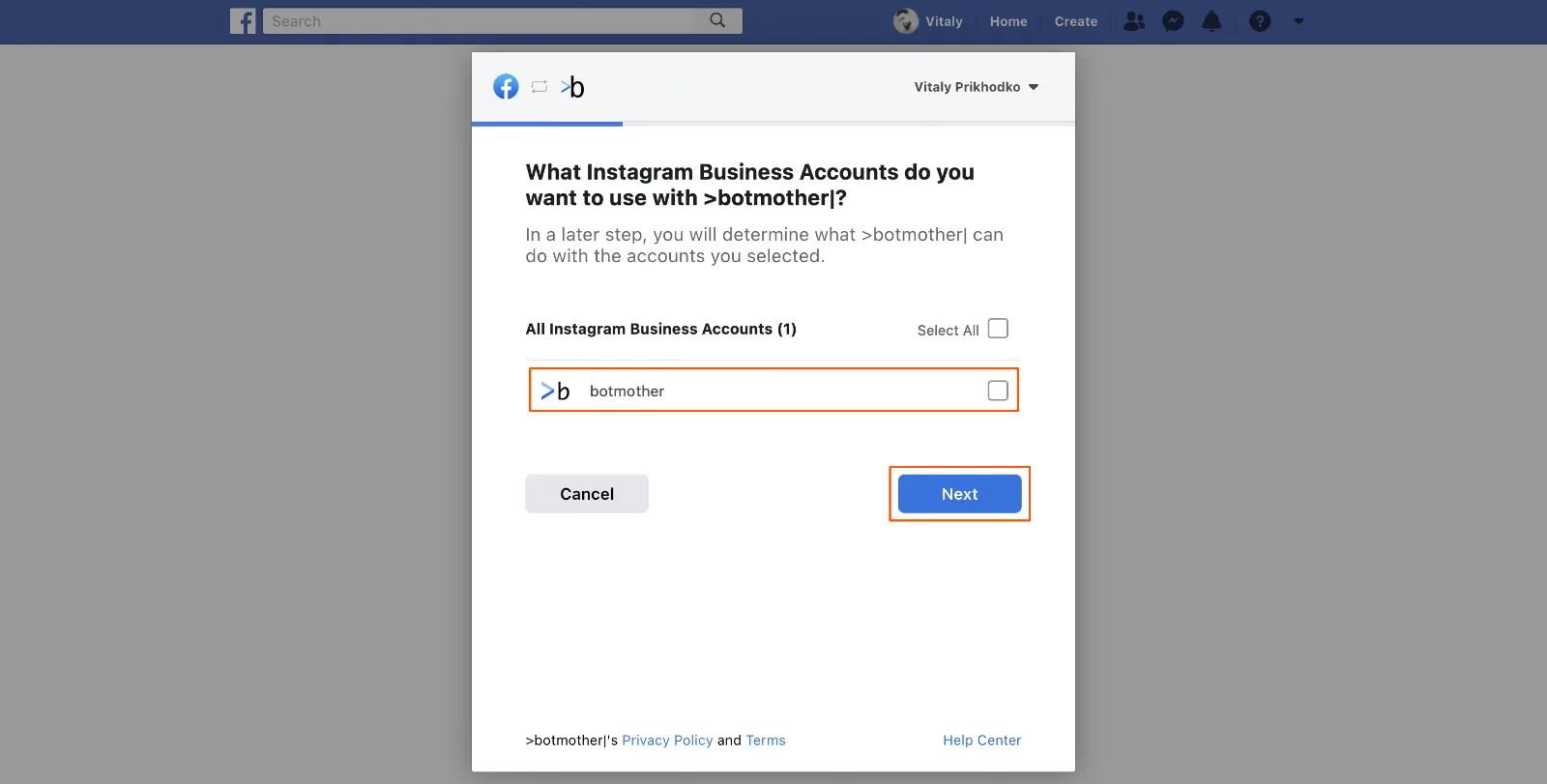
6. Select the Instagram business account where your bot will work and which Facebook page it belongs to.
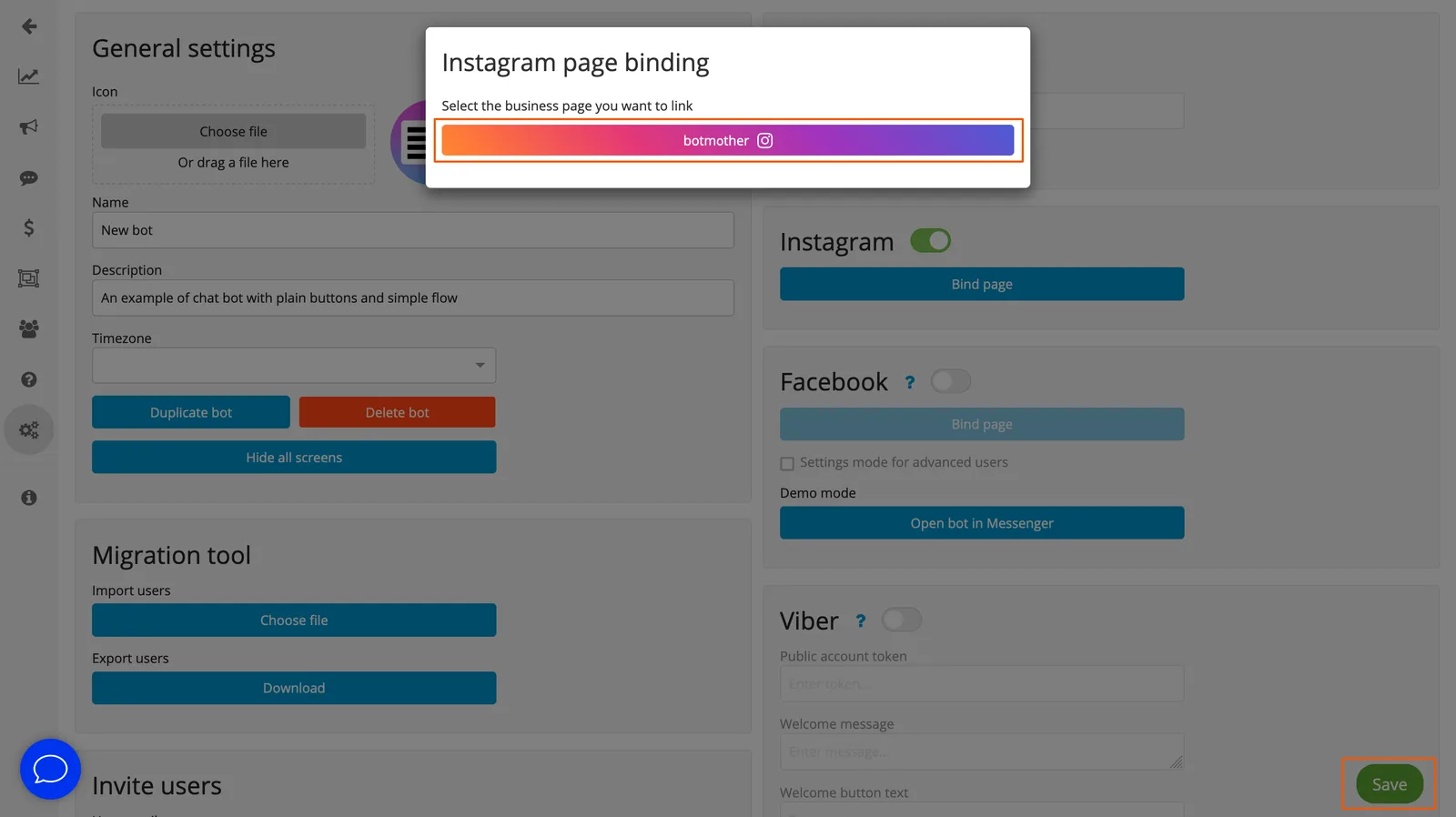
7. Select the business account again and click "Save".
8. Write to the bot, it should respond.
To the beginning ↑