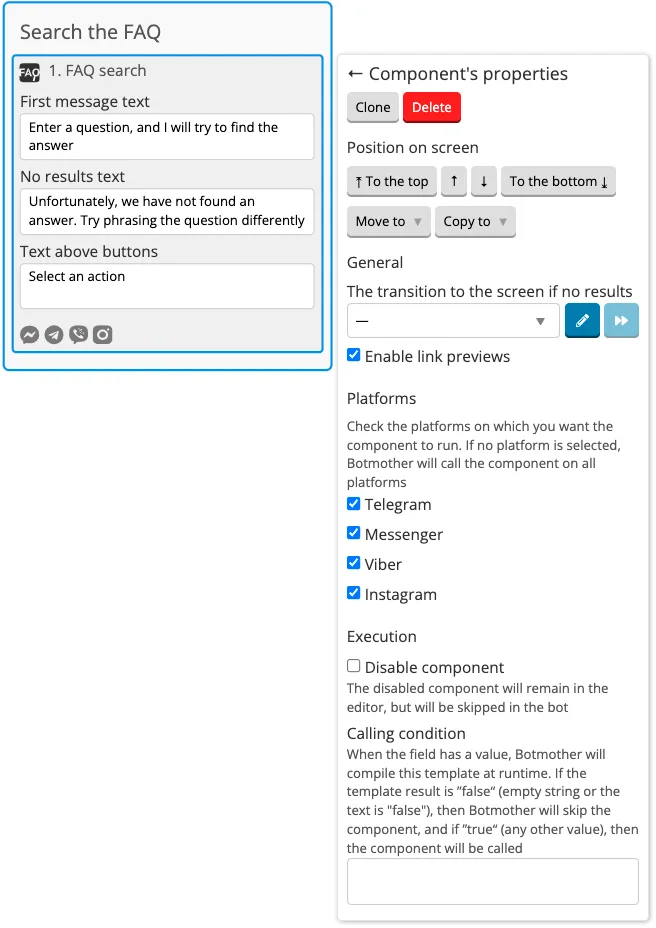
Section and components to create a FAQ
The FAQ section will help you create a knowledge base in the bot. It populates the knowledge base for the FAQ components.
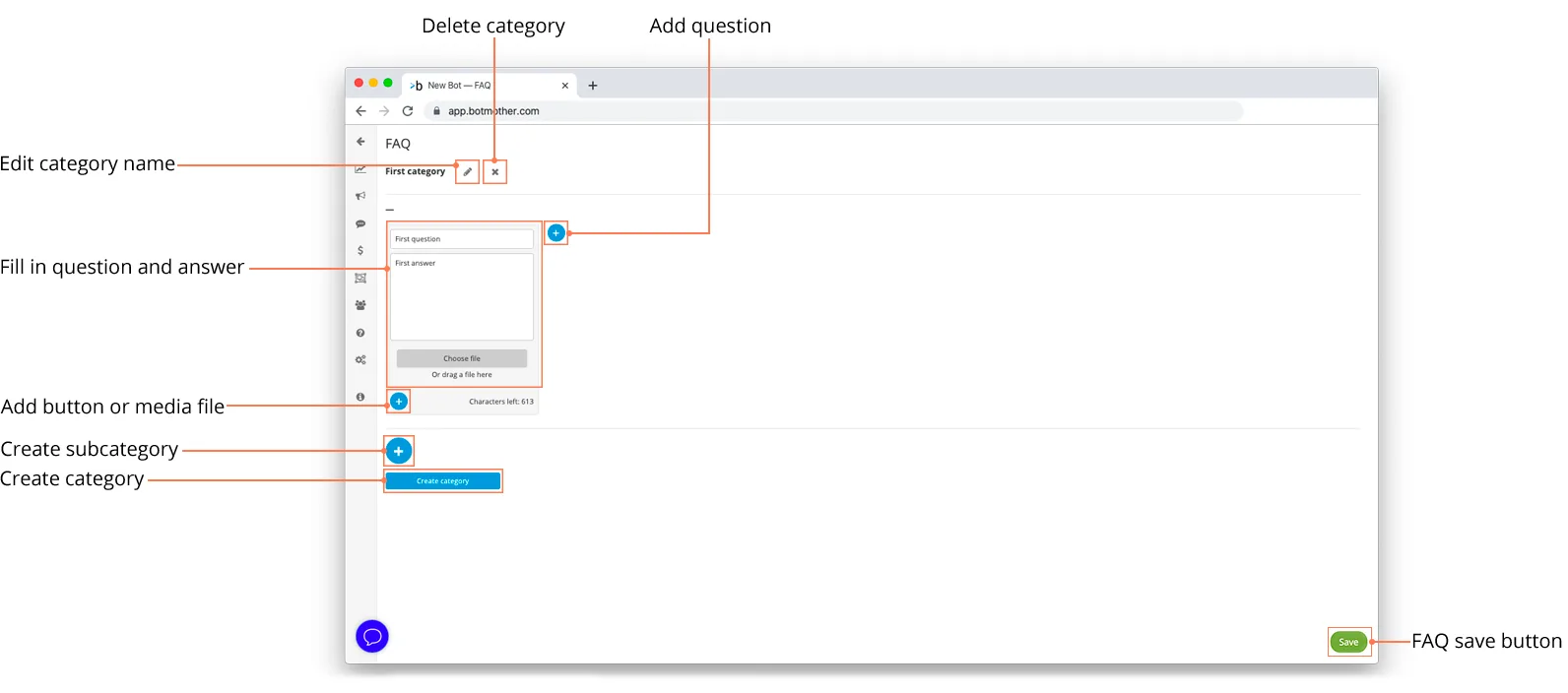
The FAQ component works with the FAQ section with the help of menu buttons.
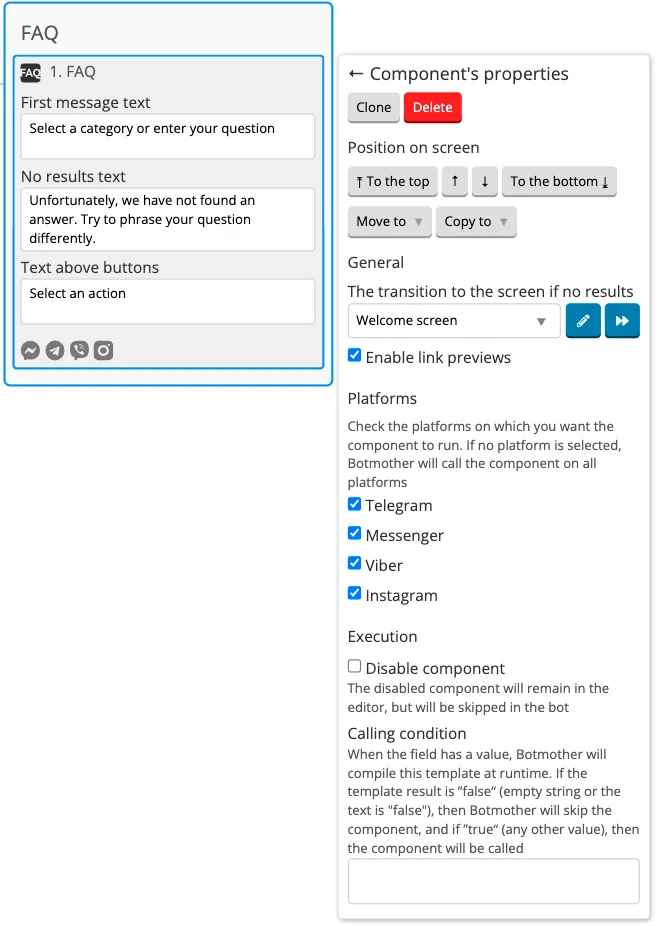
Exit button of the FAQ component comes to the messenger by default, it is not displayed in the builder. You cannot change the button text.
If the user clicks Exit button, the next component on the screen will be executed and the bot will continue to follow the script. In order for the bot not to stop and continue following the given scenario, add a screen where the user will be forwarded to after clicking Exit button. You can add Forward or Buttons to the screen after the FAQ component.
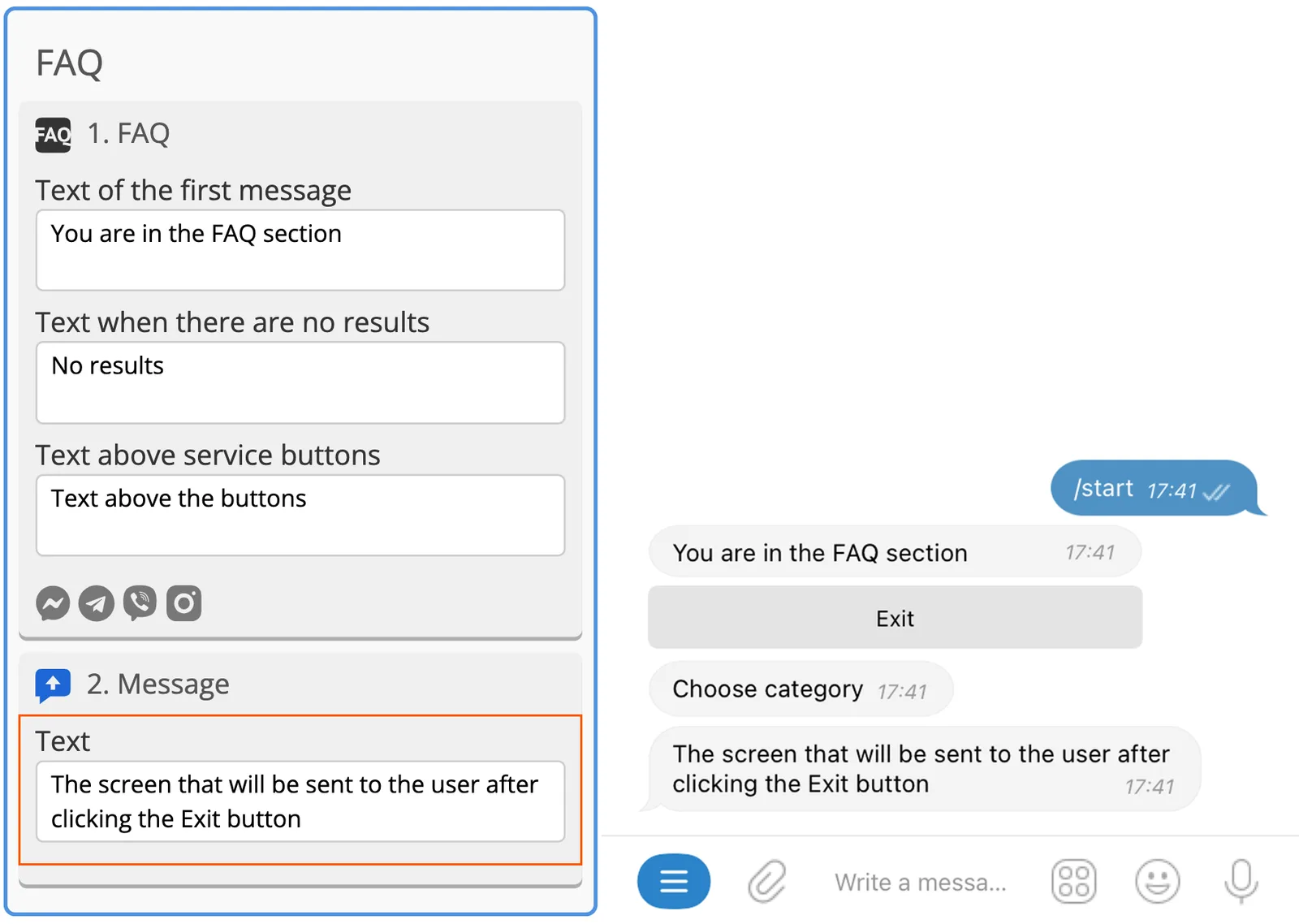
The FAQ Search component allows you to find the necessary information in the FAQ section by word or expression — all answers from the section appear that contain the words typed by the user. Search the FAQ looks for answers, buttons do not come when you use the search.