Reply to story (Instagram)
The event only works on Instagram.
Reply to story (Insta) event is triggered by a text sent by the user in response to the story of the Instagram account where the bot is connected. To call an event, you can add both a single word and a regular expression.
To create a Reply to story (Insta), go to Settings ➝ Events and click Add Event. Enter the Name of the event and select Type — Reply to story (Insta).
To delete an event, click Delete button.
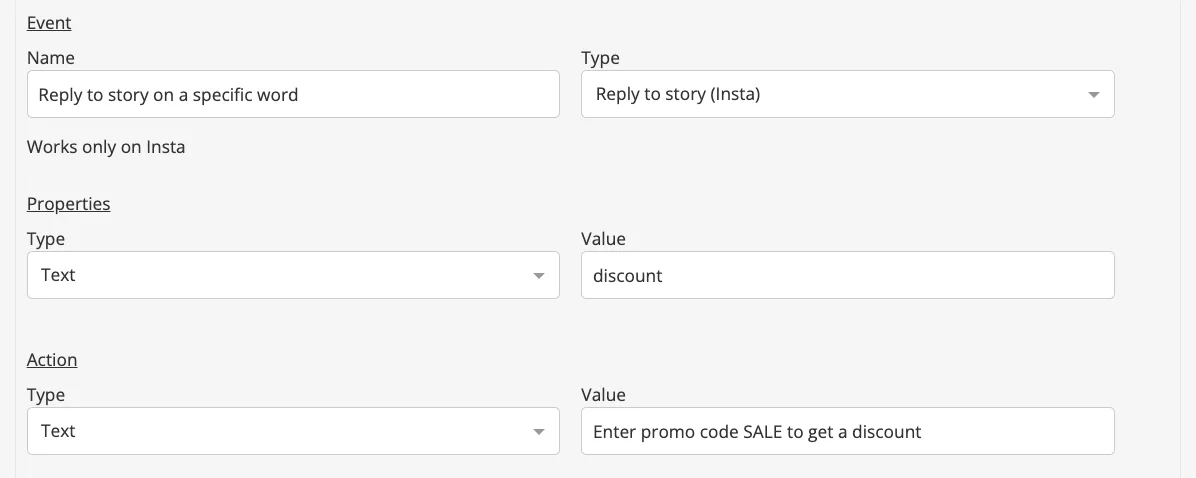
Reply to story (Insta) on a specific word
- Add and name Reply to story (Insta) event.
- In the Properties, specify Type — Text and its Value — the text to which the bot will respond.
- In Action, specify Type — select whether any Screen or Text will be sent to the user when the Reply to story (Insta) is triggered.
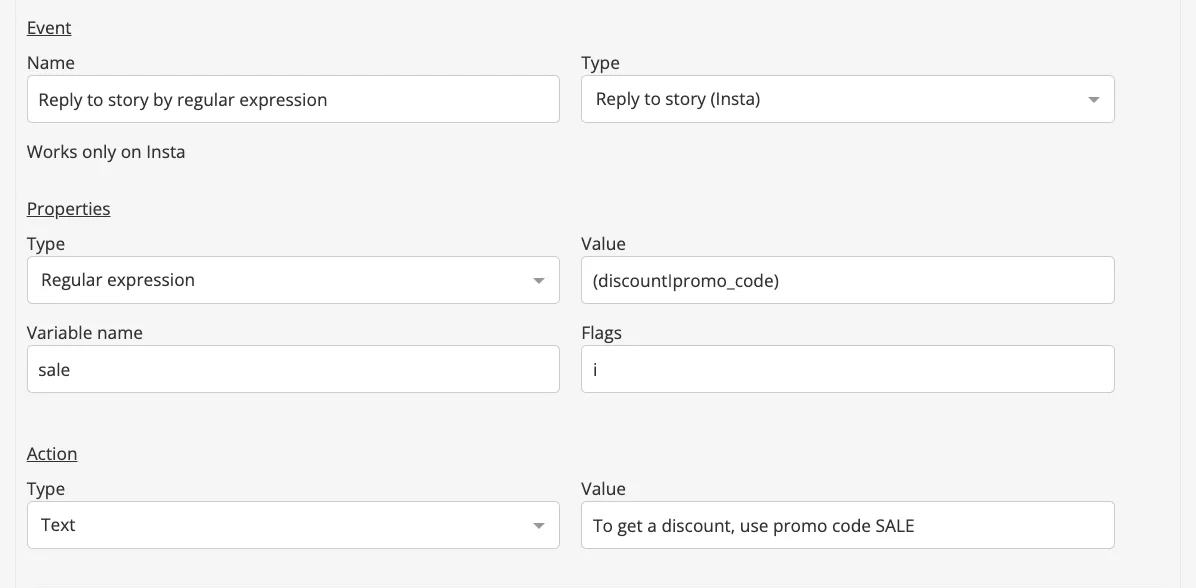
Reply to story (Insta) by regular expression
- Add and name Reply to story (Insta) event.
- In the Properties, specify Type — Regular Expression and its Value — the required regular expression. Specify Variable Name — an arbitrary variable. If necessary, we set regular expression flags.
- In Action, specify Type — select whether any Screen or Text will be sent to the user.