Calling condition
Calling condition helps to send different components to users with different variable values, and these components can be on the same screen.
In other words, the Calling condition checks user variables and distributes users to different screens depending on the value of the variable being checked.
For example, we have a task to make a bot in two languages: Russian and English.
1. Create a screen where using the components of Button with hints and Fork, we ask the user in which language the bot should send messages.
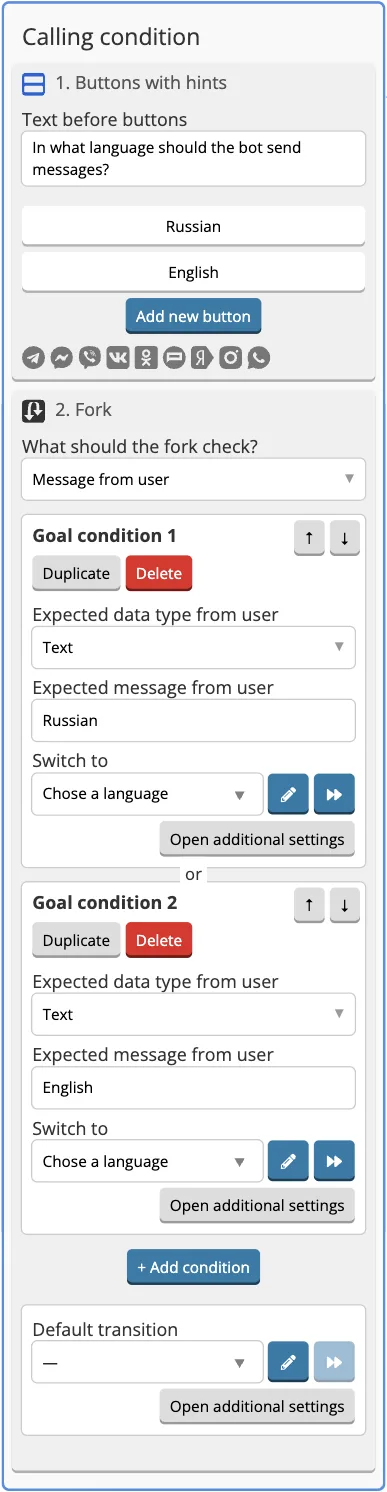
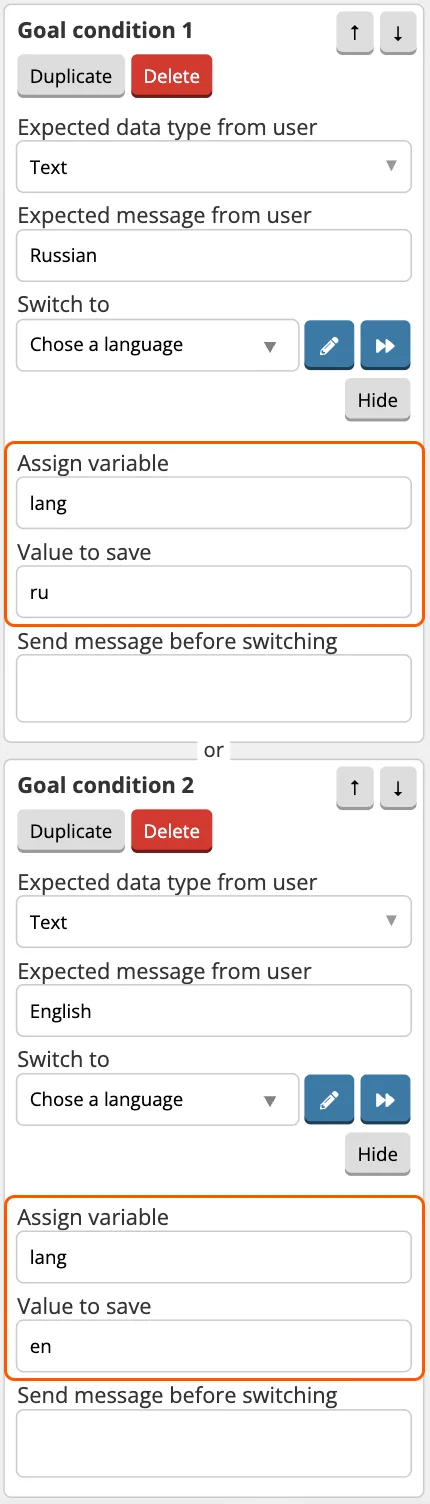
2. In the settings of the fork goals, we write the data to a variable:
- The variable name is lang (the same for two purposes).
- The new value of the variable — when choosing Russian, it will be ru, when choosing English, it will be en.
3. Create a screen where a Calling condition will be applied. There will be two components on the screen: one for those who chose Russian, the other for those who chose English.
- In the component for the Russian language, enter {{eq lang "ru"}} in Calling condition field.
- In the component for English, enter {{eq lang "en"}} in Calling condition field.
Where lang is the variable where the user's choice was recorded, en/ru is the choice made by the user, eq is a helper for comparing variables.
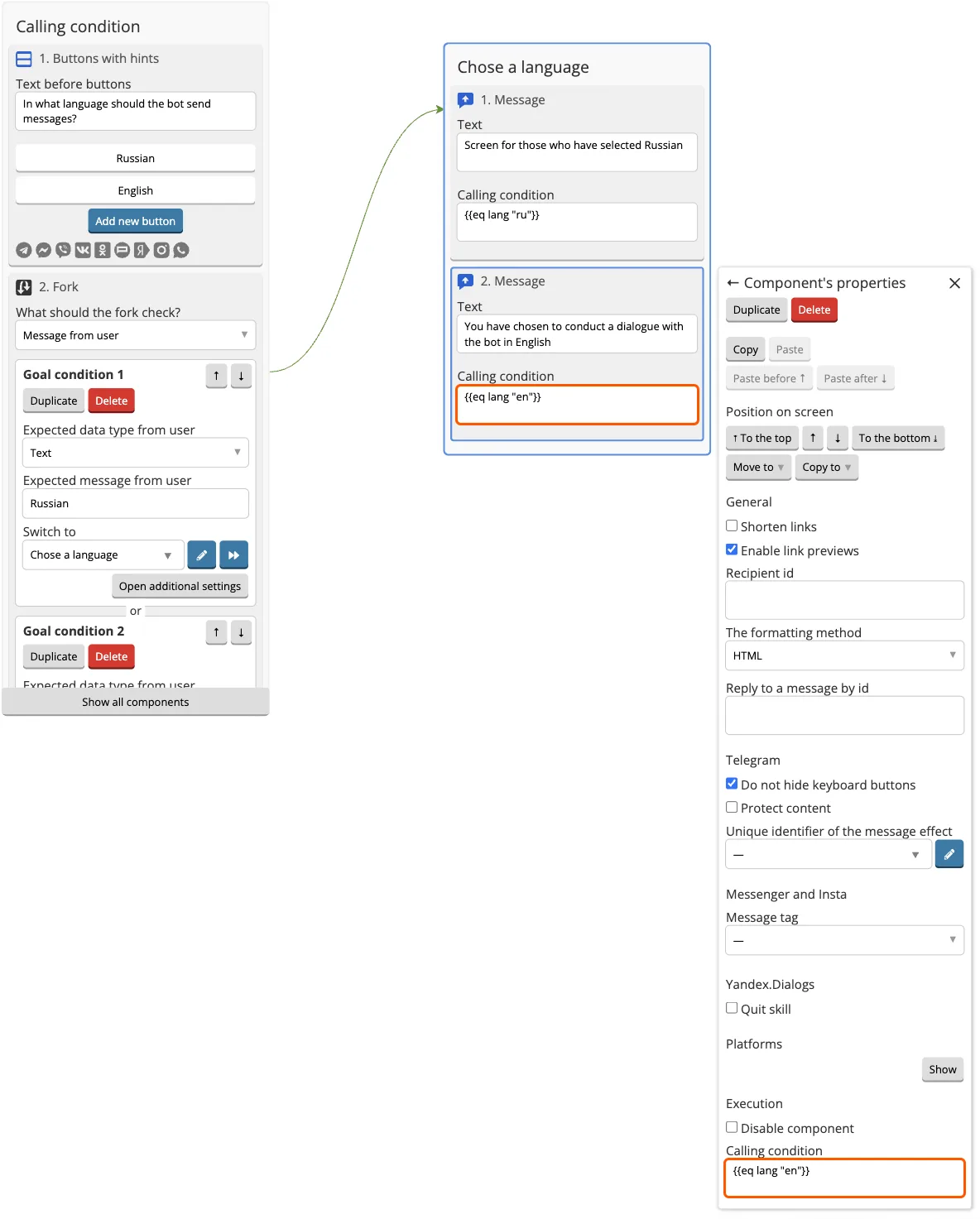
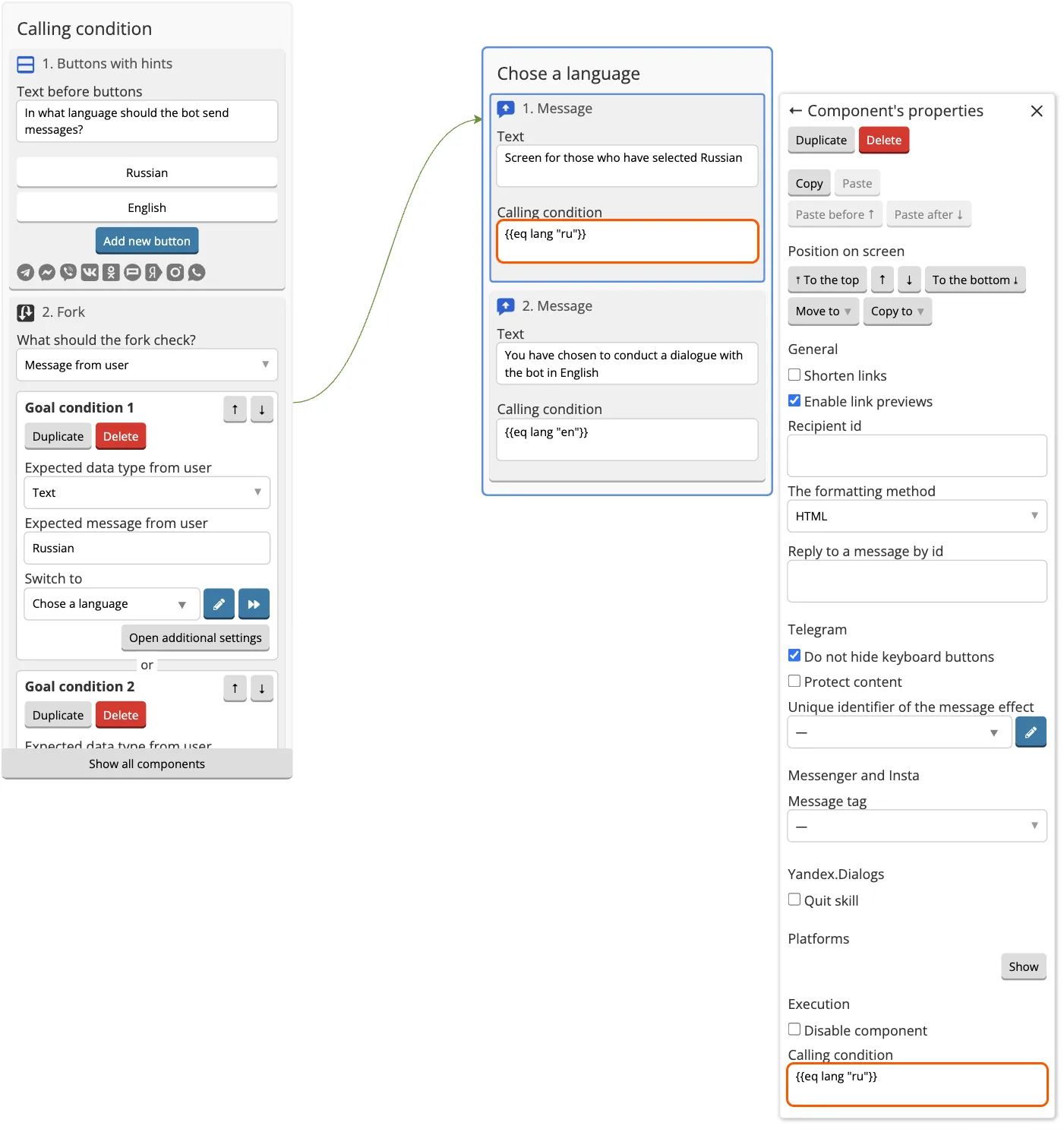
Now the user will receive only the component in the Calling condition of which there is a correspondence to user variables.
If the user does not match the Calling condition, for example, the variable will be empty or will have some other value, then, in our example, the screen will not come to him at all. You can make a screen that will come to everyone, regardless of user variables. To do this, leave the Calling condition field empty.