Bot for a travel agency ✈️
A travel agency bot collects all necessary trip information—destination, dates, number of people, contact phone number—and then sends the request to the manager.
Who is this bot template suitable for?
-

For travel agencies
Helps quickly collect client requests, save managers' time, and speed up request processing. -

For companies organizing offsite events
The bot helps collect requests for tours for corporate trips, team-building, and business events. -

For sales teams
The bot helps promptly receive hot leads from social networks and messengers, ensuring no potential clients are lost. -

For bloggers and travel influencers
The bot can be used to collect requests from subscribers interested in tours and bespoke trips.
How does a bot from the template work when connected to Telegram?
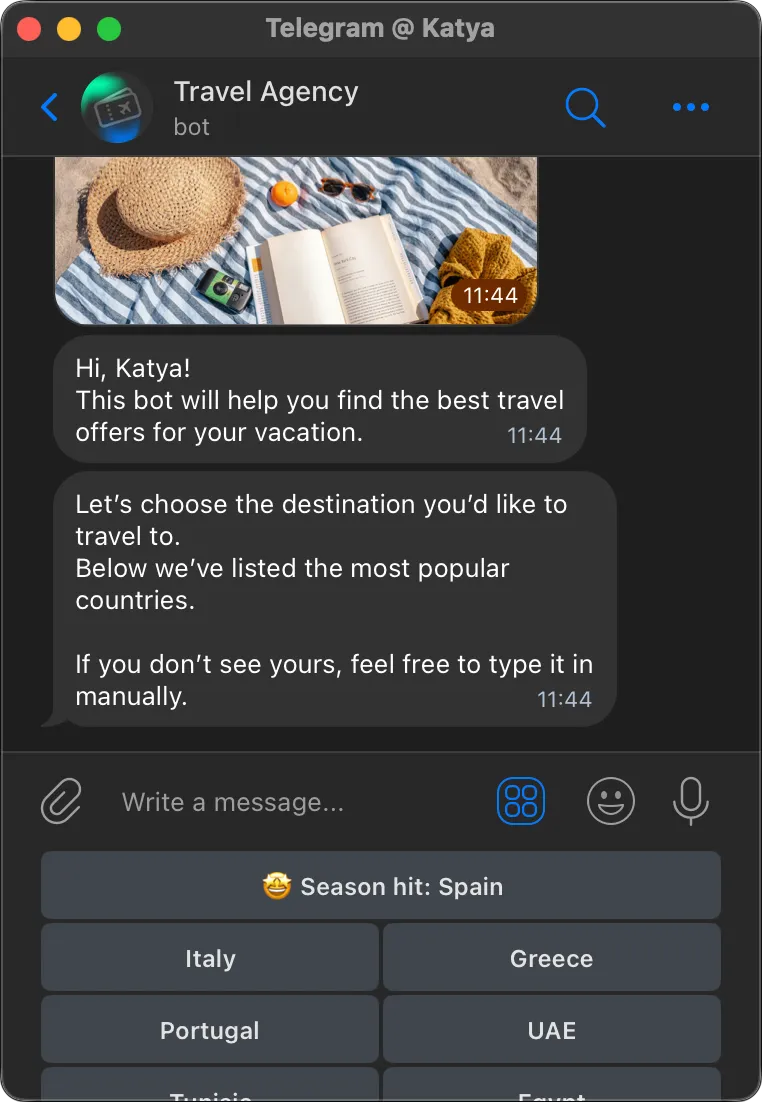
Destination selection
A travel agency bot starts with a greeting and immediately launches a survey — the user receives buttons to choose a travel destination.
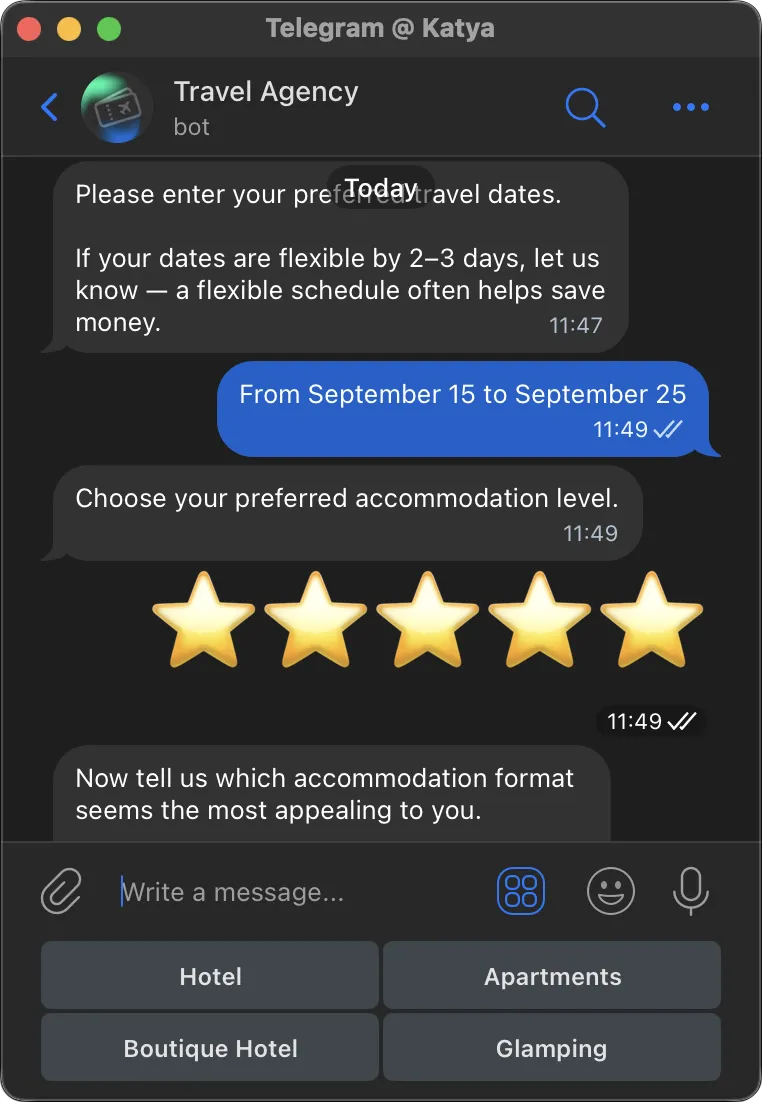
Survey continuation
Then the bot sequentially sends the remaining questions. The user answers by pressing the appropriate buttons or responding freely in a message.
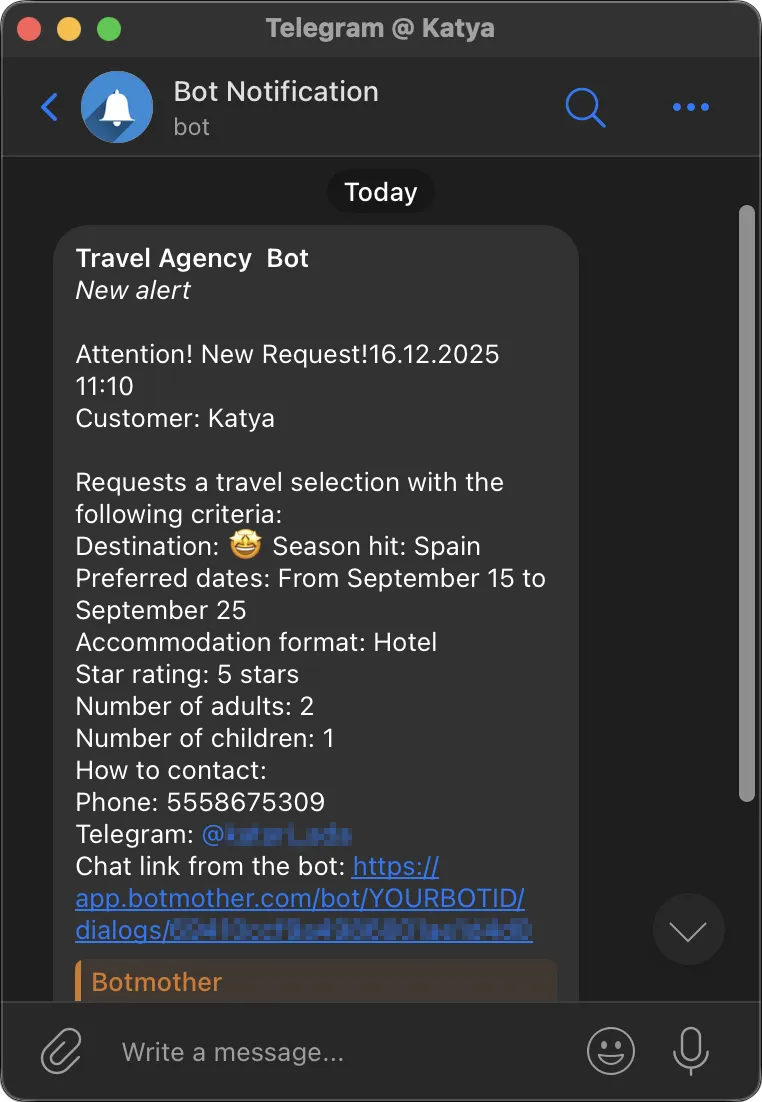
Sending the request to the manager
After the user fills in all the information, it is sent to the manager on Telegram.
The operator can contact the client in any convenient way—by phone, via Telegram, or through the bot.
Connecting the bot is easy
Create your own chatbot from the template in 15 minutes.
-
Sign up in Botmother
-
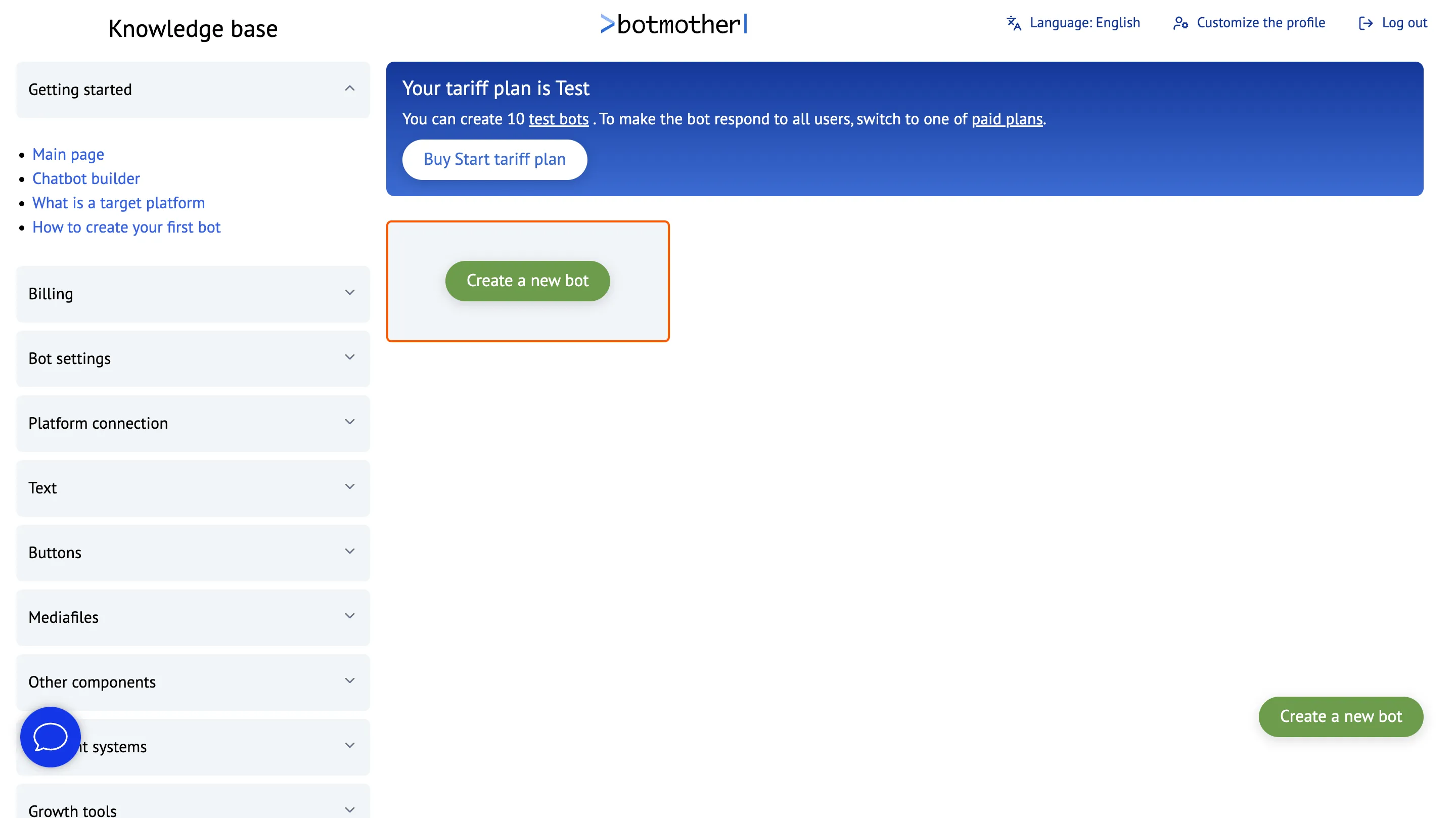
Click the "Create a new bot" button
-
Create a bot from the template
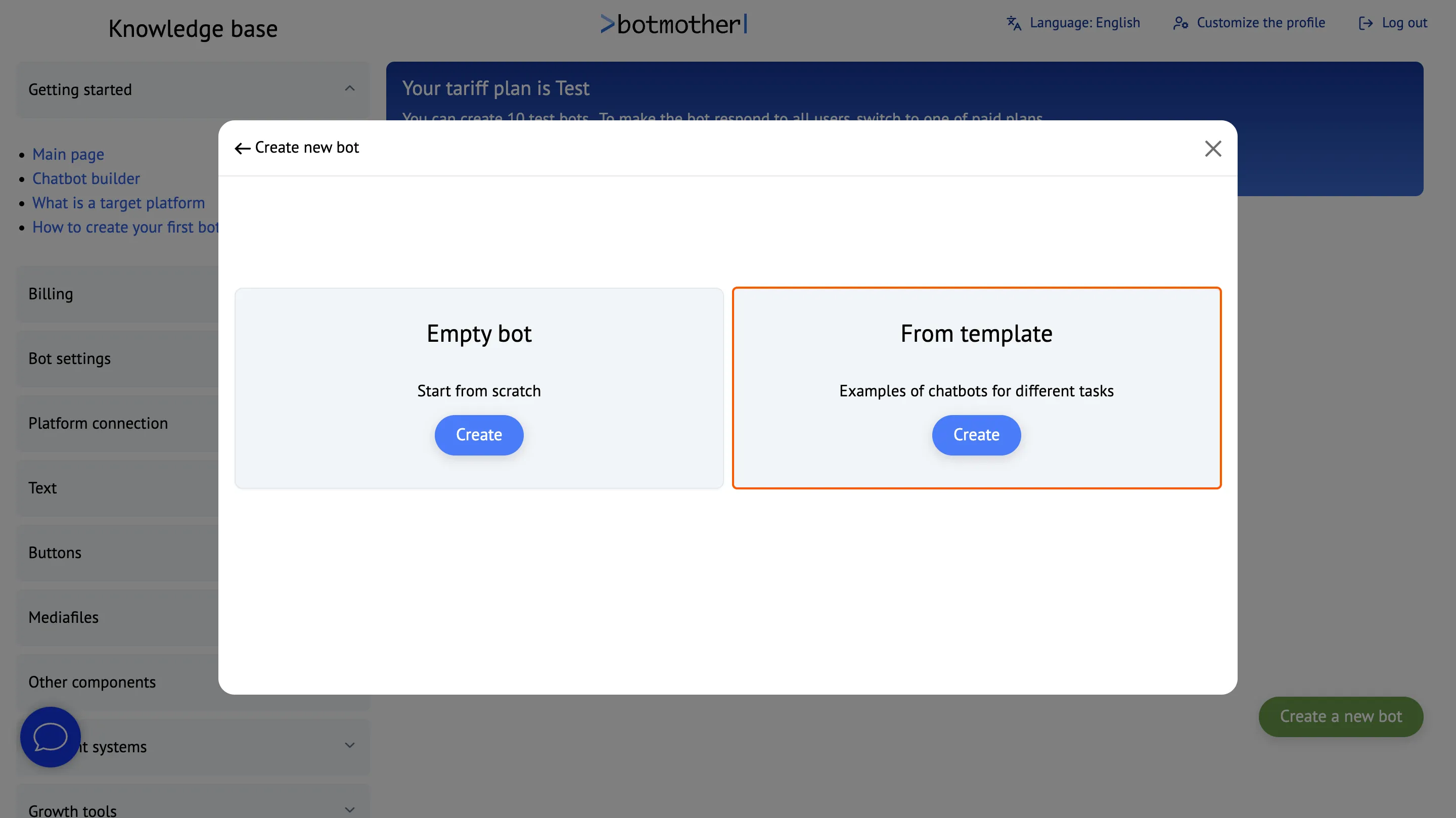
-
Choose a suitable template
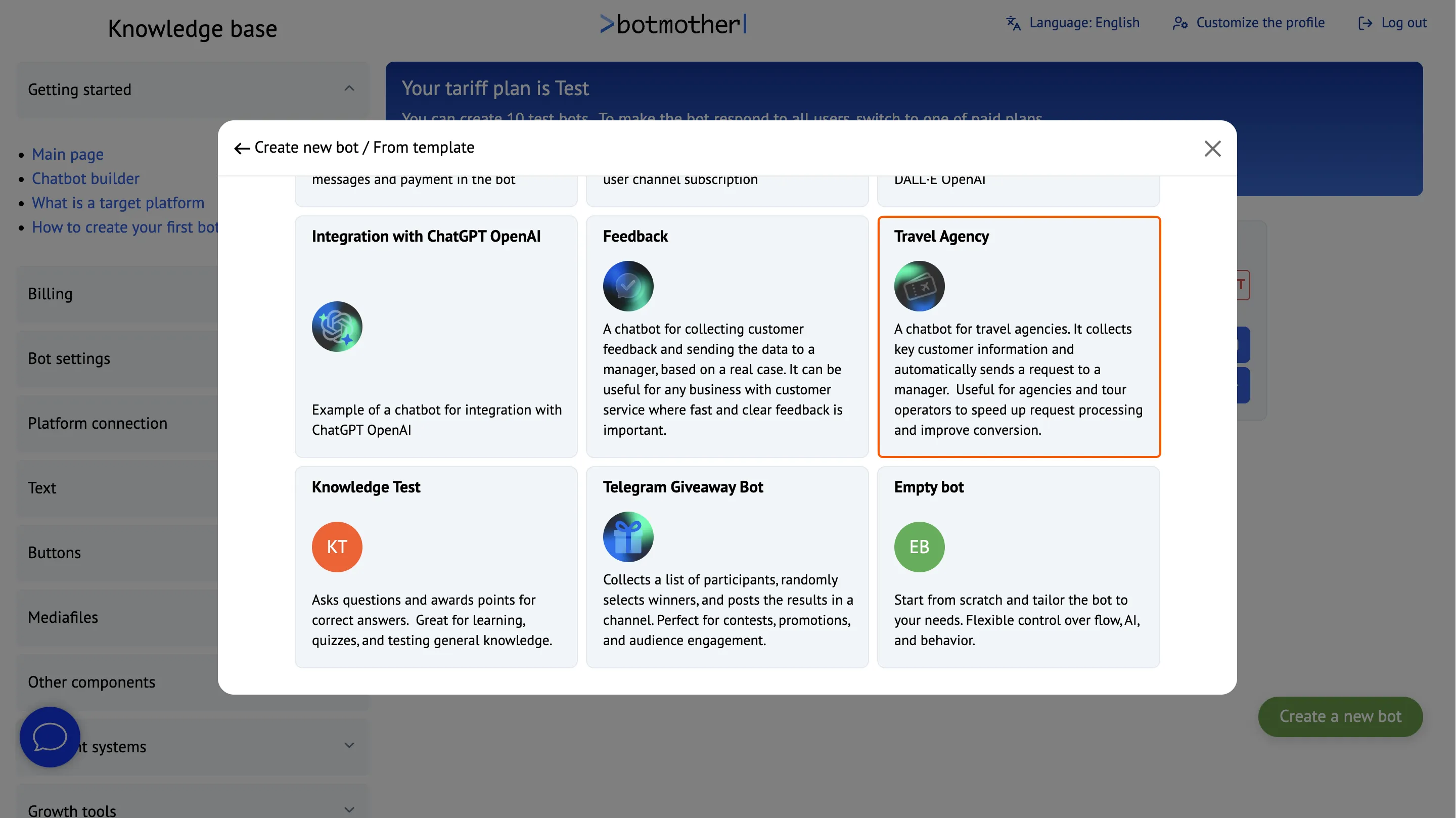
-
Click the "Launch Bot" button and follow the instructions to connect the bot to Telegram.
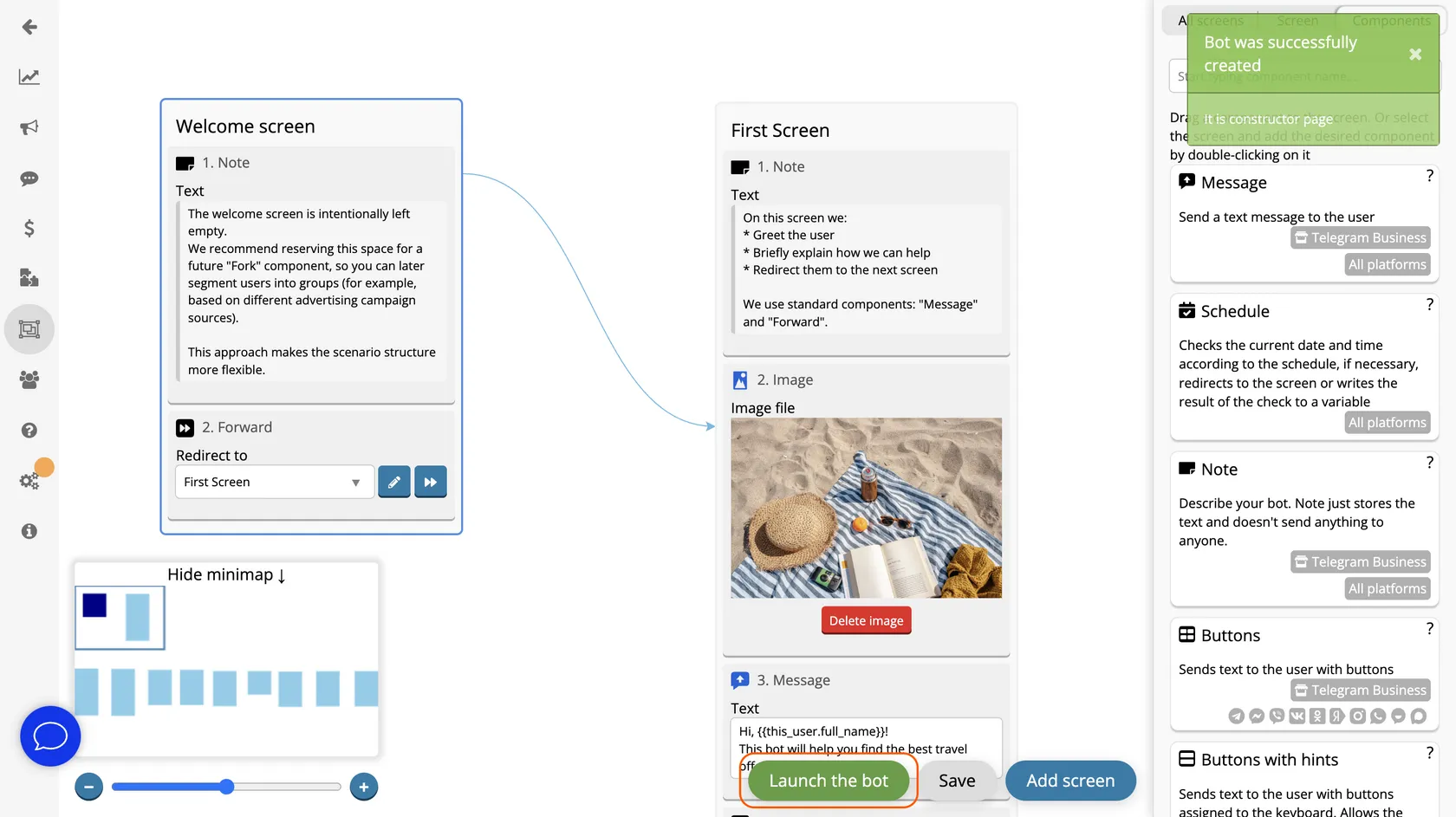
-
On the "Send Request" screen, add the manager's Telegram ID in the Alert component. After that, all user requests will be sent to the manager on Telegram.
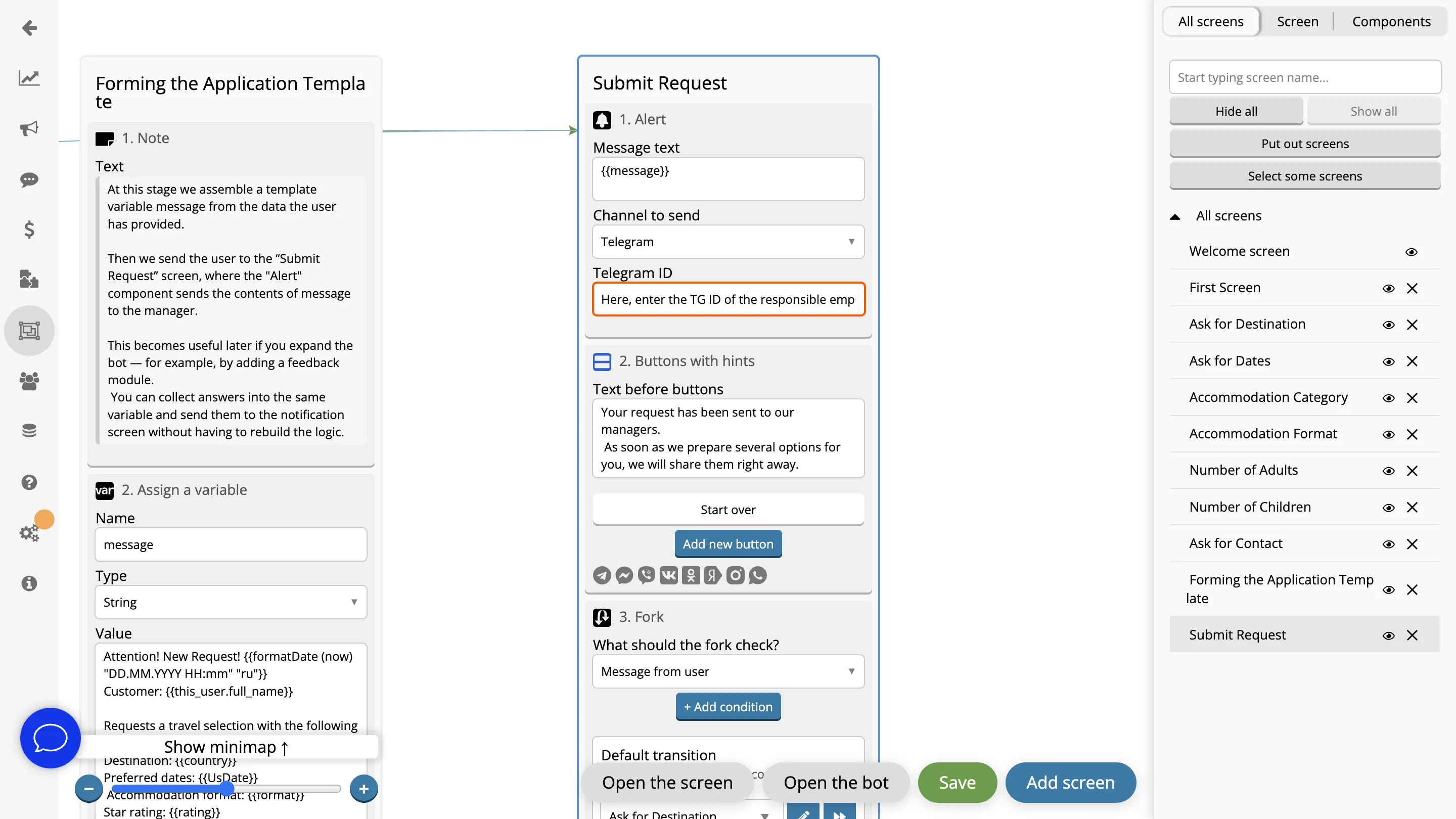
-
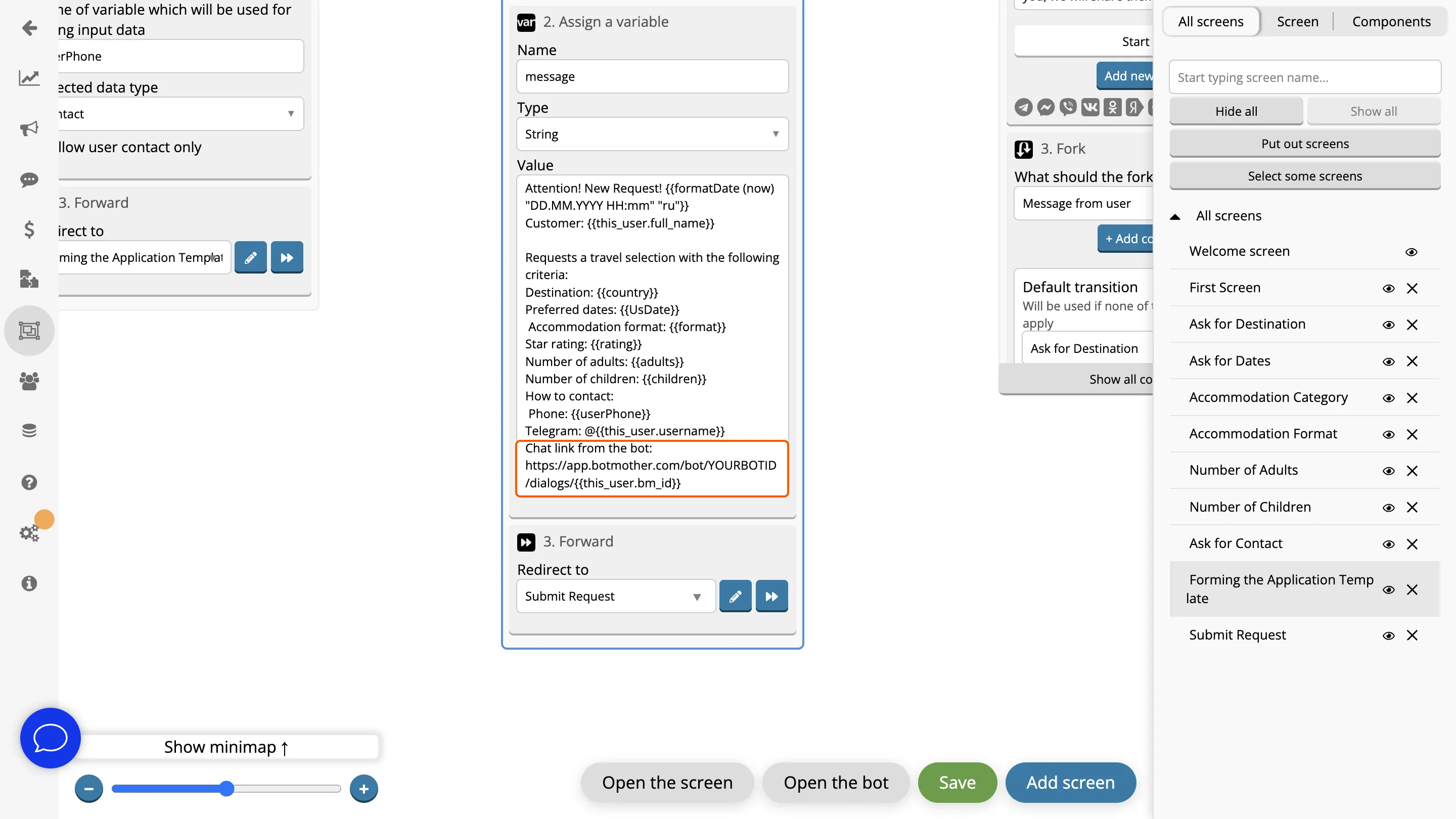
On the "Creating Request Template" screen, replace the text "HERE IS BOT ID" with your bot's actual ID.
To find it, open the "Dialogs" section — in the browser's address bar, you will see a link like:
https://app.botmother.com/bot/YOUR_ID/dialogs/
Copy the string of characters between /bot/ and /dialogs/ — this is the ID you need.
Works Across All Platforms
Interact with clients through a single bot everywhere — it can work simultaneously in Telegram, WhatsApp, Viber, Facebook, Instagram, MAX, VKontakte and Odnoklassniki.


FAQ
What is the "Travel Agency Bot" template used for?
The template helps automate the collection of requests from clients interested in tours. It gathers key information (destination, dates, number of people, contact details) and sends it directly to the manager.
How does a Telegram bot for a travel agency work?
The client opens the Telegram bot, completes a short form, and submits their information. The bot instantly sends the tour request to the manager.
Is it possible to customize the bot for a company’s specific needs?
Yes, the template is fully customizable. You can change fields, add steps, and connect integrations.
What data does the bot collect?
By default — travel destination, dates, accommodation level, number of people, contact phone number. But you can add or remove any fields as you wish.
Is it possible to create a bot by yourself?
Yes, you can create a bot yourself in the visual editor. No coding knowledge is required — the bot is assembled from ready-made blocks with simple drag-and-drop. Templates with popular scenarios are available for a quick start. They can be connected to a messenger and used immediately or customized for your needs.